Photography portfolio guide for 2026: what to show and where to host it
A photography portfolio is a selection of your strongest work, presented with enough information for
someone to decide whether to hire you and a clear way to get in touch. Start with the kind of
photography you want to be booked for, then choose a site that fits how you want to show, sell or
deliver that work.
Heya is made by the team that wrote this guide, so read its row with that in mind. Prices come from each
company's own pages, checked on October 29 and 30, 2026.
The short answer
Free starting point Pixieset suits photographers who want a free plan to start with
and store options for selling their work.
Unlimited photo storage SmugMug suits photographers who want unlimited photo storage
included in its Direct plan.
Defined portfolio limits Format suits photographers who want to choose a plan around
the pages and high-resolution images they need.
Website and branding Zenfolio suits photographers who want a custom website, domain
and logo included across its plans.
Small site setup Heya suits photographers who want a no-code, small-site builder they
can edit on a phone and use to embed Calendly scheduling.
Photography portfolio websites compared
Compare Pixieset, SmugMug, Format, Zenfolio, Heya and Squarespace below by price, site limits, domain
options and the features you'll use.
Builder
Free plan
Paid from
Custom domain
Best for
Pixieset
$0 Free plan
$8/mo billed annually ($10 monthly)
Connect your own
Photographers who deliver client galleries
SmugMug
14-day free trial
$20/mo billed annually (Direct)
Custom domain option
Unlimited photo storage
Format
14-day free trial, no credit card
$10/mo billed annually (Basic)
Free custom domain for the first year
Photographers and visual artists
Zenfolio
Free trial, no credit card
$7/mo (Basic, normally $9)
Included on all plans
Photographers selling sessions and prints
Heya
Free: 3 sites, 5 pages each, yourname.heya.bio
$3/mo (Pro Lite)
Pro Standard (1) or Pro Plus (up to 10)
Small sites built and edited on a phone
Squarespace
14-day free trial, no credit card
$19/mo (Basic)
Free custom domain on Basic and Core (terms apply)
Polished designer templates
Swipe the table sideways to see every column.
Each option up close
Pixieset
Free; Basic $8 a month billed annually
Pixieset offers a free plan across all its products, with its Free plan priced at $0/mo and never
billed, plus support for connecting your own custom domain and options for removing Pixieset
branding and adding your own. Basic costs $8/mo when billed annually or $10/month when billed
monthly. If you're selling through Pixieset Store, watch the commission: it's 15% on Free and
commission-free on paid plans.
Better at
Photographers who deliver client galleries.
Watch out
The store takes a 15% commission on the Free plan.
SmugMug
Direct $20, Portfolio $23.50, Pro $37 a month billed annually
SmugMug's Direct plan includes unlimited photo storage and costs $20.00 per month, billed annually;
Portfolio costs $23.50 per month and Pro costs $37.00 per month, both billed annually. It also
offers the option to use a custom domain. The 14-day free trial lets you explore every feature, so
try the features you need before choosing a plan.
Better at
Unlimited photo storage.
Watch out
Plans are billed annually.
Format
From $10 a month, billed annually (Basic)
Format offers a 14 day free trial with no credit card required, and Basic costs $10 per month billed
annually, normally $14 per month. Basic allows 10 website pages and 70 high-resolution images; Pro
allows Unlimited pages and 1500 high-resolution images, while Pro Plus makes both Unlimited. Format
lists a Free Custom Domain for the First Year in its pricing comparison, so note that first-year
wording when comparing domain offers.
Better at
Photographers and visual artists.
Watch out
Basic allows 10 pages and 70 high-resolution images.
Zenfolio
Basic $7, Professional $11.50, Advanced $20 a month
Zenfolio includes a custom website, domain and logo with every plan, and its free trial requires no
credit card. Basic is priced at $7/mo, normally $9/month; Professional is $11.50/mo, normally
$23/month; Advanced is $20/mo, normally $40/month. Keep the listed and normal prices separate when
you compare it with the other options.
Better at
Photographers selling sessions and prints.
Watch out
Basic is normally $9/month after the intro price.
Heya
Free; Pro Lite $3, Pro Standard $6, Pro Plus $15 a month
Heya is a no-code builder for one-page and small sites that can be built and edited fully on a
phone; building starts without an account, drafts stay in the browser until publication, and
publishing requires Google sign-in. Free costs $0 with no time limit or credit card and includes up
to 3 sites with up to 5 pages each and a small "Made with Heya" badge; Pro Standard costs $6 a month
for up to 5 sites, up to 20 pages each, no badge and 1 custom domain per account, using a domain the
photographer already owns. For bookings, Heya can embed a Calendly scheduling page or link a button
to an external booking page; uploaded images are resized to 2048 pixels on the long edge and
converted to WebP, with up to 200 files per site and 20 MB per image.
Better at
Small sites built and edited on a phone.
Watch out
Free sites show a small "Made with Heya" badge.
Squarespace
Basic $19, Core $29, Plus $49, Advanced $99 a month
Squarespace lets photographers start with Blueprint AI or a designer website template, then design,
edit and publish with Fluid Engine drag-and-drop tools without HTML, CSS or JavaScript. Basic costs
$19 per month and includes a free custom domain*, while Core costs $29 per month, Plus costs $49 per
month and Advanced costs $99 per month; annual payment can save up to 36%. Its 14 days of free
website trial require no credit card and can be canceled anytime, and you can design the full site
before choosing a plan to connect a custom domain and go live.
Better at
Polished designer templates.
Watch out
You pick a paid plan to connect a custom domain and go live.
Templates to start from
These are Heya templates. Each one is live: open the demo, or start your own from it.
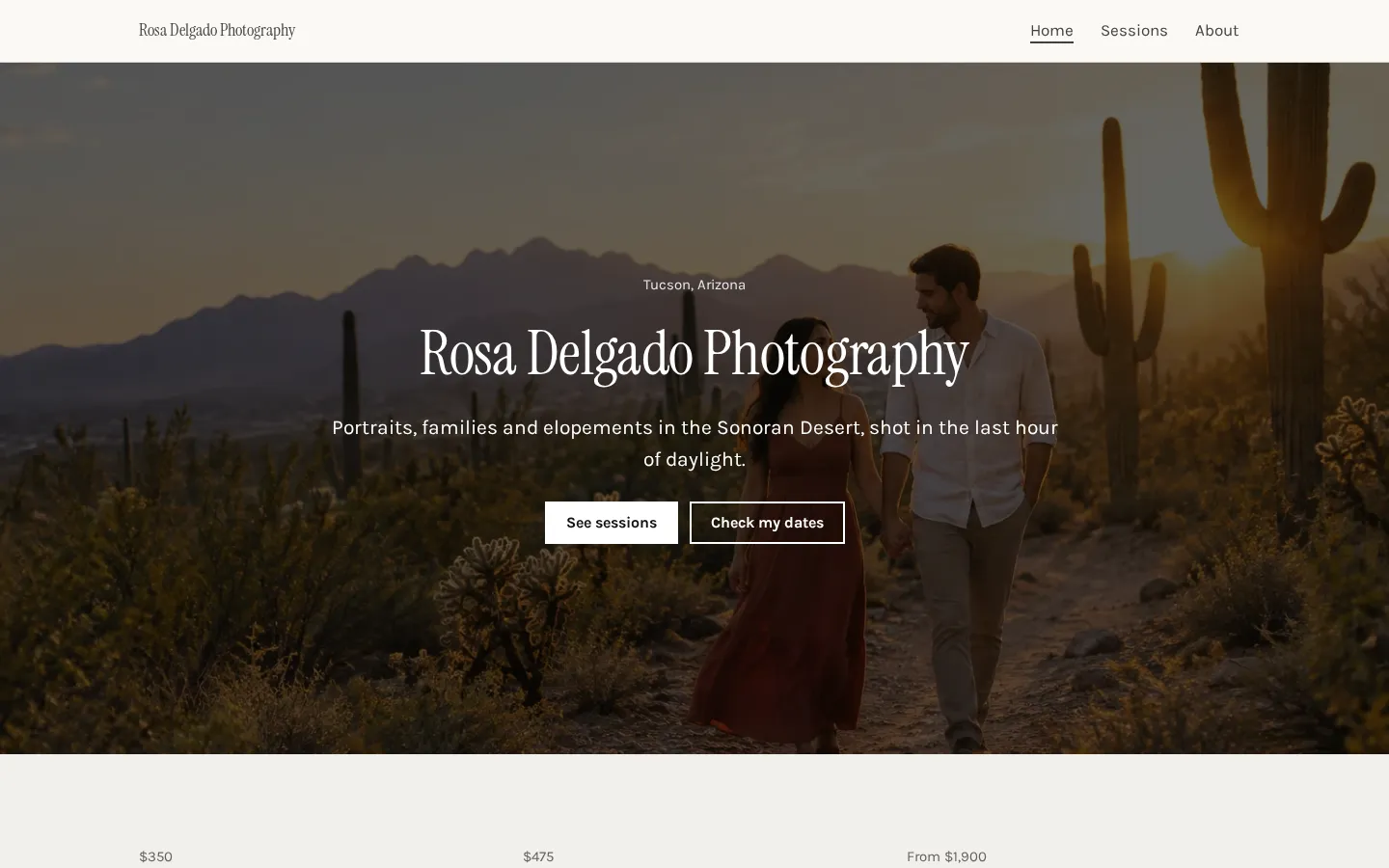
Photography websiteA free photography website template with a gallery, session prices, client reviews and a booking
button.Open the live demoStart from it
Choosing your best photos
Choose work you want someone to hire you to make again. If you want portrait bookings, lead with
portraits. A photograph can mean a lot to you and still not belong in that selection.
Be picky.
Look at the photographs together, not just as separate favourites. When you have several similar
frames, choose the strongest rather than asking the visitor to sort through them, and keep variety
where it shows something different about the work you want to do.
Ask yourself: would I be happy if someone booked me on the strength of this photo? If the answer's no,
leave it out (even if it was hard to make).
And check the order on your phone before you publish. Start with work you'd want a prospective client
to see first, then look for anything you're keeping only to make the page feel fuller. You don't need
to fill the available space.
Pages a photography site needs
Start with a home page that shows your work and says what kind of photography you offer. Include where
you work, too. Don't make someone piece that together from the pictures.
Your portfolio can sit on that page or have its own page. If you offer different kinds of photography,
give each a clear name and keep the work easy to find, rather than making visitors move through
everything before they reach what they're looking for.
Keep the labels plain.
Use an about page or section to introduce yourself in your own words. What would you tell someone who
was considering hiring you? Put that there, not a long account of every camera you've owned.
Then add a contact or booking page with a clear next step. And on a small site, these can be sections
rather than separate pages (you don't need a bigger plan just to give each section its own address).
A portfolio site or a client gallery platform
Start with the job you need the site to do. Is it there to introduce your work to prospective clients,
or do you also need somewhere to store photos and sell them? Write that down before comparing plans.
They're different jobs.
For a public portfolio, concentrate on the work you show, the information around it and the route to
an enquiry. If you're comparing a portfolio builder with a client gallery platform, test the actual
features you'll use rather than choosing from the category name alone.
Pixieset Store charges 15% commission on Free and no commission on paid plans, while SmugMug includes
unlimited photo storage in Direct. Those are concrete points to weigh if selling or storage is part of
your brief, alongside the cost of the plan itself.
But don't let a storage allowance decide which photos appear in your public portfolio (keep that
selection separate). Choose the service for the work it needs to handle.
Plans change often. If a number here is out of date, email hello@heya.page and we'll fix it.
FAQ
How many photos should be in a photography portfolio?+
There isn't a target you need to fill. Choose your strongest work and stop when the next photo
doesn't add something you want a client to see. If two images do much the same job, keep the
stronger one. And don't treat a plan's image allowance as a recommended portfolio size.
What is a good free photography portfolio website?+
Pixieset is worth considering: it offers a free plan across all its products, and Free is $0/mo
and never billed. Heya is another option for a small portfolio, with up to 3 sites and up to 5
pages per site at $0 with no time limit or credit card. Free Heya sites display a small "Made with
Heya" badge.
Should photographers use Pixieset or a website builder?+
Choose around what you need to do. Pixieset offers a free starting point, custom-domain support
and a Store with commission-free sales on paid plans. If your brief is a public site showing
selected work and a way to enquire, try a website builder too. Build the same selection in each
before deciding.
How do clients book a session from my portfolio?+
Give them a clearly labelled booking or contact link, and say what they should send if you're
asking for an enquiry. Want them to choose a time instead? Heya can embed a Calendly scheduling
page or send visitors to it through a button. The scheduling happens through Calendly, not a
booking system of Heya's own.
Start from the photography website template, edit it on your phone or laptop, and publish on Heya's
Free plan for $0, with no time limit and no credit card.