Architecture portfolio guide for 2026: projects, layout and where to host it
An architecture portfolio is a selection of your work that shows what you designed, how you developed it
and what you contributed. For jobs, school or clients, it should pair drawings and images with enough
explanation to make the work understandable. Online, that means readable project pages, clear navigation
and a way to contact you.
Heya is made by the team that wrote this guide, so read its row with that in mind. Prices come from each
company's own pages, checked between October 29 and November 9, 2026.
The short answer
Image-led project pages Format suits architects who want a portfolio website and can
choose a plan around their page and image needs.
Hands-on layout control Squarespace suits people who want to arrange their site with
drag-and-drop tools rather than write code.
Existing Creative Cloud users Adobe Portfolio suits architects who already have a
Creative Cloud subscription or want to bring projects over from Behance.
Small portfolio sites Heya suits people who want a no-code site they can build on a
phone, with a free plan they can keep using.
Portfolio websites for architects
Compare Format, Squarespace, Adobe Portfolio, Heya and Wix below by price, publishing options and the
limits that affect your portfolio.
Builder
Free plan
Paid from
Custom domain
Best for
Format
14-day free trial, no credit card
$10/mo billed annually (Basic)
Free custom domain for the first year
Photographers and visual artists
Squarespace
14-day free trial, no credit card
$19/mo (Basic)
Free custom domain on Basic and Core (terms apply)
Polished designer templates
Adobe Portfolio
Included with Creative Cloud
Creative Cloud from US$9.99/mo
Use your own domain
Creatives already on Creative Cloud
Heya
Free: 3 sites, 5 pages each, yourname.heya.bio
$3/mo (Pro Lite)
Pro Standard (1) or Pro Plus (up to 10)
Small sites built and edited on a phone
Wix
$0 Free plan, no credit card
$17/mo (Light), yearly price
Connect one on Premium plans; 1 year free domain voucher on most
Big template library and business tools
Swipe the table sideways to see every column.
Each option up close
Format
From $10 a month, billed annually (Basic)
Format offers a 14 day free trial with no credit card required. Basic costs $10 per month billed
annually, normally $14 per month, and includes 10 website pages and 70 high-resolution images. For a
larger collection, Pro includes Unlimited pages and 1500 high-resolution images at $12 per month
billed annually, down from $17 and normally $24 per month; check your image count before choosing.
Better at
Photographers and visual artists.
Watch out
Basic allows 10 pages and 70 high-resolution images.
Squarespace
Basic $19, Core $29, Plus $49, Advanced $99 a month
Squarespace lets you start with a designer website template or generate a personalized site with
Blueprint AI, then design, edit and publish using Fluid Engine drag-and-drop tools without HTML, CSS
or JavaScript. Its free trial lasts 14 days, requires no credit card and can be canceled anytime.
Basic costs $19 per month; you can design the full site during the trial, but you'll need to choose
a plan when you're ready to connect a custom domain and go live.
Better at
Polished designer templates.
Watch out
You pick a paid plan to connect a custom domain and go live.
Adobe Portfolio
With Creative Cloud, from US$9.99 a month
Adobe Portfolio is included for free with a Creative Cloud subscription, with Adobe Portfolio and
other Creative Cloud services available for as low as US$9.99 a month. It can make a single-page
website or a responsive, multi-page portfolio with a collection and contact page, and it can import
projects from Behance. You can use your own domain and password-protect the whole website or
selected pages; check whether your existing subscription includes it before paying for another tool.
Better at
Creatives already on Creative Cloud.
Watch out
It comes with a Creative Cloud subscription.
Heya
Free; Pro Lite $3, Pro Standard $6, Pro Plus $15 a month
Heya is a no-code builder for one-page and small sites that can be built and edited fully on a
phone; you can start without an account, with drafts saved in your browser, but publishing requires
Google sign-in. Its free plan has no time limit or credit card requirement and includes up to 3
sites with up to 5 pages per site and a small "Made with Heya" badge; Pro Standard costs $6 a month
for up to 5 sites, up to 20 pages per site, no badge and 1 custom domain per account, using a domain
you already own. Watch the image settings for detailed drawings: Heya resizes uploads to 2048 pixels
on the long edge and converts them to WebP, with uploads up to 20 MB and up to 200 files per site.
Better at
Small sites built and edited on a phone.
Watch out
Free sites show a small "Made with Heya" badge.
Wix
Free; Light $17, Core $29, Business $39 a month (yearly)
Wix offers over 2000 business-ready templates that you can customize manually or with AI, plus a
Free plan for $0 with no credit card required. Light, its cheapest paid plan, costs $17 per month
and includes 2 GB of storage and 2 site collaborators; Wix displays USD prices for yearly
subscriptions paid in full at purchase. Premium plans let you connect your own domain and remove Wix
branding, and Wix offers a 14-day money-back guarantee.
Better at
Big template library and business tools.
Watch out
Listed prices are for yearly plans paid up front.
Templates to start from
These are Heya templates. Each one is live: open the demo, or start your own from it.
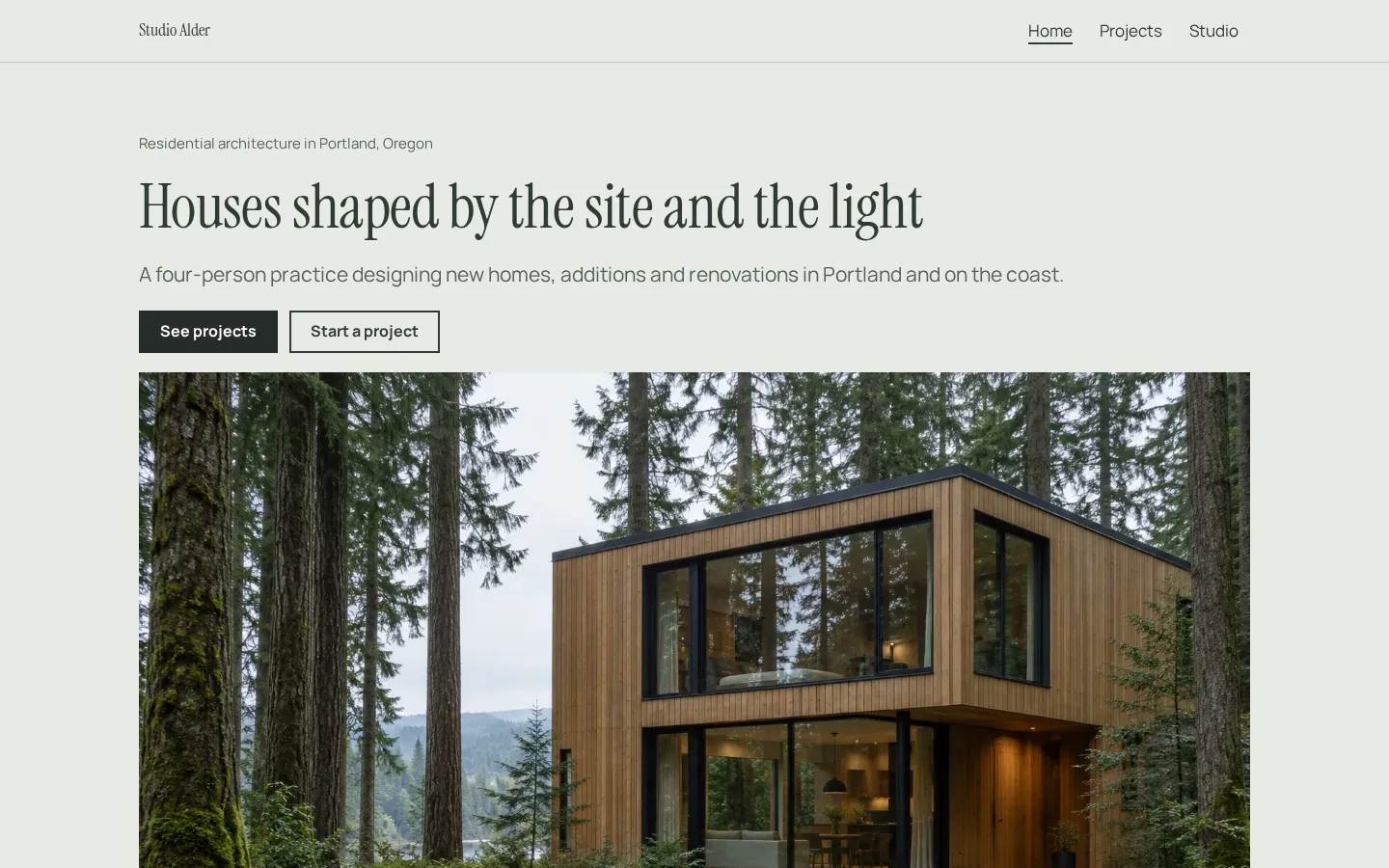
Architect websiteA free architect website template with a project portfolio, services, fees and a studio page,
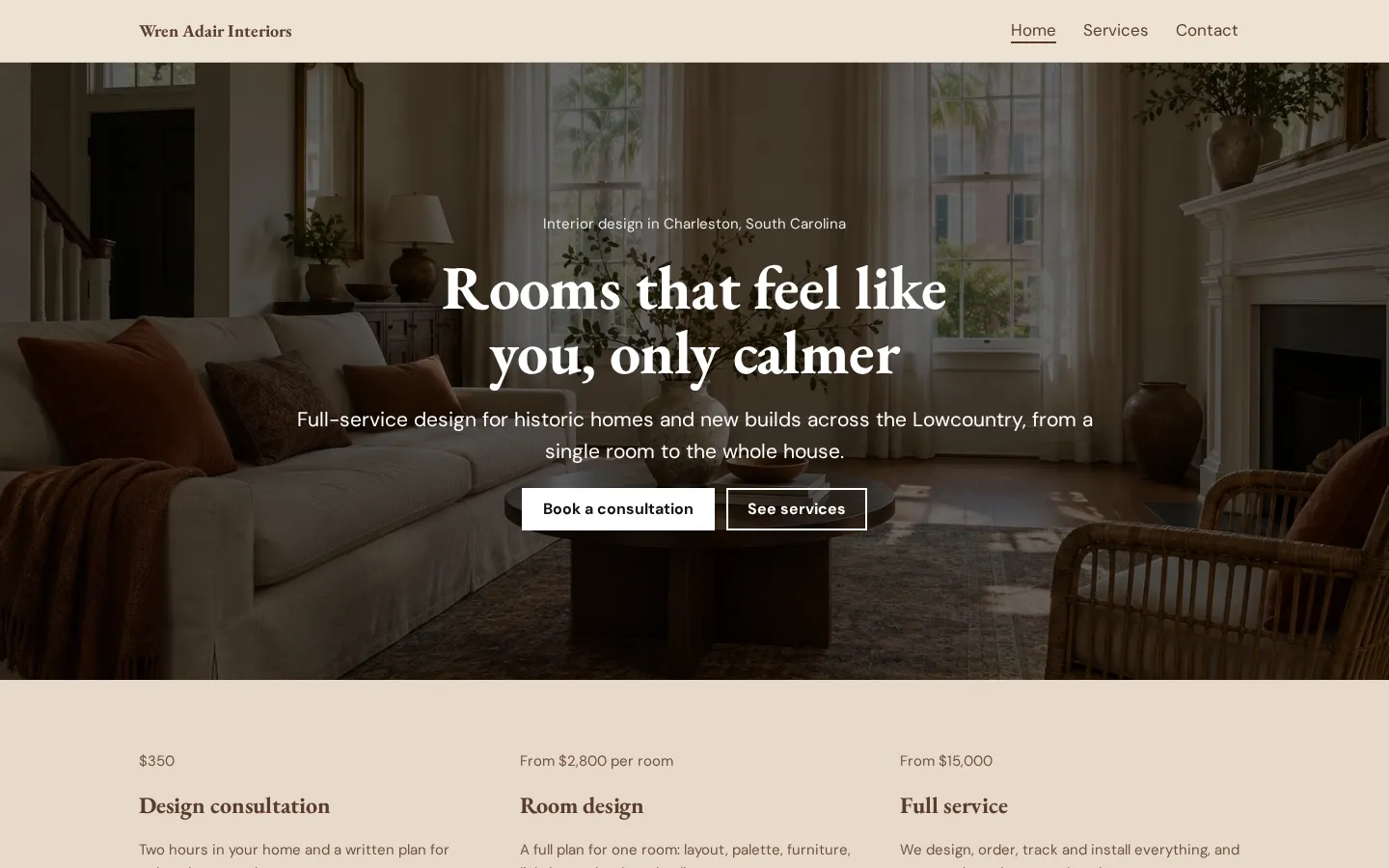
ready to edit in your browser and publish free.Open the live demoStart from itInterior design websiteA free interior design website template with services and prices, your process, a recent project
and a consultation link, edited in your browser.Open the live demoStart from it
Picking projects
Start with the work that fits what you're applying for. For a job, look at the role and choose
projects that let you show relevant design work. For school, make room for the way an idea developed.
For clients, choose work you can explain without assuming they read architectural drawings.
Be selective. A project doesn't need to go in just because you finished it.
For each candidate, gather the drawings, renders and photos you'd actually use, then ask: what can
someone understand from this material? Keep the projects you can present clearly, and leave out work
that repeats something you've already shown.
Say what was yours. If a project was collaborative, name your contribution rather than leaving the
reader to guess. Label student work, proposals and built work accurately, and don't present an unbuilt
design as a completed building.
Laying out drawings, renders and photos
Give each project a clear opening image and a short introduction. State what the project is, then
bring in the drawings and images that explain it. Don't make the reader search through a wall of
renders for a plan.
Use captions where they help. Keep them close to the image they describe, and make sure drawing labels
remain readable at the size you publish them.
What survives on a phone? Check that before you settle on a layout. A drawing that reads well across a
full screen may need a closer view alongside it on a smaller display.
Keep related material together, but don't force every project into the same arrangement. A photo can
have space; a sequence of drawings might need to sit together. Preview your uploaded images, check
fine lines and text, and replace anything that's become hard to read.
A student portfolio or a practice website
A student portfolio can stay close to the work itself. Introduce the brief, show your design response
and include development work where it helps someone follow a decision. Mark group work clearly
(including your part), and make your contact details easy to find.
A practice website needs to speak to the person considering hiring you, too. Explain what the practice
does in plain language, then let the projects show the work. Don't assume a prospective client knows
the terms you use with another architect.
And decide what belongs in public before uploading. Use work you have permission to share, and check
any project restrictions.
Start with the material you can publish now. Choose a tool, build a project page and view it on both a
phone and a larger screen. Then use that page to work out what the rest of the site needs.
Plans change often. If a number here is out of date, email hello@heya.page and we'll fix it.
FAQ
What should an architecture portfolio include?+
Include selected projects, a short introduction and contact details. Within each project, use
drawings, renders or photos that explain the design, with brief captions and a clear account of
your contribution. Add development work when it helps someone understand a design decision. Label
academic, collaborative and unbuilt work accurately.
How many projects should be in an architecture portfolio?+
There isn't a fixed count to aim for here. Choose enough work to show what you can do without
repeating the same material. Follow any requirements from the employer or school first. Then
review each project: if it adds nothing you haven't already shown, leave it out.
Should an architecture portfolio be a PDF or a website?+
Follow the submission instructions first. If a school or employer asks for a PDF, send that
format. A website gives you a place to publish project pages and contact details; you can also
link to a PDF hosted elsewhere. Keep the project descriptions and your stated role consistent
between versions.
Where can architects make a free portfolio website?+
Wix has a Free plan with no credit card required. Heya has a free plan with no time limit, up to 3
sites and up to 5 pages per site, with a small badge. Adobe Portfolio is included with a Creative
Cloud subscription. Format and Squarespace offer free trials rather than ongoing free plans.
Start from the architect website template, edit it on your phone or laptop, and publish on Heya's
Free plan for $0, with no time limit and no credit card.