Portfolio website examples for 2026 and what makes them work
Portfolio website examples worth copying put the work where you can see it, give each project enough
context, and make contact details easy to find. Start by comparing a project gallery, a longer
case-study layout and a compact single-page portfolio. Pick the structure that fits what you have to
show, rather than copying someone else's whole site.
Heya is made by the team that wrote this guide, so read its row with that in mind. Prices come from each
company's own pages, checked between October 29 and November 9, 2026.
The short answer
Template choice Wix suits creatives who want a large template selection they can
customize manually or with AI.
Drag-and-drop design Squarespace suits freelancers who want to build from a designer
template or an AI-generated starting point without writing code.
Creative Cloud users Adobe Portfolio suits creatives who already have a Creative
Cloud subscription and want a full portfolio or a single-page site.
Several small sites Carrd suits freelancers who want to publish multiple sites from
one account, with custom domains available on Pro Standard and Pro Plus.
Phone-friendly building Heya suits creatives making a one-page or small site who want
to build and edit entirely on a phone.
Builders for a portfolio website
Compare Wix, Squarespace, Adobe Portfolio, Carrd, Heya and Format side by side for their starting
options, domain support and site limits.
Builder
Free plan
Paid from
Custom domain
Best for
Wix
$0 Free plan, no credit card
$17/mo (Light), yearly price
Connect one on Premium plans; 1 year free domain voucher on most
Big template library and business tools
Squarespace
14-day free trial, no credit card
$19/mo (Basic)
Free custom domain on Basic and Core (terms apply)
Polished designer templates
Adobe Portfolio
Included with Creative Cloud
Creative Cloud from US$9.99/mo
Use your own domain
Creatives already on Creative Cloud
Carrd
Free Basic plan
$9/year (Pro Lite, 3 sites)
Pro Standard ($19/year) and Pro Plus
One-page sites and landing pages
Heya
Free: 3 sites, 5 pages each, yourname.heya.bio
$3/mo (Pro Lite)
Pro Standard (1) or Pro Plus (up to 10)
Small sites built and edited on a phone
Format
14-day free trial, no credit card
$10/mo billed annually (Basic)
Free custom domain for the first year
Photographers and visual artists
Swipe the table sideways to see every column.
Each option up close
Wix
Free; Light $17, Core $29, Business $39 a month (yearly)
Wix offers over 2000 business-ready templates that can be customized manually or with AI, plus a
Free plan for $0 with no credit card required. Its cheapest paid plan, Light, costs $17 per month
and includes 2 GB of storage and 2 site collaborators; Premium plans allow a custom domain and
removal of Wix branding. The displayed USD prices are for yearly subscriptions paid in full at
purchase.
Better at
Big template library and business tools.
Watch out
Listed prices are for yearly plans paid up front.
Squarespace
Basic $19, Core $29, Plus $49, Advanced $99 a month
Squarespace lets you start with Blueprint AI or a designer template, then design, edit and publish
using Fluid Engine drag-and-drop tools without HTML, CSS or JavaScript. The free trial lasts 14
days, requires no credit card and lets you design the full site before choosing a plan to connect a
custom domain and go live. Basic costs $19 per month, and Squarespace offers savings of up to 36%
for annual payment.
Better at
Polished designer templates.
Watch out
You pick a paid plan to connect a custom domain and go live.
Adobe Portfolio
With Creative Cloud, from US$9.99 a month
Adobe Portfolio can make a single-page site or a responsive, multi-page portfolio with a collection
and contact page, and it can import projects from Behance. It supports your own domain and password
protection for selected pages or the whole site. It's included with a Creative Cloud subscription,
with Adobe Portfolio and other Creative Cloud services available for as low as US$9.99 a month.
Better at
Creatives already on Creative Cloud.
Watch out
It comes with a Creative Cloud subscription.
Carrd
Free; Pro Lite $9, Pro Standard $19, Pro Plus $49 a year
Carrd has a free Basic experience, while its Pro plans add premium starting templates, custom
user-built templates and removal of the "Made with Carrd" branding. Pro Lite costs $9 / year and
supports up to 3 sites, but custom domains start with Pro Standard at $19 / year, which supports up
to 10 sites. There's a free 7-day Pro trial with no payment or credit card required.
Better at
One-page sites and landing pages.
Watch out
Pro Lite does not include custom domains.
Heya
Free; Pro Lite $3, Pro Standard $6, Pro Plus $15 a month
Heya is a no-code builder for one-page and small sites, with 68 templates, a blank-page option and
full building and editing on a phone. Building can start without an account, with drafts saved in
the browser until publishing; publishing requires Google sign-in, the only sign-in option. Free
supports up to 3 sites with up to 5 pages each and a small badge, while Pro Standard costs $6 a
month and includes up to 5 sites, up to 20 pages per site, no badge and 1 custom domain per account,
using a domain the owner already owns.
Better at
Small sites built and edited on a phone.
Watch out
Free sites show a small "Made with Heya" badge.
Format
From $10 a month, billed annually (Basic)
Format offers a 14 day free trial with no credit card required, and Basic costs $10 per month billed
annually, normally $14 per month. Basic allows 10 pages and 70 high-resolution images; Pro allows
Unlimited pages and 1500 high-resolution images, while Pro Plus allows Unlimited pages and Unlimited
high-resolution images. Its pricing comparison table lists a Free Custom Domain for the First Year.
Better at
Photographers and visual artists.
Watch out
Basic allows 10 pages and 70 high-resolution images.
Templates to start from
These are Heya templates. Each one is live: open the demo, or start your own from it.
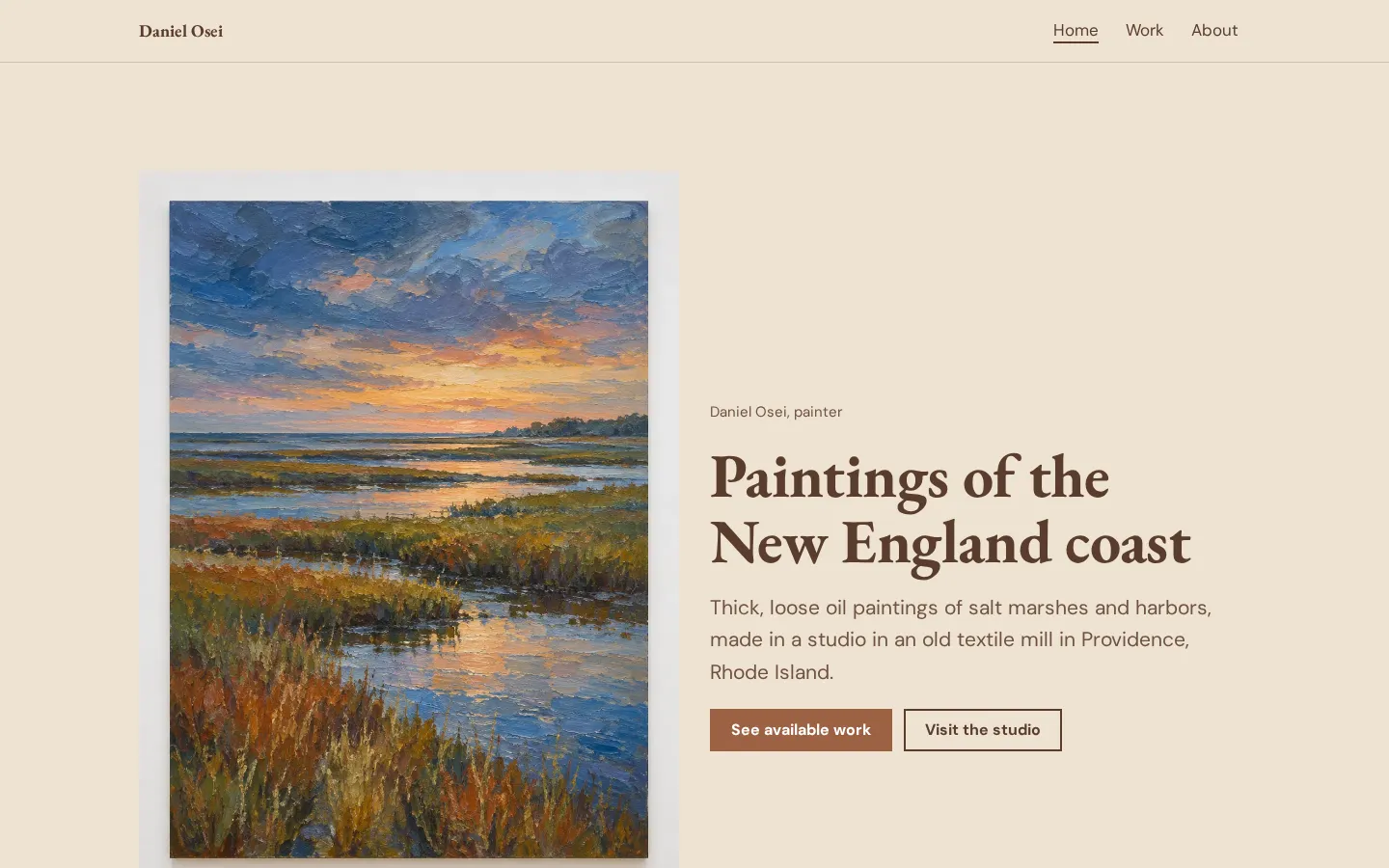
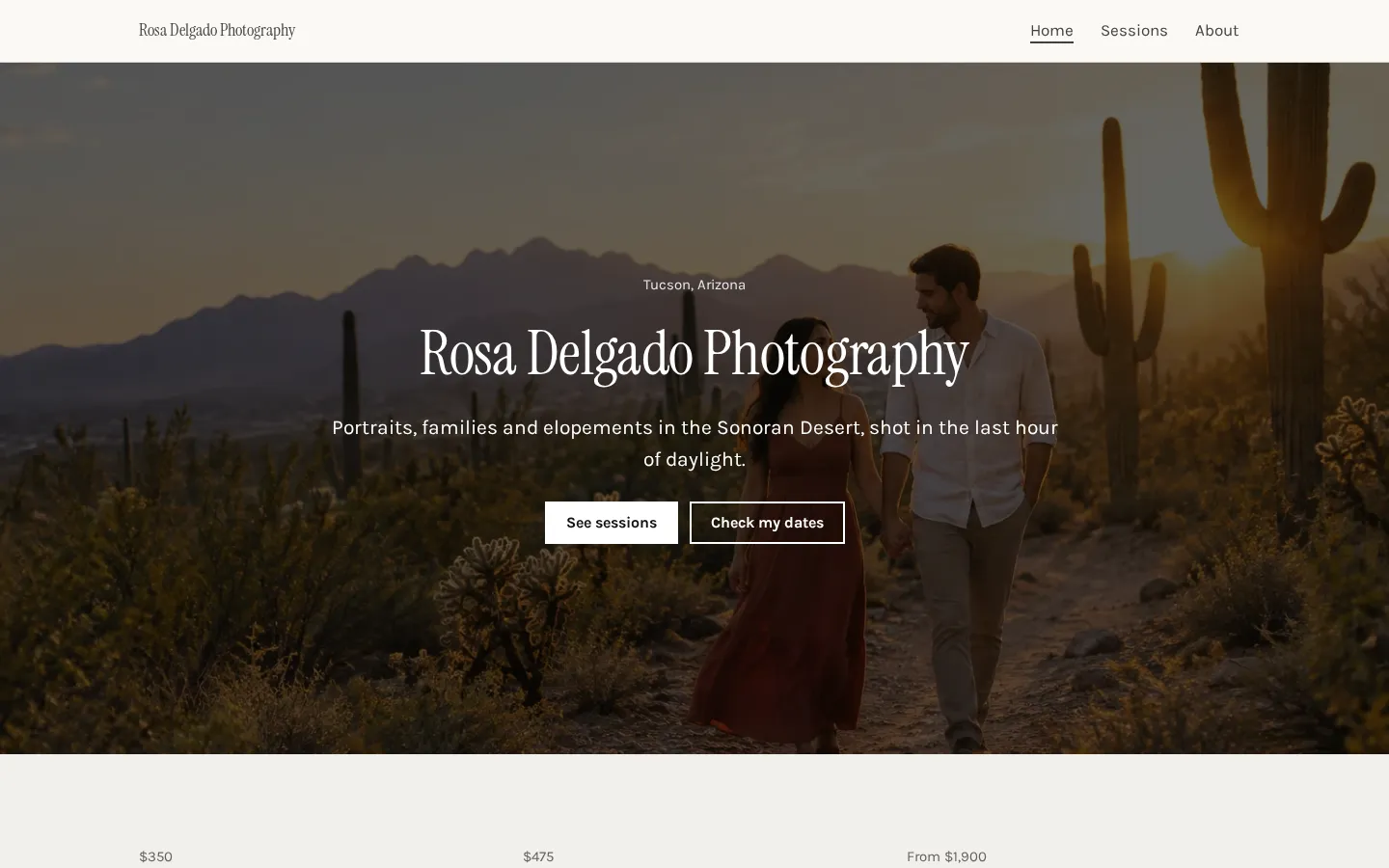
Artist websiteA free artist website template with paintings for sale, your current show, commissions and a
CV.Open the live demoStart from itPhotography websiteA free photography website template with a gallery, session prices, client reviews and a booking
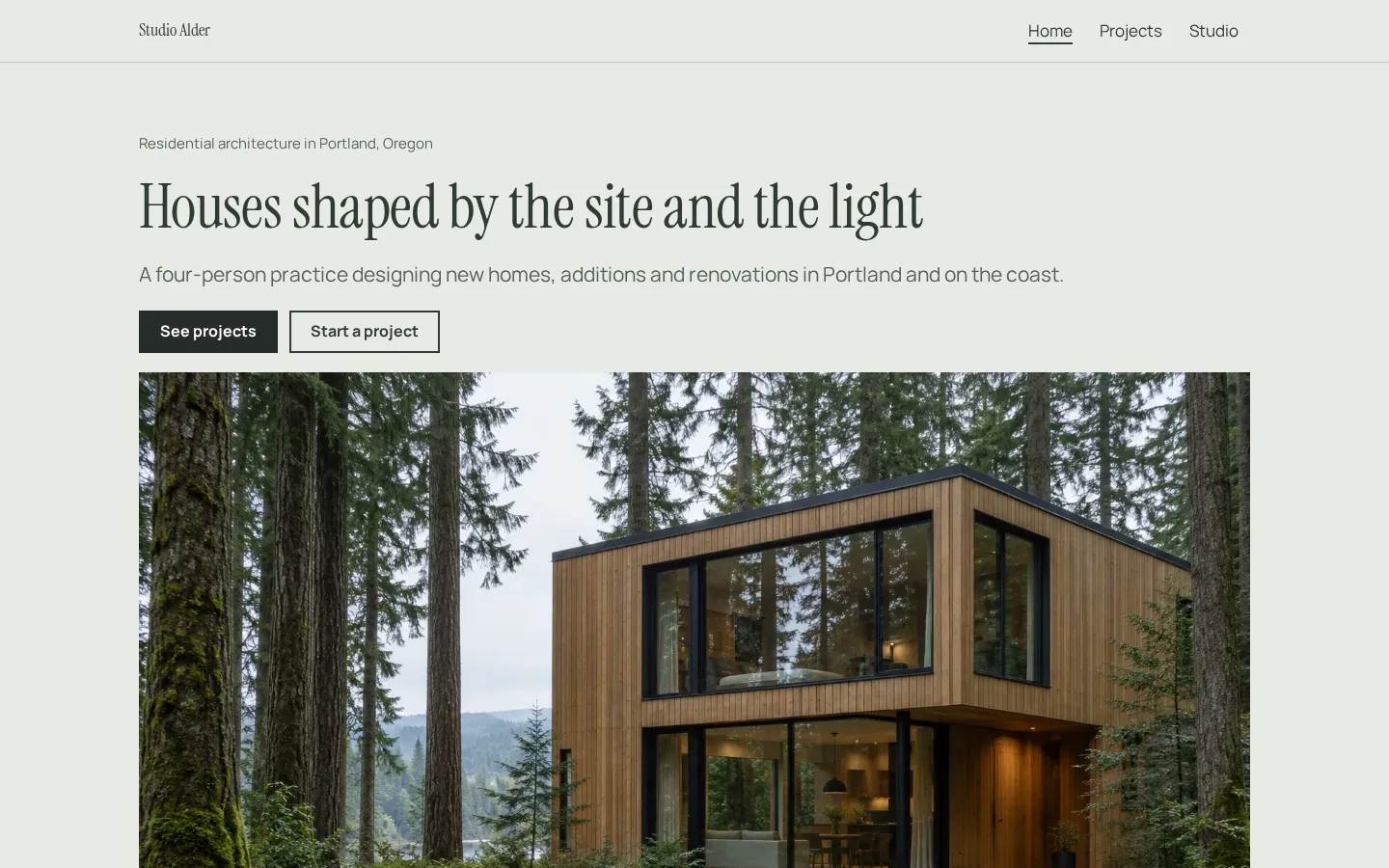
button.Open the live demoStart from itArchitect websiteA free architect website template with a project portfolio, services, fees and a studio page,
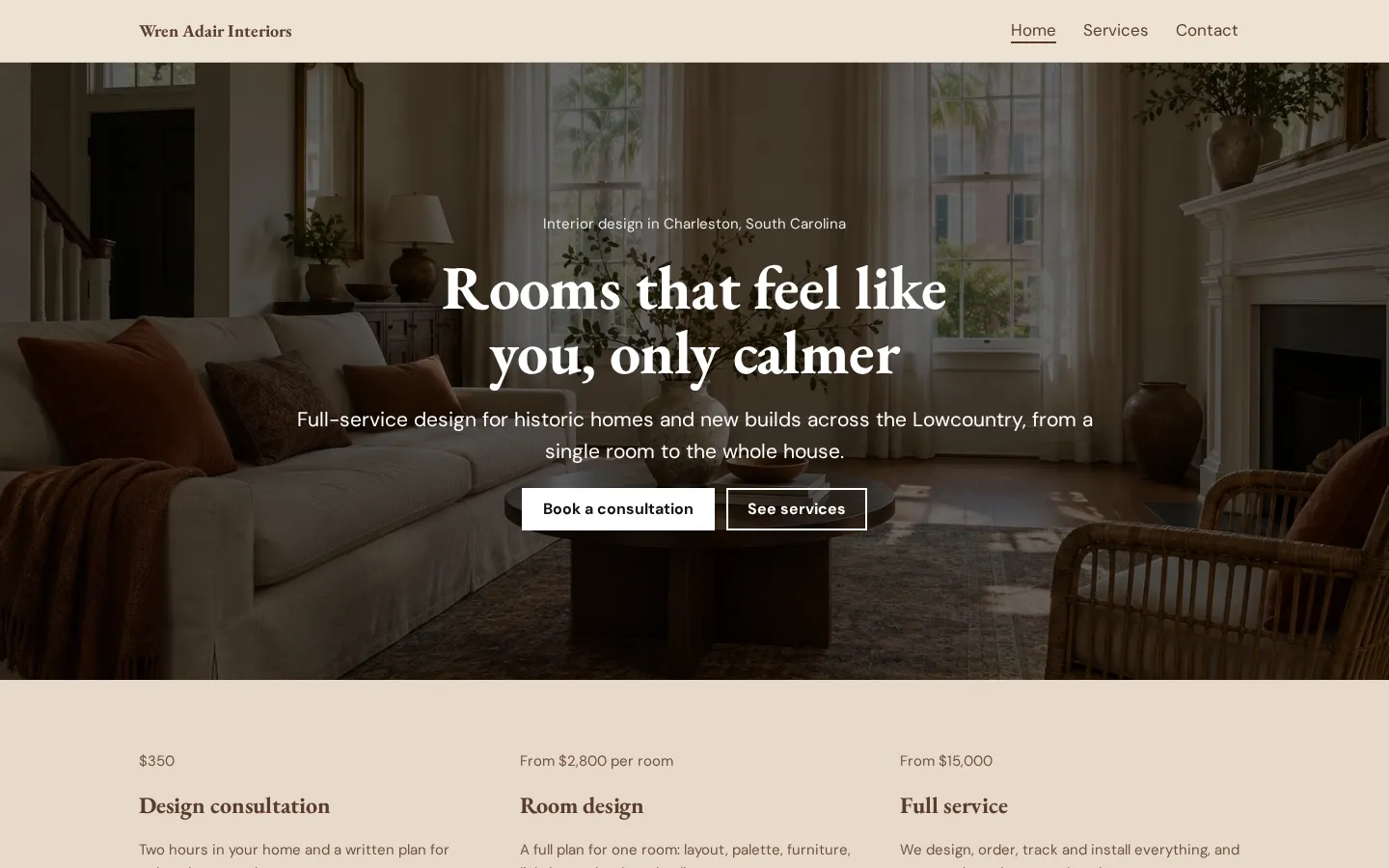
ready to edit in your browser and publish free.Open the live demoStart from itInterior design websiteA free interior design website template with services and prices, your process, a recent project
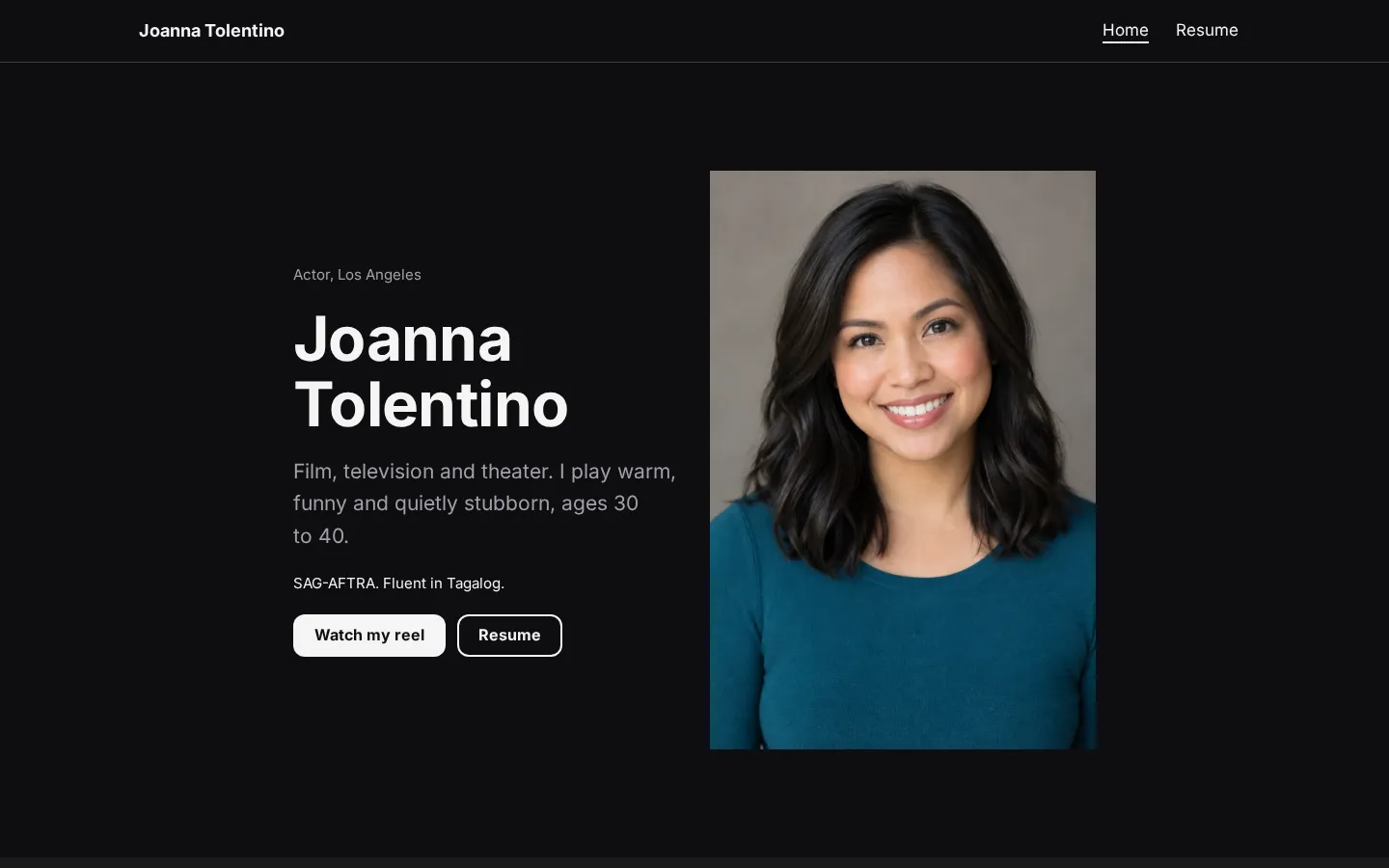
and a consultation link, edited in your browser.Open the live demoStart from itActor websiteA free actor website template with headshots, your reel, recent credits, a full resume and agent
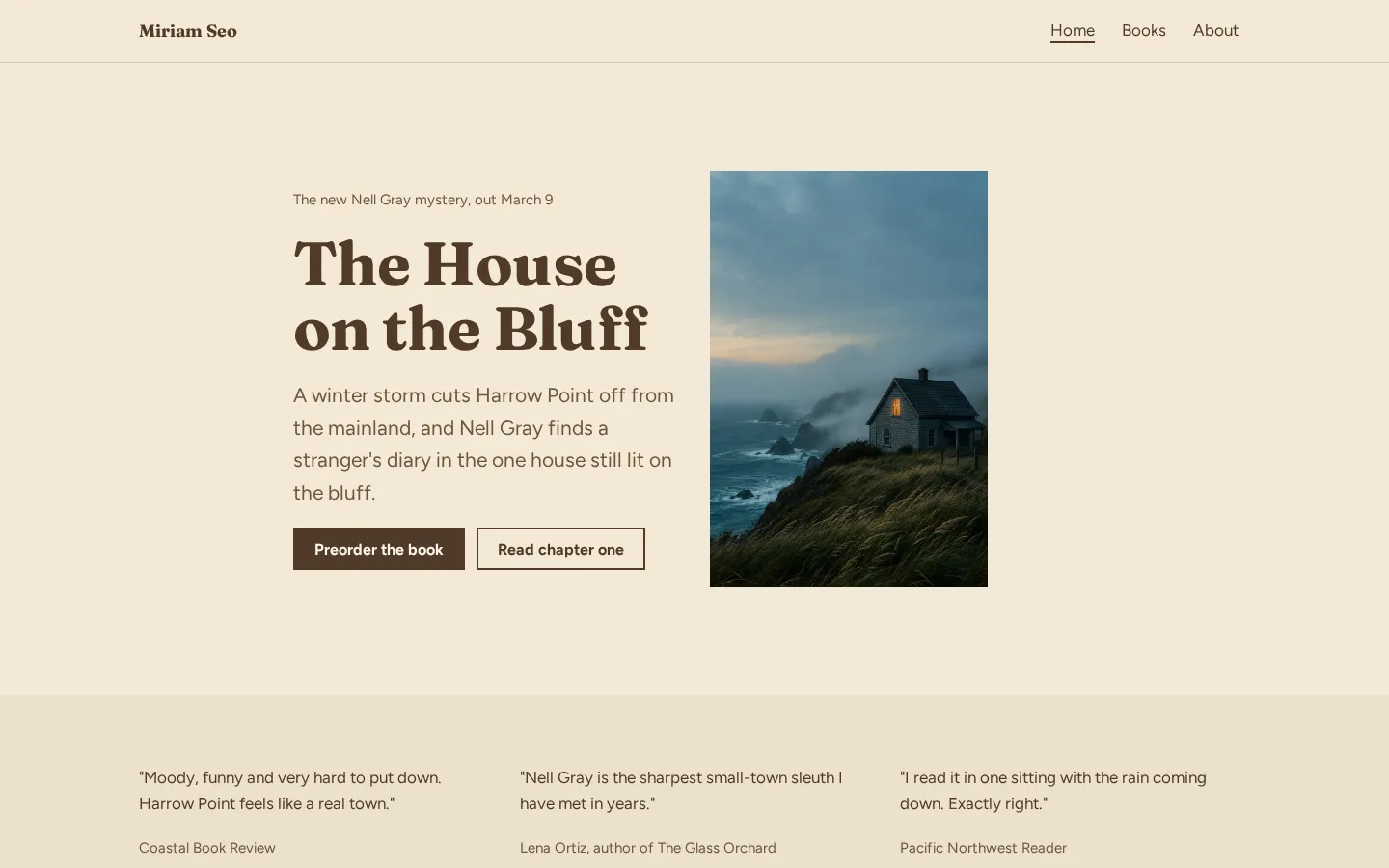
contacts.Open the live demoStart from itAuthor websiteA free author website template with your new book, buy links for every book, reviews, events and
a newsletter link.Open the live demoStart from it
What the best portfolio sites have in common
Use the work as your starting point. When you look at an example, notice what's visible before you
open a project, what happens when you select it, and where the contact details sit. Copy those choices
only when they fit your work.
Keep the introduction short. A visitor should be able to tell what you do without having to interpret
a slogan. Put your name and the kind of work you want to be hired for near the work itself.
What deserves the most space? Choose the projects you want someone to ask about, rather than giving
every piece you've made equal room. Give each project a clear title and enough context to understand
your part in it.
And check the small stuff: readable captions, working links, images that aren't awkwardly cropped.
Open the site on your phone (including the contact page). Read it without filling in the gaps from
memory.
Picking a layout for your kind of work
Start with what someone needs to see. For photography or illustration, try a gallery and check how the
images sit together. Look at the crops before you commit to a template. Keep a way to see the full
image.
For work that needs an explanation, try a project page with room for the brief, your role and the
finished work. Don't force a detailed project into a thumbnail and a title, but don't turn every
project into a long case study either.
A small body of work can fit on a single page. Put the introduction, selected projects and contact
details in an order you'd want someone to read. If a project needs more room, give it a separate page.
Not sure which direction fits? Try the same project in the layouts you're considering, using your own
images and words rather than the template's sample content. Then check the page on your phone before
changing the whole site around it.
Writing the words around your work
Write down what you do in the words you'd use when someone asks about your work. Start there. You
don't need a headline that sounds like an agency if you're introducing yourself as a freelance
photographer.
For each project, say what it was, what you were asked to do and what you did. Name your role when
other people were involved. If you have a result you can support, include it; if you don't, leave it
out rather than reaching for a claim about impact.
What would you want to ask the person who made this? Use that question to check the caption. A title
alone might leave too much unsaid, while a paragraph about your creative philosophy might leave the
actual work unexplained.
Keep the contact wording direct, too. Say what kind of enquiries you want and how to get in touch.
Read it aloud (yes, the button labels as well). Cut anything you wouldn't say to a potential client.
Plans change often. If a number here is out of date, email hello@heya.page and we'll fix it.
FAQ
What makes a good portfolio website?+
A good portfolio website shows the work clearly, explains your role and gives someone a direct way
to contact you. Choose projects that match the work you want to do next. Check the full project
pages, not just the homepage, and make sure the images, captions and links work on your phone.
What pages should a portfolio website have?+
Start with somewhere to see your work, a short introduction and contact details. Those can sit on
a single page or be split across a larger site. Give individual projects their own pages when they
need more images or explanation. Add an about page if there's more you want a potential client to
know.
Which website builder is best for a portfolio?+
Choose around the setup you need. Wix offers over 2000 templates; Squarespace provides Fluid
Engine drag-and-drop tools. Adobe Portfolio is included with Creative Cloud. Carrd Pro Standard
supports up to 10 sites, while Heya supports full editing on a phone. Format is worth comparing
when its page and high-resolution image limits fit your work.
Can I make a portfolio website for free?+
Yes. Wix offers a Free plan for $0 with no credit card required, and Carrd has a free Basic
experience. Heya Free has no time limit or credit card requirement and supports up to 3 sites,
with up to 5 pages each and a small badge. Adobe Portfolio is included with a Creative Cloud
subscription, rather than being a standalone free option.
Pick one of 68 templates or a blank page, edit it on your phone or laptop, and publish on Heya's
Free plan for $0, with no time limit and no credit card.