For sale by owner website in 2026: a single property page that works
A for sale by owner website is a page you make to show your home and let interested buyers arrange a
viewing directly with you. It doesn't need to be a full property portal. Start with photos, the asking
price, clear property details and a way to get in touch, then choose a builder that fits your budget.
Heya is made by the team that wrote this guide, so read its row with that in mind. Prices come from each
company's own pages, checked between October 29 and November 9, 2026.
The short answer
Room to customise Wix suits owners who want a choice of over 2000 templates they can
customise manually or with AI.
Drag and drop editing Squarespace suits owners who want to build from a designer
template or use Blueprint AI without writing code.
Low yearly cost Carrd suits owners who want a property page with a custom domain
through Pro Standard at $19 / year.
Build on your phone Heya suits owners who want to make and edit a small site entirely
on a phone.
How to make a single property website
Gather the property detailsPut your photos, asking price or rent, property
description and contact details together before you start building. Check the facts against your own
records.
Choose a builderCompare the cost of the plan you'd use, not just the cheapest
advertised plan. Check whether it includes a custom domain if you want one.
Start with a simple layoutGive the main photo, price and location space near the top.
Follow with the other photos and property details.
Explain the property plainlyDescribe the rooms, outside space and anything a buyer or
tenant should know before arranging a visit. Leave out claims you can't support.
Set up viewing enquiriesChoose how you want people to contact you or request a
viewing, then put that action on the page. Test it yourself.
Check and publishRead the page on your phone, check the photos and try every button.
Publish it, then use the same page address wherever you share the property.
Builders for a single property website
Compare Wix, Squarespace, Carrd, Heya and Placester below, paying attention to the plan price, domain
options and how you'd build the page.
Builder
Free plan
Paid from
Custom domain
Best for
Wix
$0 Free plan, no credit card
$17/mo (Light), yearly price
Connect one on Premium plans; 1 year free domain voucher on most
Big template library and business tools
Squarespace
14-day free trial, no credit card
$19/mo (Basic)
Free custom domain on Basic and Core (terms apply)
Polished designer templates
Carrd
Free Basic plan
$9/year (Pro Lite, 3 sites)
Pro Standard ($19/year) and Pro Plus
One-page sites and landing pages
Heya
Free: 3 sites, 5 pages each, yourname.heya.bio
$3/mo (Pro Lite)
Pro Standard (1) or Pro Plus (up to 10)
Small sites built and edited on a phone
Placester
14-day free trial
$59/mo (Agent Essential)
Not stated
Agents who want a full real estate site
Swipe the table sideways to see every column.
Not stated means the company's own pages we checked don't give that detail.
Each option up close
Wix
Free; Light $17, Core $29, Business $39 a month (yearly)
Wix offers over 2000 templates you can customise manually or with AI, and its Free plan costs $0
with no credit card required. Light, the cheapest paid plan, is $17 per month with 2 GB of storage
and 2 site collaborators; Wix displays USD prices for yearly subscriptions paid in full at purchase.
Premium plans let you connect your own domain and remove Wix branding, and Wix offers a 14-day
money-back guarantee.
Better at
Big template library and business tools.
Watch out
Listed prices are for yearly plans paid up front.
Squarespace
Basic $19, Core $29, Plus $49, Advanced $99 a month
Squarespace lets you start from a designer template or generate a personalised site with Blueprint
AI, then edit it with Fluid Engine drag-and-drop tools without writing code. Its 14-day free trial
needs no credit card, and you can design the site before choosing a plan to connect a custom domain
and go live. Basic costs $19 per month, and Squarespace says users can save up to 36% by paying
annually.
Better at
Polished designer templates.
Watch out
You pick a paid plan to connect a custom domain and go live.
Carrd
Free; Pro Lite $9, Pro Standard $19, Pro Plus $49 a year
Carrd offers a free Basic experience and a free 7-day Pro trial with no payment or credit card
required. Pro Lite costs $9 / year and removes Carrd branding, but it doesn't include custom
domains; Pro Standard costs $19 / year and lets you publish to domains you own with SSL support. Pro
plans also include premium starting point templates and custom user-built templates.
Better at
One-page sites and landing pages.
Watch out
Pro Lite does not include custom domains.
Heya
Free; Pro Lite $3, Pro Standard $6, Pro Plus $15 a month
Heya is a no-code builder for one-page and small sites that you can build and edit entirely on a
phone, starting without an account and keeping drafts in your browser until publication. Free costs
$0 with no time limit or credit card and shows a small badge; Pro Lite at $3 a month removes the
badge, while Pro Standard at $6 a month also includes 1 custom domain per account. Publishing
requires Google sign-in, and viewing requests can go through an embedded Calendly page or a button
linked to a Google Form.
Better at
Small sites built and edited on a phone.
Watch out
Free sites show a small "Made with Heya" badge.
Placester
From $59 a month
Placester's paid plans start with Agent Essential at $59 per month. It offers a 14-day free trial on
every plan and a 20% discount for annual billing. Try building your property page during the trial
before committing to a paid plan.
Better at
Agents who want a full real estate site.
Watch out
Plans start at $59 a month.
Templates to start from
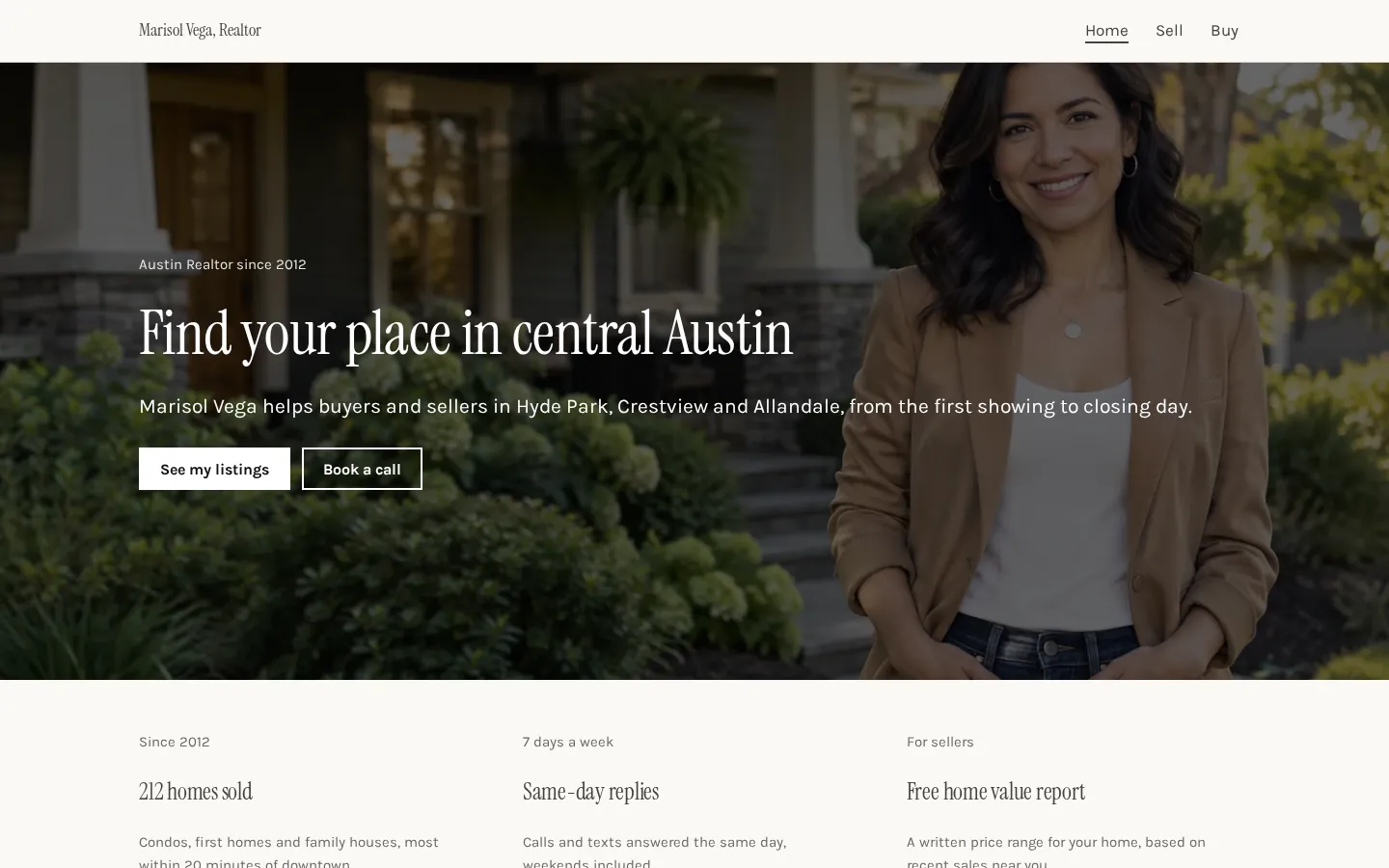
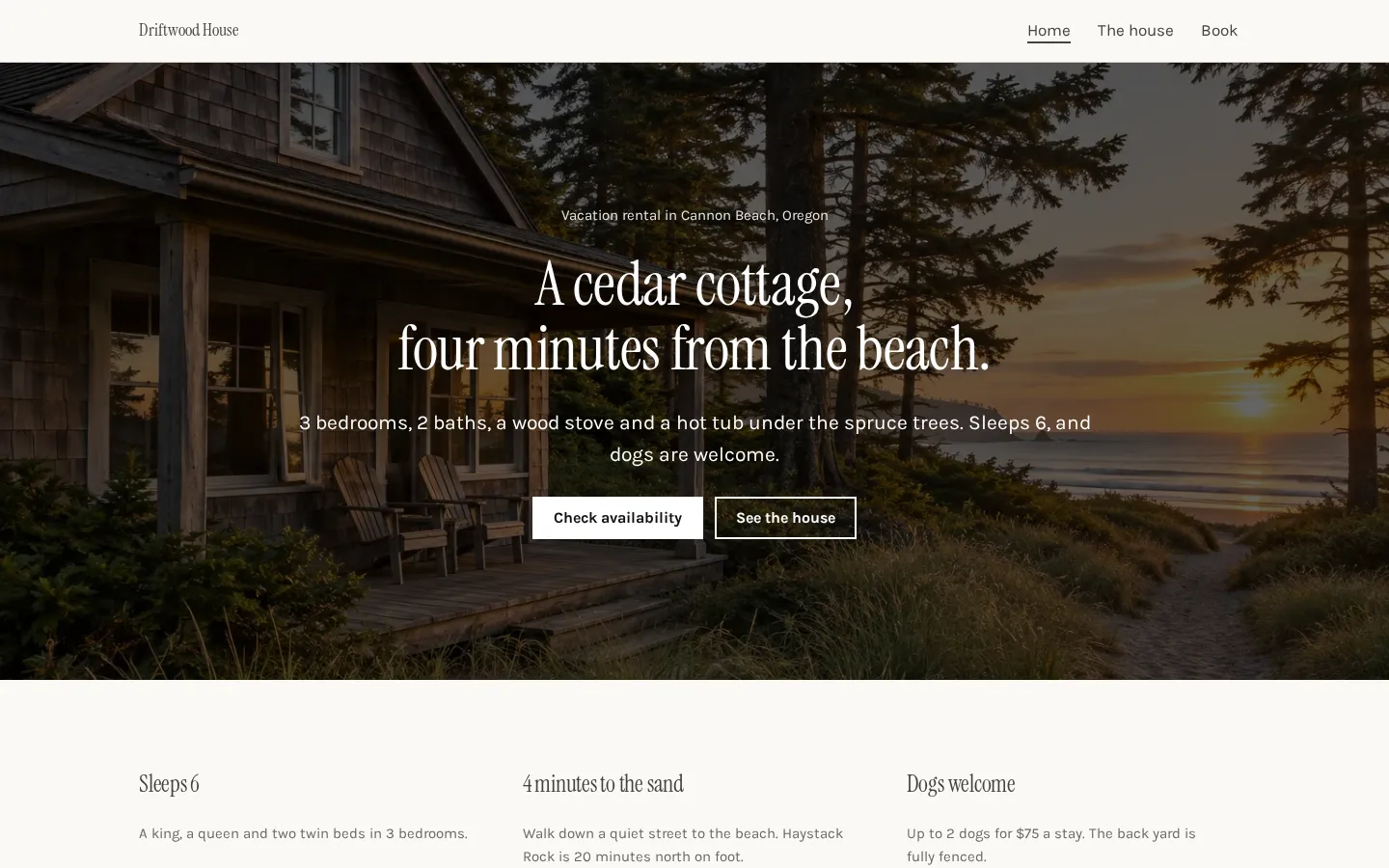
These are Heya templates. Each one is live: open the demo, or start your own from it.
Realtor websiteA free realtor website template with listings, prices, recent sales and pages for sellers and
buyers, which you edit in your browser and publish free.Open the live demoStart from itVacation rental websiteA free vacation rental website template with photos, rooms, rates, house rules and links to book
direct or on Airbnb and Vrbo.Open the live demoStart from it
What buyers look for on a property page
Put the asking price and location near the top, alongside a photo that shows the home clearly, then
give the reader a straightforward route through the rest of the property.
Keep it factual. Include the rooms, measurements you've checked, outside space and any parking details
that apply. If a photo needs context, add a short caption rather than making the buyer guess what
they're looking at.
What would you need to know before deciding to visit? Use that question when you reread the page.
Mention relevant limitations as plainly as you describe the parts you want people to notice.
Choose photos that show different parts of the property. Avoid filling the page with near-identical
shots while leaving a room out.
Finish with a clear viewing action. "Request a viewing" is enough. Tell the reader whether they're
sending you an enquiry or choosing a time, and don't describe a request as a confirmed appointment.
Getting the page in front of buyers
Once the page is published, open its address on your phone and work through it as a visitor would,
from the opening photo down to the viewing button, including whatever happens after you press it.
Then share that address in the places where you're already advertising the property. Add it to your
social posts and use it when replying to enquiries. If a listing service allows a website address,
include it there too.
Keep the details consistent. When you change the asking price or viewing arrangements, update the
property page and check the other places where you've posted those details.
And use the page in direct conversations. Send it when someone asks for photos or more information,
rather than sending a different selection each time.
Check before sharing. A draft address isn't the same as the published page (especially if you're still
editing). Ask someone else to open the published address and try the viewing enquiry route before you
send it more widely.
Rentals and holiday lets
For a rental, put the rent and availability near the top. State the payment period clearly, and set
out what's included, what isn't, and any deposit or other charges that apply to the property.
Use the description to answer questions about living there. Include furnishings if relevant, explain
access and parking, and make any restrictions clear without burying them at the bottom of the page.
For a holiday let, give the sleeping arrangements, the available facilities and the arrival and
departure information you're ready to share, then check that the photos match what guests will be able
to use.
What happens after someone presses the button? Be precise. A request for dates isn't a confirmed
reservation, and a viewing appointment isn't a rental agreement.
On Heya, a button can lead to a Google Form for enquiries or to your own booking or payment page. For
viewings, it can also embed Calendly. Use wording on the button that matches where it sends the
visitor.
Plans change often. If a number here is out of date, email hello@heya.page and we'll fix it.
FAQ
What is a single property website?+
It's a website devoted to a particular home rather than a collection of listings. It can be a page
with photos, the price, property details and a way to contact the owner or request a viewing. You
can use it for a home you're selling yourself, a rental or a holiday let.
Do I need a website to sell my house by owner?+
No, you don't have to make a separate website. Think of it as a page you can send to someone who
wants to see the property details and arrange a visit. If that's all you need, keep the site small
and compare free plans before paying for a custom domain.
What should a for sale by owner website include?+
Include the asking price, location, clear photos and a description of the property. Add checked
measurements and relevant details about rooms, outside space or parking. Give buyers a clear way
to ask questions or request a viewing, and check that every contact button works before you share
the published page.
How do buyers book a viewing?+
That depends on the route you set up. You can ask buyers to contact you, send a request through an
external form or choose a time through a scheduling page. On Heya, embed Calendly or link a button
to a Google Form. Tell buyers whether they've booked a time or still need your confirmation.
Start from the realtor website template, edit it on your phone or laptop, and publish on Heya's Free
plan for $0, with no time limit and no credit card.