Interior design portfolio guide for 2026: projects, photos and where to host it
An interior design portfolio is a selection of your work that shows the spaces you design, how you
develop an idea and what you contributed. It can be a website or a PDF. Start with projects, add
photographs and drawings that explain them, and make it clear how someone can contact you.
Heya is made by the team that wrote this guide, so read its row with that in mind. Prices come from each
company's own pages, checked on November 9, 2026.
The short answer
Creative community Behance suits designers who want to publish projects, find
inspiration and offer freelance services.
Template choice Wix suits designers who want a website they can build from a template
and customize manually or with AI.
Hosting and backups Showit suits designers who want a website with hosting, media
storage and regular design backups included.
Low annual cost Carrd suits designers who want to put a portfolio online with a free
Basic plan or paid options priced by the year.
Small portfolio sites Heya suits designers who want a no-code site they can build and
edit on a phone.
Where interior designers host a portfolio
Compare Behance, Wix, Showit, Carrd and Heya side by side for price, publishing options and the features
you'll use for your portfolio.
Builder
Free plan
Paid from
Custom domain
Best for
Behance
Free plan
US$9.99/mo (Pro)
With Pro, through Adobe Portfolio sites
Getting seen by clients and peers
Wix
$0 Free plan, no credit card
$17/mo (Light), yearly price
Connect one on Premium plans; 1 year free domain voucher on most
Big template library and business tools
Showit
14-day free trial, no credit card
$22/mo, or $259 billed annually
Not stated
Creatives who want free-form layouts
Carrd
Free Basic plan
$9/year (Pro Lite, 3 sites)
Pro Standard ($19/year) and Pro Plus
One-page sites and landing pages
Heya
Free: 3 sites, 5 pages each, yourname.heya.bio
$3/mo (Pro Lite)
Pro Standard (1) or Pro Plus (up to 10)
Small sites built and edited on a phone
Swipe the table sideways to see every column.
Not stated means the company's own pages we checked don't give that detail.
Each option up close
Behance
Free; Pro US$9.99 a month
Behance Free lets you publish projects, save inspiration and offer freelance services, though
transactions on Behance carry 15-30% platform fees. Behance Pro costs US$9.99/mo and includes full
access to Adobe Portfolio for up to 5 fully-branded websites, with free hosting and custom domains.
There's a 7 day free trial of Behance Pro.
Better at
Getting seen by clients and peers.
Watch out
The free plan charges 15 to 30% platform fees on transactions.
Wix
Free; Light $17, Core $29, Business $39 a month (yearly)
Wix has a $0 Free plan with no credit card required, plus over 2000 business-ready templates you can
customize manually or with AI. Its cheapest paid plan, Light, is $17 per month and includes 2 GB of
storage and 2 site collaborators; Wix displays USD prices for yearly subscriptions paid in full at
purchase. Premium plans let you connect your own domain and remove Wix branding, and Wix offers a
14-day money-back guarantee.
Better at
Big template library and business tools.
Watch out
Listed prices are for yearly plans paid up front.
Showit
Showit $22 a month, or $259 billed annually
Showit includes web hosting, 20 GB of media storage and HTTPS, with design backups every 10 minutes
stored for 7 days. The Showit plan costs $22 per month USD, or $259 billed annually. You can try it
free for 14 days without a credit card.
Better at
Creatives who want free-form layouts.
Watch out
A blog costs more, from $27 a month on the Basic Starter Blog plan.
Carrd
Free; Pro Lite $9, Pro Standard $19, Pro Plus $49 a year
Carrd has a free Basic plan, and every Carrd Pro plan includes premium templates, video uploads and
slideshows. Carrd Pro Lite costs $9 a year for 3 sites and removes Carrd branding; Carrd Pro
Standard costs $19 a year for 10 sites and adds custom domains with SSL, forms and widgets. Carrd
offers a 7-day free Pro trial without payment or a credit card.
Better at
One-page sites and landing pages.
Watch out
Pro Lite does not include custom domains.
Heya
Free; Pro Lite $3, Pro Standard $6, Pro Plus $15 a month
Heya is a no-code builder for one-page and small sites that can be edited fully on a phone; you can
start without an account, with drafts saved in your browser, but publishing requires Google sign-in.
Heya Free costs $0 with no time limit or credit card, allows up to 3 sites with up to 5 pages each,
and displays a small badge. Heya Pro Lite costs $3 a month and removes the badge without adding a
custom domain, while Heya Pro Standard costs $6 a month and includes up to 5 sites, up to 20 pages
per site and 1 custom domain per account that you already own.
Better at
Small sites built and edited on a phone.
Watch out
Free sites show a small "Made with Heya" badge.
Templates to start from
These are Heya templates. Each one is live: open the demo, or start your own from it.
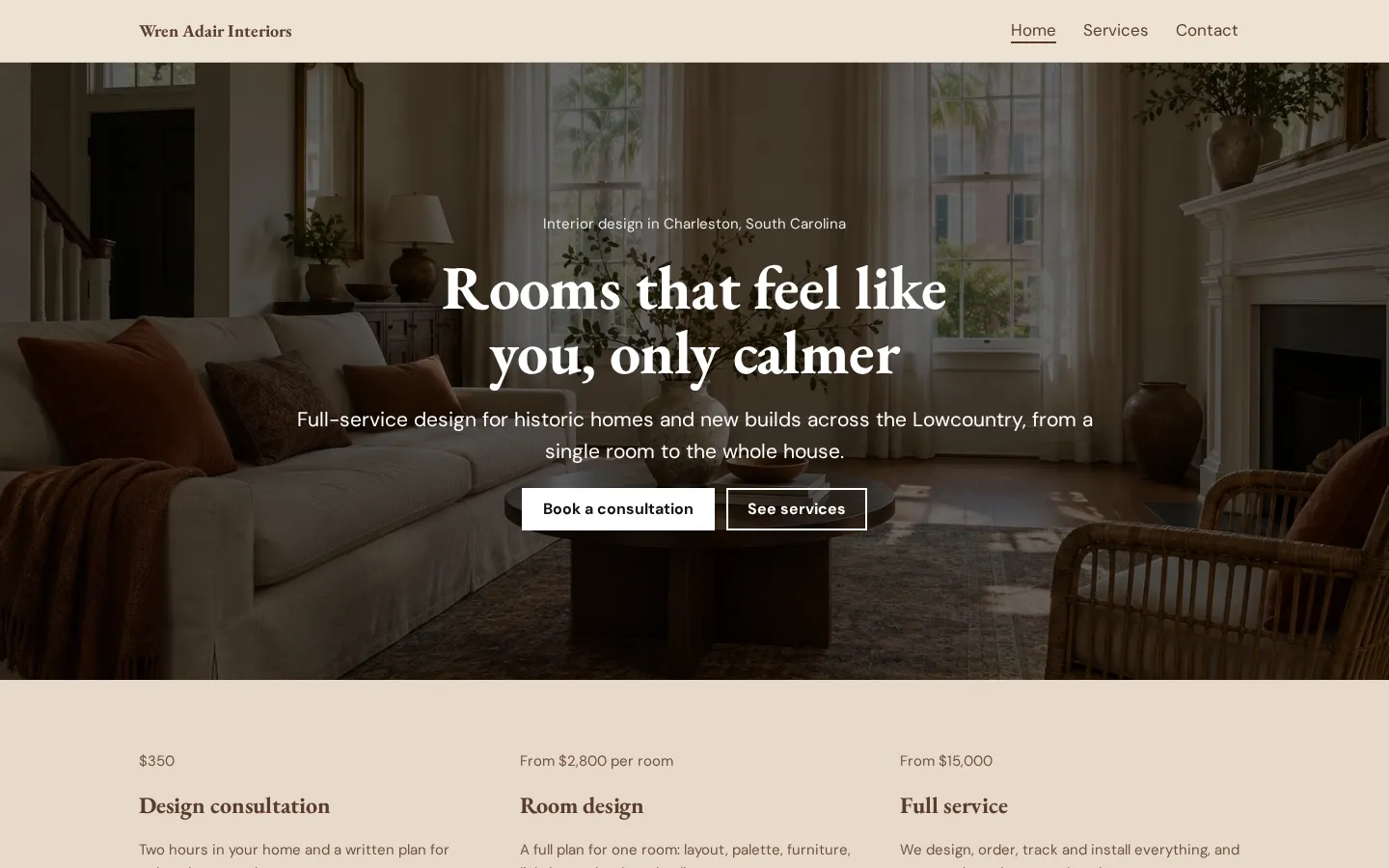
Interior design websiteA free interior design website template with services and prices, your process, a recent project
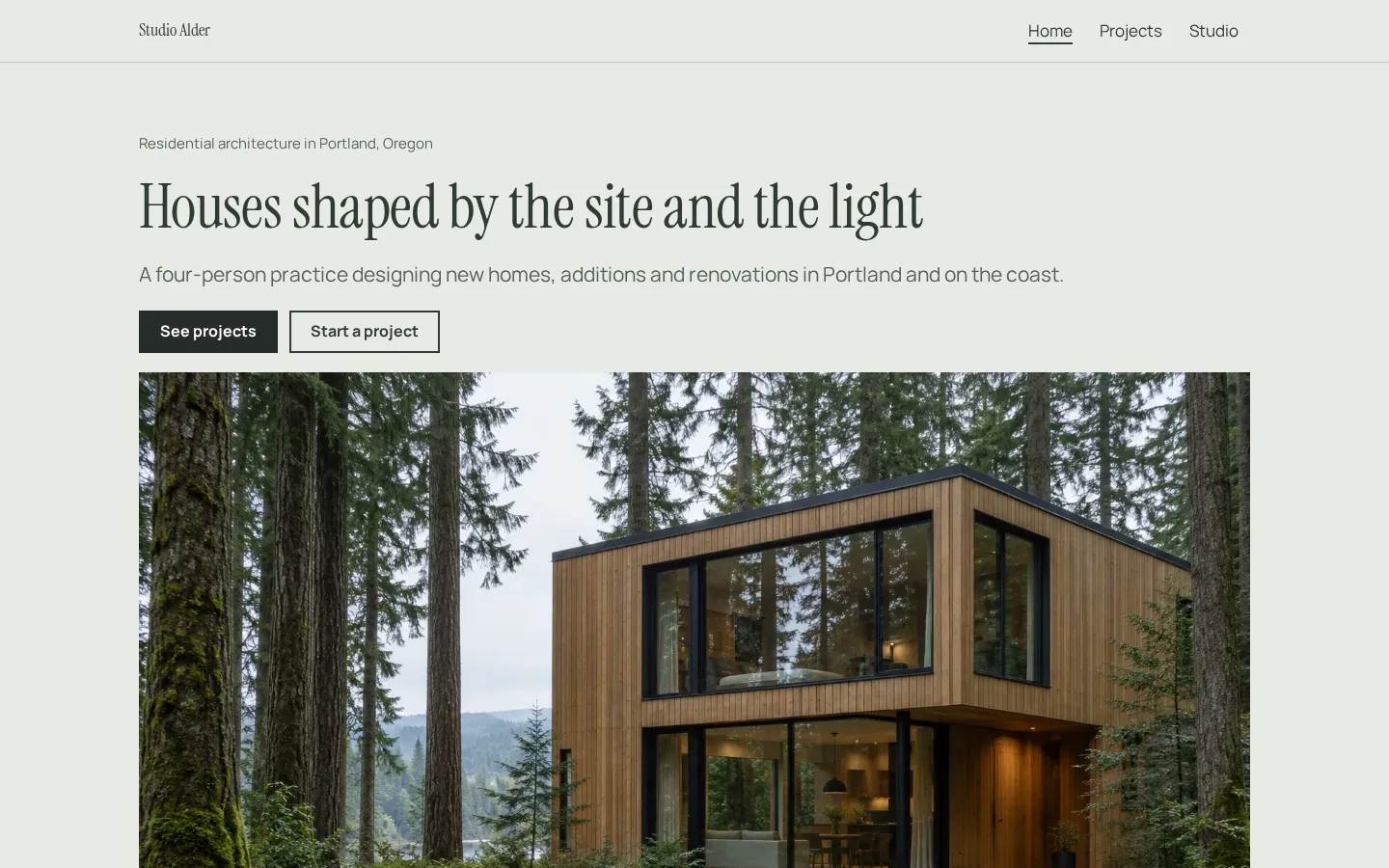
and a consultation link, edited in your browser.Open the live demoStart from itArchitect websiteA free architect website template with a project portfolio, services, fees and a studio page,
ready to edit in your browser and publish free.Open the live demoStart from it
Picking projects
Start with the work you want someone to hire you for, or the work that answers the school or job
brief. Put that project first. Don't open with an older project just because it came first in your
course or career.
What did you do? For each project, name the brief, explain your role and show the work you
contributed, especially if you worked with a team and the finished space includes decisions that
weren't yours. Label student work and unbuilt concepts as such.
Be selective.
Keep a project when you have something clear to show: a finished space, a plan that explains the
layout, or development work worth looking through. You don't need to give every project equal space
(or the same page layout). If the images repeat what another project already shows, leave them out.
Before and after photos, plans and mood boards
Use a finished photograph to introduce a completed space, then add the images that help someone
understand it. For before and after photos, choose views that let the reader compare the same part of
the room. Label them plainly.
A plan needs room.
Don't shrink a drawing until its labels are unreadable just to fit it beside a photograph, and don't
include every drawing from the project when a selected plan can show the layout you're discussing.
What does the mood board add? Include it when you want to show the materials, colours or references
behind the design. Keep captions close to the images, credit photography and check that you have
permission to publish it.
And check the portfolio on your phone before sharing it. Open the images, read the captions, look at
the plans. Keep technical labels readable (even if that means changing the layout).
A student portfolio or a studio website
For a student portfolio, make the assignment and your response clear. Include research or development
work where it shows a design decision, and say whether the project was built, proposed or completed as
coursework. Don't present a group project without explaining your part.
A studio website can put completed work alongside a description of the services offered and a way to
get in touch, while each project page names the brief, the studio's role and the people whose work
needs credit.
Different reader, different selection.
Applying for a course or job? Check the submission requirements before choosing between a website and
a PDF. For client enquiries, make your contact details easy to find.
But you don't have to publish every project today. Choose the work, write the captions and put
together a version you're ready to share (you can keep the rest aside).
Plans change often. If a number here is out of date, email hello@heya.page and we'll fix it.
FAQ
What should an interior design portfolio include?+
Include selected projects, a short introduction, your role in each project and contact details.
Use finished photographs where you have them, with plans, drawings or mood boards that show the
design. For student or unbuilt work, say what it is. Credit collaborators and photographers rather
than leaving the reader to guess.
How many projects should be in an interior design portfolio?+
There's no fixed count to aim for here. Follow any school or job submission requirements, then
choose projects you can present clearly. Ask yourself whether each project adds something you want
the reader to see. If it repeats another project or needs images you don't have permission to use,
leave it out.
Should an interior design portfolio be a PDF or a website?+
Use the format the recipient asks for. A website gives you a portfolio address to share; a PDF
lets you prepare a particular selection for a submission. You can keep both. On Heya, pages hold
images rather than PDF files, so host a PDF elsewhere and link to it from a button.
Where can I make a free interior design portfolio?+
Behance, Wix, Carrd and Heya all offer free plans. Behance Free lets you publish projects; Wix has
a $0 plan with no credit card required; Carrd offers its free Basic plan. Heya Free allows up to 3
sites with up to 5 pages each and a small badge. Showit offers a free trial rather than a free
plan.
Start from the interior design website template, edit it on your phone or laptop, and publish on
Heya's Free plan for $0, with no time limit and no credit card.