Writing portfolio guide for 2026: what to include and where to put it online
A writing portfolio is a selection of your work, with a short introduction and a way for editors or
clients to contact you. It can hold published articles, links to stories, or clearly labelled
unpublished samples. Start with the work you want someone to hire you for, rather than everything you've
ever written.
Heya is made by the team that wrote this guide, so read its row with that in mind. Prices come from each
company's own pages, checked on November 9, 2026.
The short answer
Dedicated portfolio site Journo Portfolio suits writers who want a site focused on
their work, with a built-in contact form, and are ready to pay to publish.
Small free selection Clippings.me suits writers who want to put a small selection of
clips online for free, including articles or PDFs.
Portfolio with posts WordPress.com suits writers who want a portfolio alongside pages
and regular posts, with a free plan to start.
Compact portfolio page Carrd suits writers who want a compact site, with paid options
for custom domains and forms.
Build on your phone Heya suits writers who want a no-code small site they can build
and edit on a phone, with free publishing.
Where writers host a portfolio
Compare Journo Portfolio, Clippings.me, WordPress.com, Carrd and Heya below for free publishing, paid
plans, custom domains and ways to show your work.
Builder
Free plan
Paid from
Custom domain
Best for
Journo Portfolio
Free plan, but the site stays unpublished
$7/mo billed annually (Plus)
Included from the Pro plan
Writers and journalists showing published clips
Clippings.me
Free tier for a small selection of clips
$9.99/mo (Professional Monthly)
Included on Professional plans
Journalists who want a clips page fast
WordPress.com
Free plan, no expiry, no credit card
$4/mo billed annually
Paid plans; free first year on annual plans
Blogs and sites that grow with plugins
Carrd
Free Basic plan
$9/year (Pro Lite, 3 sites)
Pro Standard ($19/year) and Pro Plus
One-page sites and landing pages
Heya
Free: 3 sites, 5 pages each, yourname.heya.bio
$3/mo (Pro Lite)
Pro Standard (1) or Pro Plus (up to 10)
Small sites built and edited on a phone
Swipe the table sideways to see every column.
Each option up close
Journo Portfolio
Plus $7, Pro $10, Unlimited $14 a month billed annually
Journo Portfolio gives writers a portfolio site with a built-in contact form, and you can create an
account without a payment card, but the Free Plan won't publish your site. Plus publishes on a
Journo Portfolio subdomain for $7 per month billed annually or $9 monthly when billed monthly. Pro
costs $10 per month billed annually or $12 monthly when billed monthly, and includes registration,
renewal and transfer of one custom domain with no extra fees; you can also connect a domain you
already own.
Better at
Writers and journalists showing published clips.
Watch out
The free plan does not publish your site.
Clippings.me
Free; Professional $9.99 a month or $99 a year
Clippings.me's free tier is intended for a small selection of clips and will always be free; it
accepts online articles and PDFs, plus embeds from YouTube, Vimeo or SoundCloud. Professional
Monthly costs $9.99/month and Professional Annual costs $99.00/year, with unlimited clippings, an
unbranded portfolio, a custom domain and a spam-protected contact form. All Premium plans have a
14-day money-back guarantee.
Better at
Journalists who want a clips page fast.
Watch out
The free tier is meant for a small selection of clips.
WordPress.com
Free; paid from $4 a month billed annually
WordPress.com's free plan has no expiration date and needs no credit card, with 1 GB of storage,
unlimited pages and posts, and basic stats for the last 7 days. It uses a WordPress.com subdomain;
paid plans unlock custom domains, starting at $2.75 per month when billed every 3 years, while paid
plans billed annually start at $4 per month. Annual and multi-year paid plans include a free custom
domain for the first year, monthly plans don't, and every paid plan includes access to over 60,000
plugins.
Better at
Blogs and sites that grow with plugins.
Watch out
The free plan has 1 GB of storage and a wordpress.com subdomain.
Carrd
Free; Pro Lite $9, Pro Standard $19, Pro Plus $49 a year
Carrd has a free Basic plan, while Carrd Pro Lite costs $9 a year for 3 sites, removes Carrd
branding and publishes to unbranded Carrd addresses. Carrd Pro Standard costs $19 a year for 10
sites and adds custom domains with SSL, forms and widgets from Stripe, PayPal, Gumroad and Typeform;
Carrd Pro Plus costs $49 a year for 25 sites and adds custom forms, advanced settings and a download
of your sites' unminified sources. Every Carrd Pro plan includes premium templates and video
uploads, and there's a 7-day free Pro trial without a payment card.
Better at
One-page sites and landing pages.
Watch out
Pro Lite does not include custom domains.
Heya
Free; Pro Lite $3, Pro Standard $6, Pro Plus $15 a month
Heya is a no-code builder for one-page and small sites that can be built and edited fully on a
phone; building starts without an account, drafts stay in the browser until publication, and
publishing requires Google sign-in, its only sign-in option. Heya Free costs $0 with no time limit
or credit card, supports up to 3 sites with up to 5 pages each, and publishes on a Heya address with
a small "Made with Heya" badge. Heya Pro Lite costs $3 a month for up to 3 sites with up to 20 pages
each and no badge; Heya Pro Standard costs $6 a month for up to 5 sites with up to 20 pages each, no
badge and 1 custom domain per account, connected from a domain the user already owns.
Better at
Small sites built and edited on a phone.
Watch out
Free sites show a small "Made with Heya" badge.
Templates to start from
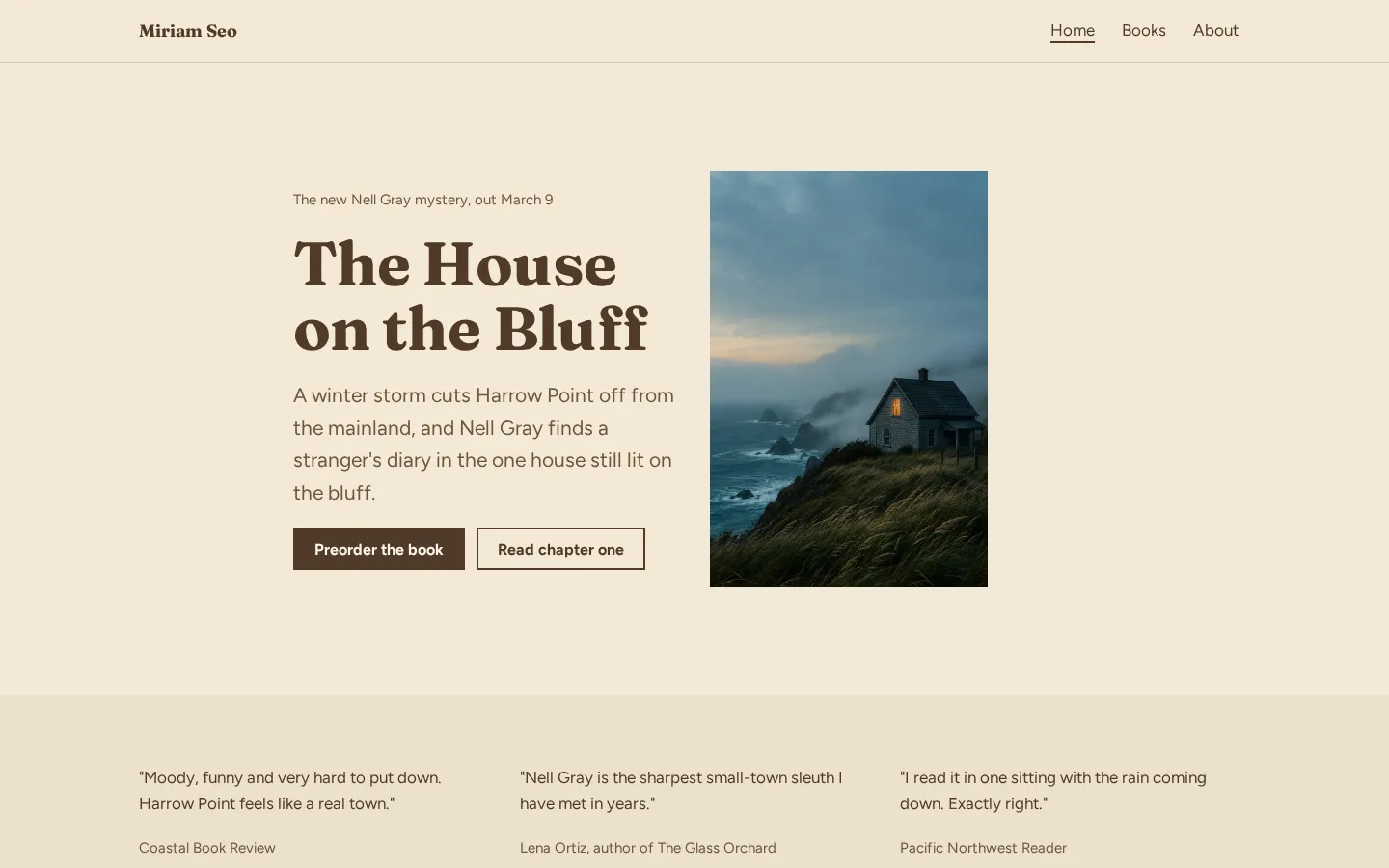
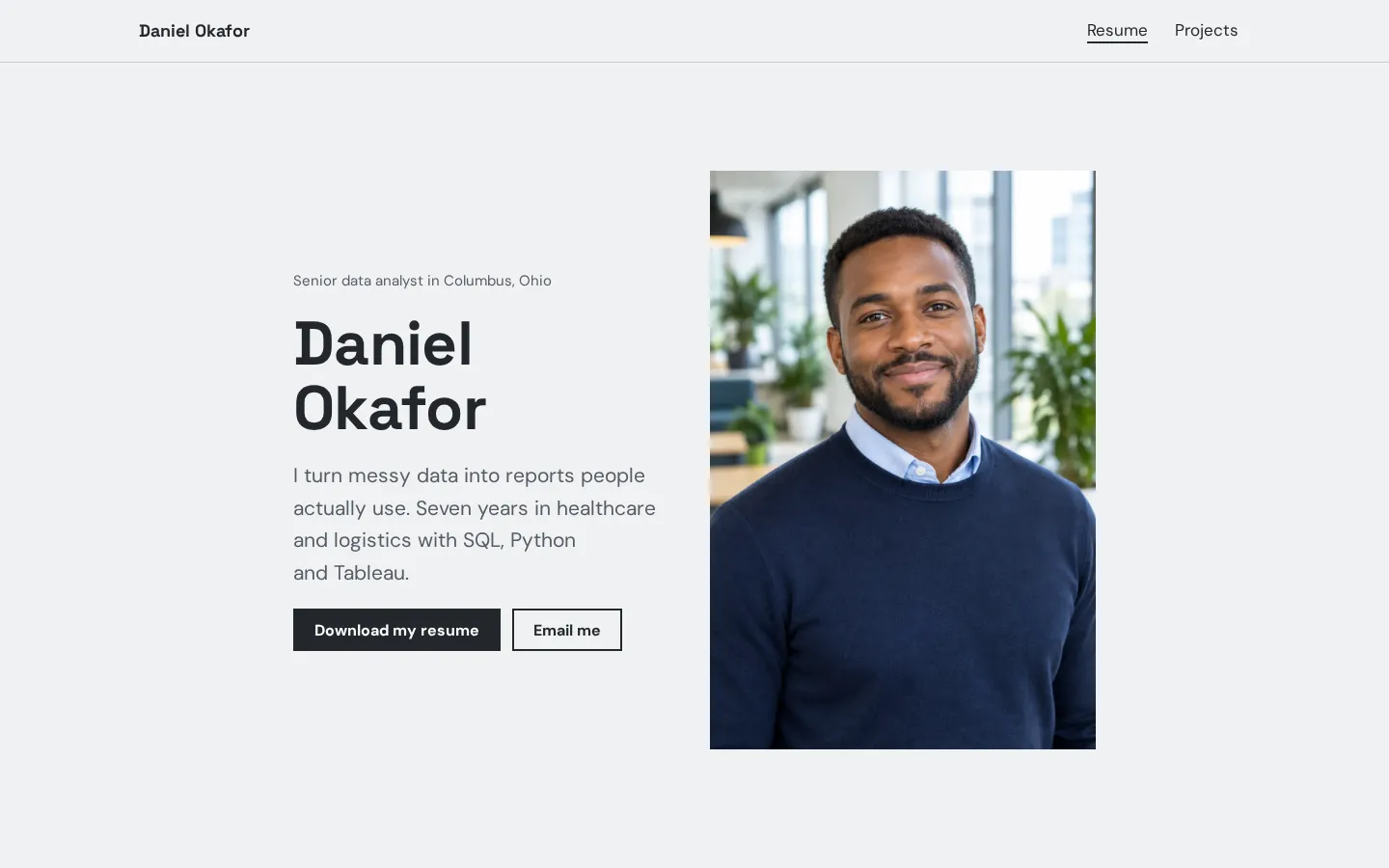
These are Heya templates. Each one is live: open the demo, or start your own from it.
Author websiteA free author website template with your new book, buy links for every book, reviews, events and
a newsletter link.Open the live demoStart from itResume websiteA free resume website template with your experience, skills, education, projects and a resume
download button.Open the live demoStart from it
Picking clips and samples
Start with the kind of work you want next. If you're pitching reported features, put those near the
top. If you're looking for copywriting work, lead with copy. You don't need to give every kind of
writing you've done equal space.
What does each sample show? Give it a title, name the publication or client where appropriate, and add
a short note about your role when that isn't clear from the piece itself, especially for work with
several contributors.
Be selective.
Open every link before you publish. If a story sits behind a paywall, say so beside the link. For a
PDF sample on Heya, host the file elsewhere and link to it from a button.
And leave out work you don't want to be hired to do again. A published credit doesn't have to stay in
your portfolio forever.
If you have no published clips yet
You can put unpublished work in a writing portfolio. Label it as a sample or an unpublished piece, and
don't invent a client, publication or commission to make it look like something it isn't.
Pick the work you'd like to be hired for and write a sample in that form, whether that's an article, a
piece of web copy or an extract from a longer project. Keep the description plain: what it is, what
you wrote, and any context the reader needs.
No fake credits.
Have you written something for yourself that belongs here? Use it if it shows the work you want to
offer. It doesn't need a made-up backstory.
But don't leave the introduction blank while you wait for a byline. Say what you write and how to
contact you. Keep personal projects labelled as personal projects (including anything created for
practice).
Journalist, freelance writer and author portfolios
For a journalist, start with stories. Show the headline and publication, then add a note about your
reporting or contribution if the byline doesn't tell the whole story. If you cover different subjects,
use plain labels to separate them.
A freelance writer can make the kind of work on offer explicit, put relevant samples beside that
description, and name their own contribution where a finished piece involved a client, an editor or
other writers. Don't leave the reader guessing.
What about an author portfolio? Lead with the writing you want visitors to see: published work,
excerpts or clearly labelled work in progress. Add a short bio and contact details.
Keep it recognisable.
And you don't need separate sites just because your work crosses these categories. Use sections if
that's enough. Pick the tool around the material you have now, including any audio or video you want
to show.
Plans change often. If a number here is out of date, email hello@heya.page and we'll fix it.
FAQ
What should a writing portfolio include?+
Include a short introduction, selected writing samples and a way to contact you. Give each sample
a clear title and enough context to identify the publication, project or your role. Label
unpublished work. Add a brief description of the writing you offer, rather than expecting the
samples to say everything.
How many writing samples should I include?+
There isn't a fixed number to aim for. Choose work that fits the assignments you want, and keep a
sample only if it shows something you want an editor or client to see. If several pieces do the
same job, choose the one you'd rather have someone read first.
Can I make a writing portfolio for free?+
Yes. Clippings.me has a permanently free tier for a small selection of clips, WordPress.com has a
free plan with no expiration date, Carrd has a free Basic plan, and Heya Free supports published
sites without a time limit. Journo Portfolio lets you build for free, but you must upgrade to
publish.
Should a writing portfolio be a PDF or a website?+
Use a website as the place you share, with PDFs available where they suit the work. Clippings.me
accepts PDF samples directly. On Heya, host a PDF elsewhere and link to it from a button. If an
editor or client asks for a PDF, send the format they've requested.
Start from the author website template, edit it on your phone or laptop, and publish on Heya's Free
plan for $0, with no time limit and no credit card.