Resume website examples for 2026: free online resume and CV sites
You can make an online resume for free and share its link in applications or on LinkedIn. Several
builders offer an ongoing free plan, not just a trial. The choice is what you're happy to publish: check
the address, any builder branding and the page limits before you spend time putting your resume
together.
Heya is made by the team that wrote this guide, so read its row with that in mind. Prices come from each
company's own pages, checked between October 29 and November 9, 2026.
The short answer
-
Template starting point Wix suits job seekers who want to start with a template and
customize it manually or with AI.
-
Room for writing WordPress.com suits people who want a resume alongside project pages
or posts.
-
Simple site option Carrd suits people who want to try its free Basic experience
before choosing a paid plan.
-
Build on your phone Heya suits people who want a no-code resume site they can build
and edit fully on a phone.
Free builders for an online resume
The table compares Wix, WordPress.com, Carrd, Heya, about.me and Google Sites on their free options,
paid plans and custom-domain rules.
| Builder |
Free plan |
Paid from |
Custom domain |
Best for |
| Wix |
$0 Free plan, no credit card |
$17/mo (Light), yearly price |
Connect one on Premium plans; 1 year free domain voucher on most |
Big template library and business tools |
| WordPress.com |
Free plan, no expiry, no credit card |
$4/mo billed annually |
Paid plans; free first year on annual plans |
Blogs and sites that grow with plugins |
| Carrd |
Free Basic plan |
$9/year (Pro Lite, 3 sites) |
Pro Standard ($19/year) and Pro Plus |
One-page sites and landing pages |
| Heya |
Free: 3 sites, 5 pages each, yourname.heya.bio |
$3/mo (Pro Lite) |
Pro Standard (1) or Pro Plus (up to 10) |
Small sites built and edited on a phone |
| about.me |
Free page at about.me/yourname |
$5/mo billed $60 annually (Standard) |
Pro plan ($9/mo monthly or $90/yr) |
A simple personal bio page |
| Google Sites |
Not stated |
Not stated |
Up to five per site (needs a subdomain like www) |
Quick sites inside Google Workspace |
Swipe the table sideways to see every column.
Each option up close
Wix
Free; Light $17, Core $29, Business $39 a month (yearly)
Wix has over 2000 templates you can customize manually or with AI, and its Free plan requires no
credit card. Its cheapest paid plan, Light, is $17 per month and includes 2 GB of storage and 2 site
collaborators; Wix displays USD prices for yearly subscriptions paid in full at purchase. Premium
plans let you connect your own domain and remove Wix branding.
- Better at
- Big template library and business tools.
- Watch out
- Listed prices are for yearly plans paid up front.
WordPress.com
Free; paid from $4 a month billed annually
WordPress.com has a free plan with no expiration date or credit card requirement, including 1 GB of
storage, unlimited pages and posts, and basic stats for the last 7 days. The free site uses a
WordPress.com subdomain; custom domains start with paid plans at $2.75 per month when billed every 3
years, while annual billing starts at $4 per month. Annual and multi-year paid plans include a
custom domain for the first year, but monthly plans don't.
- Better at
- Blogs and sites that grow with plugins.
- Watch out
- The free plan has 1 GB of storage and a wordpress.com subdomain.
Carrd
Free; Pro Lite $9, Pro Standard $19, Pro Plus $49 a year
Carrd offers a free Basic experience and a separate free 7-day Pro trial with no payment or credit
card required. Pro Lite costs $9 / year, supports up to 3 sites and removes the "Made with Carrd"
branding, but doesn't include custom domains. For a domain you own, Pro Standard costs $19 / year
and supports up to 10 sites with SSL support via Let's Encrypt.
- Better at
- One-page sites and landing pages.
- Watch out
- Pro Lite does not include custom domains.
Heya
Free; Pro Lite $3, Pro Standard $6, Pro Plus $15 a month
Heya is a no-code builder for one-page and small sites that can be built and edited fully on a
phone; you can start without an account, with drafts saved in your browser until publishing, when
Google sign-in is required. Heya Free costs $0 with no time limit or credit card, supports up to 3
sites with up to 5 pages each, and publishes on a Heya subdomain with a small "Made with Heya"
badge. Pro Lite costs $3 a month and removes the badge without adding a custom domain; Pro Standard
costs $6 a month and includes 1 custom domain per account, connected from a domain you already own.
- Better at
- Small sites built and edited on a phone.
- Watch out
- Free sites show a small "Made with Heya" badge.
about.me
Free; Standard $5 a month (annual)
The about.me Free plan costs $0 and gives you a page on about.me plus an email signature containing
your free link. Standard starts at $5 per month, billed as $60 annually, but connecting a custom
domain and removing about.me branding are Pro features. Pro costs $9/mo when billed monthly or
$90/yr.
- Better at
- A simple personal bio page.
- Watch out
- A custom domain and branding removal need Pro.
Google Sites
No plan prices listed
Google Sites offers drag-and-drop editing, pre-made templates and an automatic grid that scales
content across devices, without requiring programming experience. It also integrates with Google
Workspace and lets you connect up to five custom domains to a published site. Watch the address
format: a custom URL must include a subdomain.
- Better at
- Quick sites inside Google Workspace.
- Watch out
- A custom URL must include a subdomain such as www.
What a good online resume shows
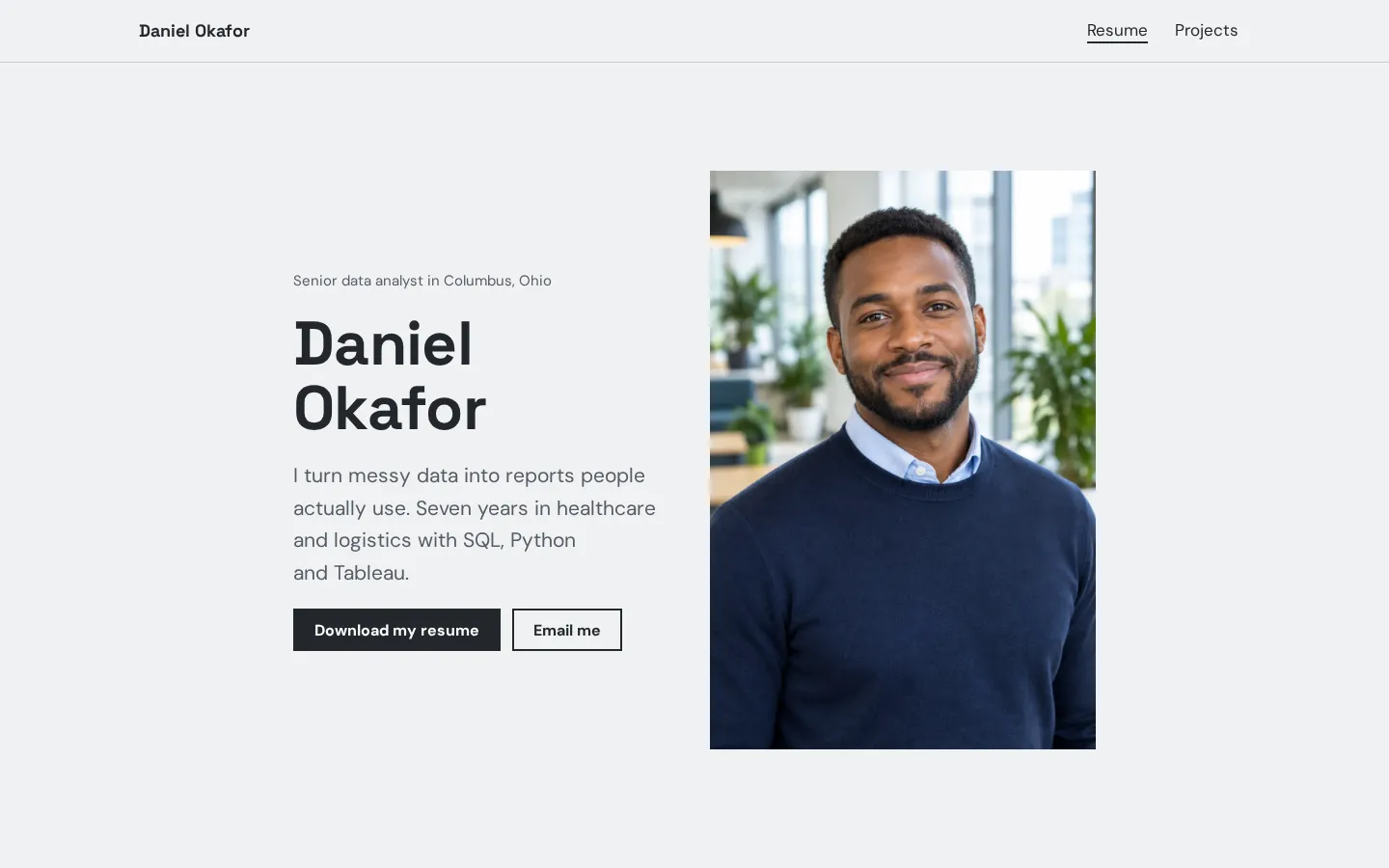
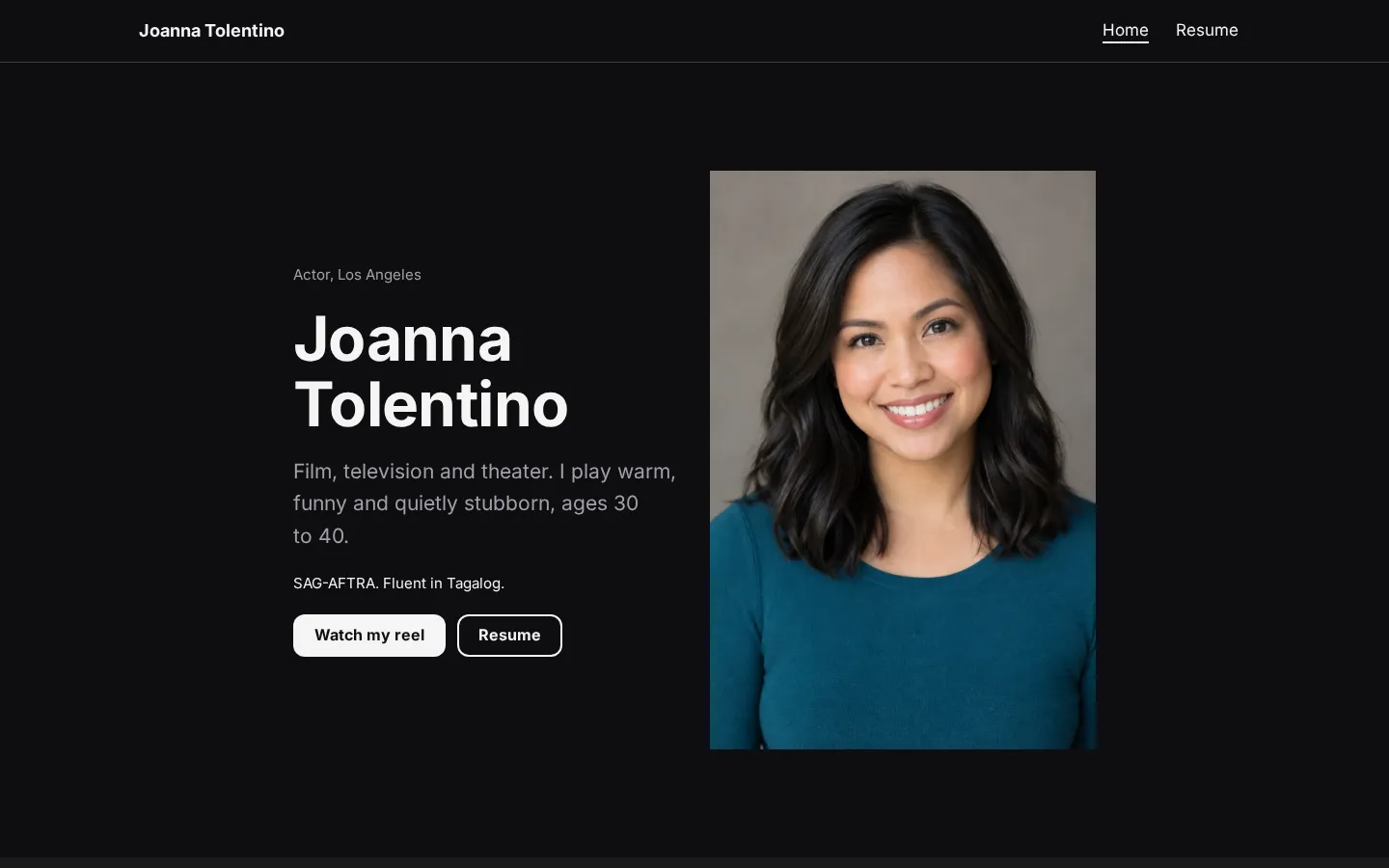
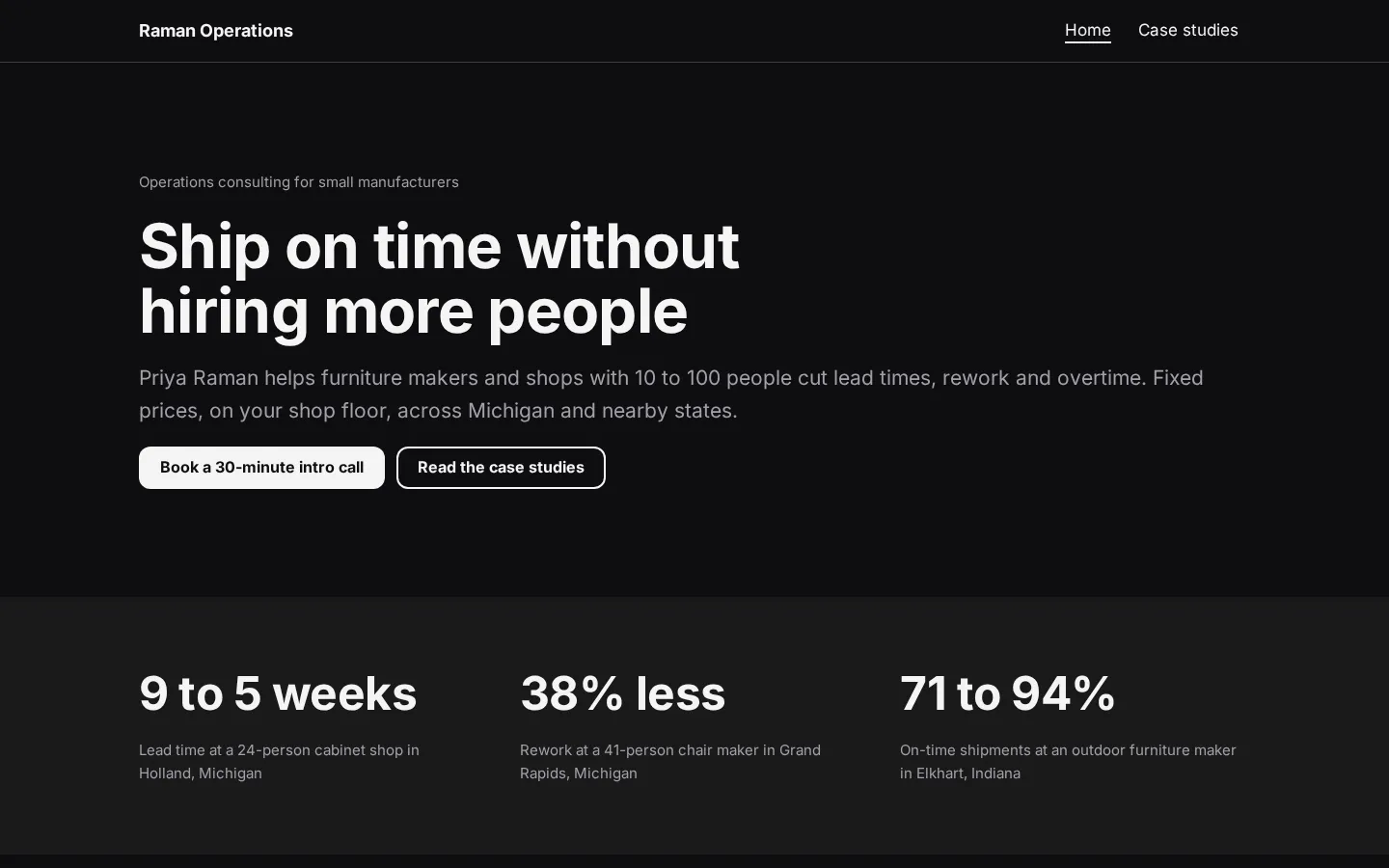
Put your name and the kind of work you're looking for near the top. Follow that with a short
introduction in your own words, then your experience and education. If you're a student, lead with the
work you have: coursework, projects, placements or volunteering, where those apply.
Show the work itself.
For each project or role, say what you did, what part was yours and what you can share, then add a
link to the work if there's something the reader can open and look at. Keep any results specific to
what you can back up.
What should someone do next? Give them a clear contact option and a clearly labelled link to your PDF
resume if you're including one. Don't make them guess which button is which.
And leave out personal details you don't want on a public page. Read the page as someone who doesn't
know you yet (including the project names).
Layouts that work and why
For a one-page resume, try your name and introduction at the top, followed by experience, selected
work, education and contact details. Put the section you most want someone to read closer to the top.
A student's project work might go before employment; an experienced applicant might start with recent
roles.
Keep the labels plain.
For a project-led layout, give each project its own small section with a title, your role, a short
description and a link to the work, rather than asking an image to carry all of that information. Use
images where they help show what you made.
Do you need separate pages? If a project needs more room, give it a page and keep a short introduction
on the main resume. But check your plan's page limit before building that out.
Preview the layout on your phone (not just in the editor). Check the text, images and buttons, then
open the published page and try the links.
Keeping your online resume current
Update the site when you finish a project, change roles or have new work you want to show. Check the
short introduction too. Does it still describe the work you're looking for, or is it left over from
your last application?
Start with the basics.
Read your role titles and dates against your PDF resume, check the contact details, then open each
work link and make sure the page it leads to is still something you want an employer to see. If a
project is no longer public, change the link or remove it.
And check the published site after editing, including on your phone. Don't stop at the editor preview.
If you link to a PDF, open that file as well (the file itself, not just its folder). For a Heya site,
host the PDF elsewhere, such as Google Drive, and link to it from a button. Before sending an
application, check that both versions contain the details you want that reader to have.
How we checked
We took every price, limit and feature from each company's own pages, collected on October 29, 2026.
We checked the Wix and Carrd pages again on November 9, 2026. Heya's details come from its pricing
page and docs, checked on October 30, 2026. The facts come from
wix.com/plans, wix.com,
wordpress.com/pricing,
carrd.com/docs/pro/plans,
carrd.com/pro,
about.me/pricing, about.me,
workspace.google.com/products/sites,
support.google.com/sites/answer/9068867,
heya.page/pricing and
heya.page/docs.
Plans change often. If a number here is out of date, email hello@heya.page and we'll fix it.
FAQ
How do I make a free online resume?+
Choose an ongoing free plan rather than relying on a paid-plan trial. Start with a template or
blank page, add your introduction, experience, education and contact details, then preview and
publish it. Check the published link before adding it to applications. Look at the free address
and builder branding too; a custom domain may require a paid plan.
What should a resume website include?+
Include your name, the work you're looking for, relevant experience, education and a way to
contact you. Add projects or work samples you can share, with a short explanation of your part in
each. Keep it specific. If you include a PDF resume, label its link clearly and check that the
file matches the information on your site.
Is a resume website better than a PDF resume?+
Use the format the application asks for. A website gives you a place to present your resume
alongside links and project work; a PDF gives you a separate document to submit. You don't have to
choose. Keep both if you want both, and check that their dates and role details agree. On Heya,
host the PDF elsewhere and link to it from a button.
Can I put my resume website on LinkedIn?+
Yes. Add the published website link to your LinkedIn profile and label it as your resume or
portfolio, depending on what it contains. Open the link while signed out of your website builder
to check what a visitor sees. Use the public page, not an editing or preview address, and check it
again after changing your site's address.
Try Heya free
Start from the resume website template, edit it on your phone or laptop, and publish on Heya's Free
plan for $0, with no time limit and no credit card.