Free resume website template
Resume website template with experience, skills and projects
A free 2-page resume website with a headshot, a short summary, your last 3 jobs with one result each, skills, education, a projects page and buttons to download your resume or email you. Edit it in your browser without code and publish it on yourname.heya.bio in about 15 minutes, no credit card. Pro Lite removes the small badge for $9 a year.
The free plan includes 3 sites with up to 5 pages each, HTTPS, and a ZIP download of your files.
What's in the template
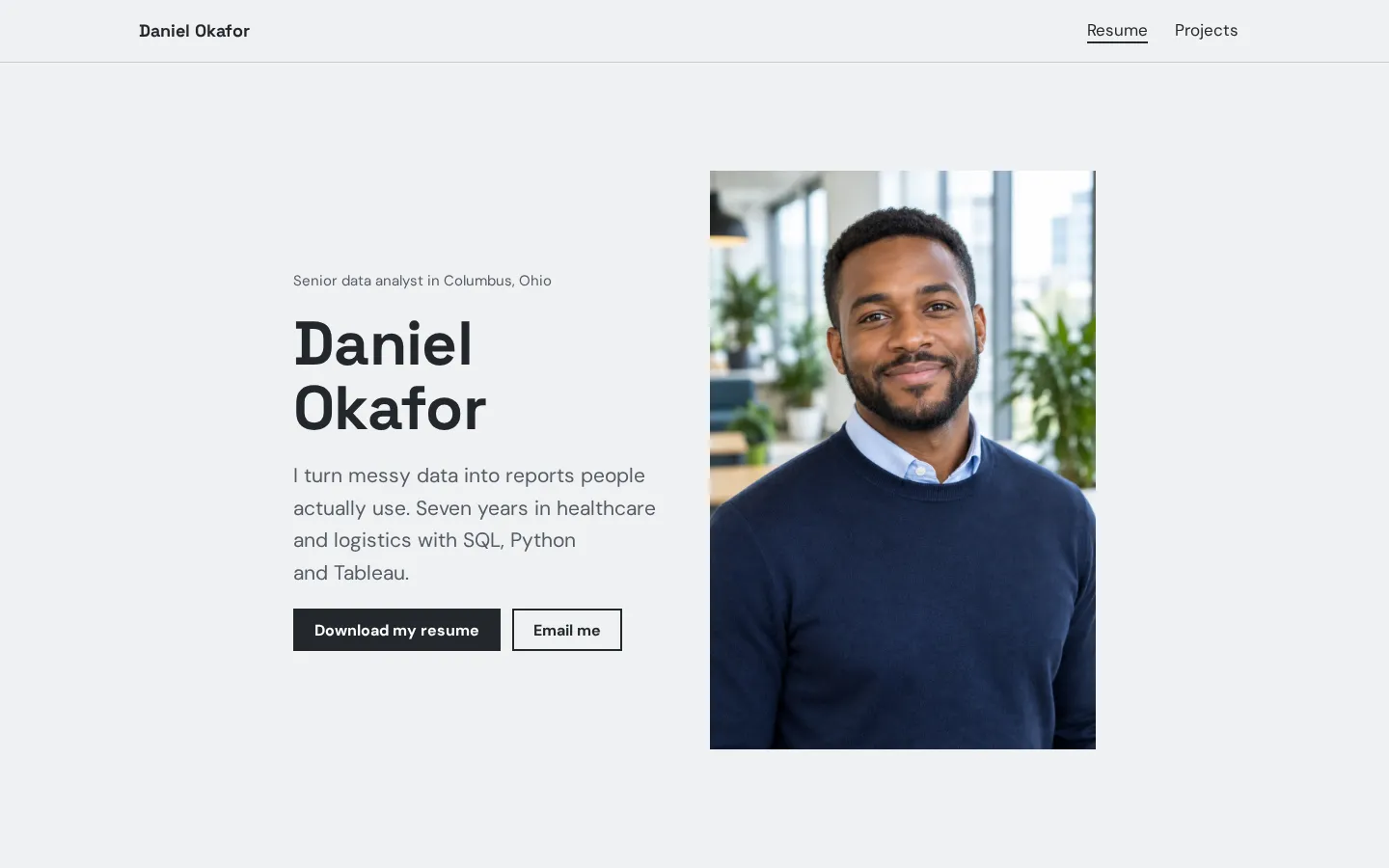
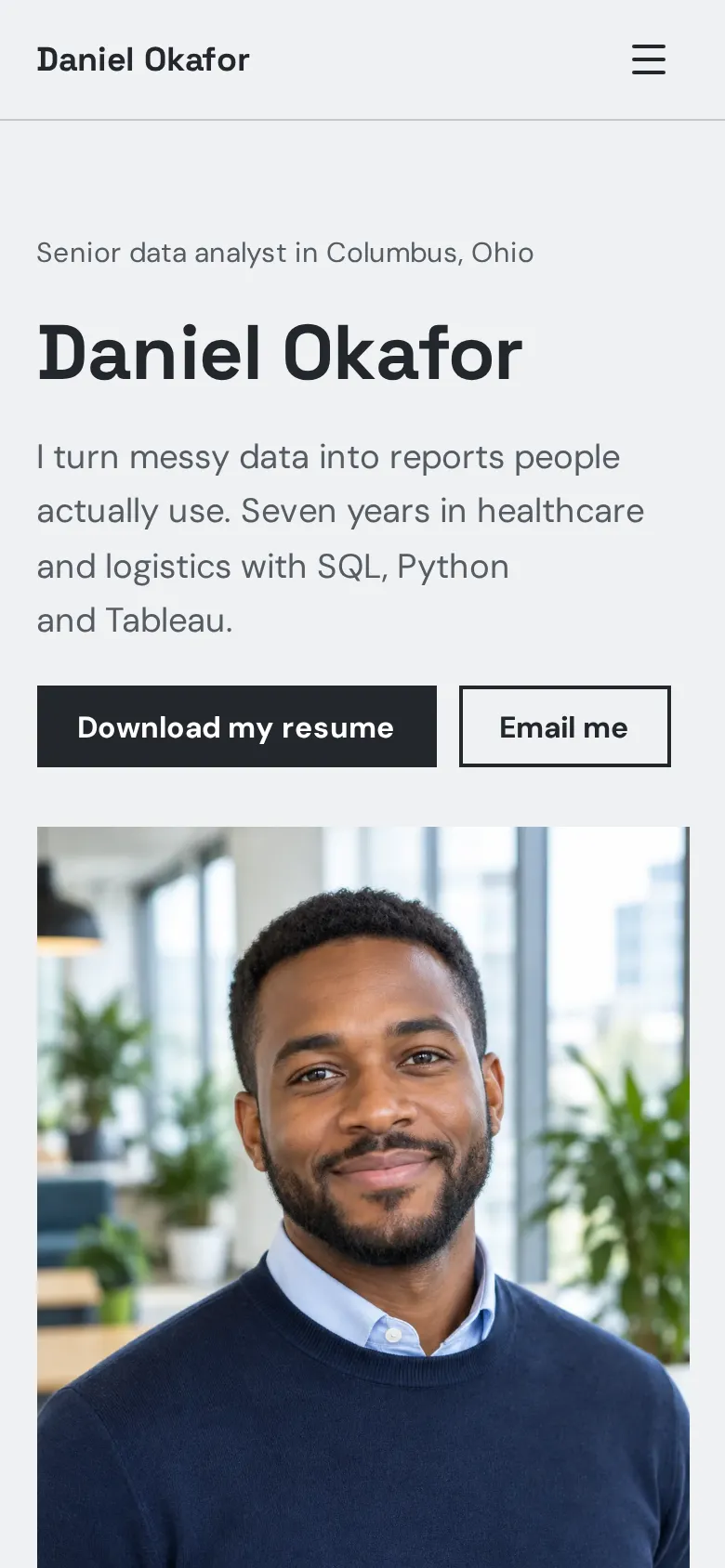
- Home page Your name, title and city, a short summary, a headshot and buttons to download your resume and email you.
- Experience Three roles with the employer, the years and one result each, next to a short headline.
- Skills Three skill groups side by side on a tinted band: analysis, reporting and working with people.
- Education Your degree and a certificate, with the years.
- Contact band A closing band with the role you are looking for, an email button and LinkedIn and GitHub icons.
- Projects page Three projects with numbers, two quotes from managers and a closing button to download your resume.
Make your resume website in 5 steps
- Open the templateIt opens in the Heya builder with both pages, the photo and the text in place. You do not need an account to start.
- Swap in your detailsClick any text to change your name, title and summary. Keep one result with a number for each job.
- Link your resume PDFUpload the PDF to Google Drive or Dropbox, copy a share link and paste it into the Download my resume buttons.
- Add your projectsReplace the three projects with your own work. Lead with the result, then say how you got there.
- Publish and shareSign in with Google, pick an address like danielokafor.heya.bio and publish. Put the link on your LinkedIn profile and in job applications.
Resume website checklist
- Your name and the job title you want
- A two-line summary of what you do
- Recent roles with dates and one result each
- Skills and tools, in groups
- Your degree and certificates
- Two or three projects with numbers
- A quote from a manager or client
- A link to your resume PDF
- Your email and LinkedIn
What it costs
The free plan covers everything this template needs. Pro Lite removes the badge and raises the page limit.
| Plan | Free | Pro Lite |
|---|---|---|
| Price | $0, no credit card | $9 a year |
| Sites | 3 | 3 |
| Pages per site | Up to 5 | Up to 20 |
| Address | name.heya.bio with HTTPS | name.heya.bio with HTTPS |
| Made with Heya badge | Small badge | No badge |
| HTML download | Yes | Yes |
| Built-in forms | Not yet, link to an outside form | Not yet, link to an outside form |
Swipe the table sideways to see both plans.
What Heya doesn't do yet
Heya stores images only, so your resume PDF lives on Google Drive or Dropbox and the button links to it. There's no contact form yet either. Forms are planned for Pro Standard ($19 a year), which isn't live, so the email buttons open the visitor's mail app.
There's no analytics yet, so you will not see who looked at your resume. Custom domains are still to come too, so your resume website lives on name.heya.bio for now.
Questions
Is this resume website template free?
Yes. The template and publishing are free: up to 3 sites with up to 5 pages each on a name.heya.bio address with HTTPS, no credit card and no time limit. Free sites show a small "Made with Heya" badge, which Pro Lite removes for $9 a year.
Can I upload my resume PDF?
Heya stores images only, so keep the PDF on Google Drive or Dropbox, set it so anyone with the link can view it, and paste that link into the Download my resume buttons.
Do I need a photo?
No. A friendly headshot helps people remember you, but if you would rather not show one, delete the photo and switch that section to a one-column layout.
Can I add more projects?
Yes. The template has 2 pages and the free plan allows 5 per site, so add a page for each case study. Pro Lite allows 20 pages per site.
Can I use my own domain?
Not yet. Custom domains are on the way, so for now your resume website lives on an address like danielokafor.heya.bio with HTTPS.
Can I download my resume website?
Yes. Every plan can download the site as a ZIP of plain HTML, CSS, fonts and images, so you can keep a copy or host it anywhere.
More templates like this
Start your resume website
Open the template, add your details and publish free on name.heya.bio. No code and no credit card.