Personal website examples for 2026 and what makes them work
Personal website examples worth copying include a portfolio built around selected work, a short bio page
with contact details, and a writing site with room for posts. Start with the kind that matches what you
want visitors to do, then borrow its page structure rather than trying to copy every design choice.
Heya is made by the team that wrote this guide, so read its row with that in mind. Prices come from each
company's own pages, checked on November 9, 2026.
The short answer
Template starting point Wix suits people who want a large choice of templates they
can customize manually or with AI.
Small site collection Carrd suits people who want several sites, with plan choices
for custom domains, forms and widgets.
Bio and contact page about.me suits people who want a personal page and a link they
can use in their email signature.
Pages and posts WordPress.com suits people who want a personal site with room for
ongoing writing.
Phone-friendly building Heya suits people who want to build a one-page or small site
without code, including entirely on a phone.
Builders for a personal website
Compare Wix, Carrd, about.me, WordPress.com and Heya below by their free options, paid plans and domain
choices.
Builder
Free plan
Paid from
Custom domain
Best for
Wix
$0 Free plan, no credit card
$17/mo (Light), yearly price
Connect one on Premium plans; 1 year free domain voucher on most
Big template library and business tools
Carrd
Free Basic plan
$9/year (Pro Lite, 3 sites)
Pro Standard ($19/year) and Pro Plus
One-page sites and landing pages
about.me
Free page at about.me/yourname
$5/mo billed $60 annually (Standard)
Pro plan ($9/mo monthly or $90/yr)
A simple personal bio page
WordPress.com
Free plan, no expiry, no credit card
$4/mo billed annually
Paid plans; free first year on annual plans
Blogs and sites that grow with plugins
Heya
Free: 3 sites, 5 pages each, yourname.heya.bio
$3/mo (Pro Lite)
Pro Standard (1) or Pro Plus (up to 10)
Small sites built and edited on a phone
Swipe the table sideways to see every column.
Each option up close
Wix
Free; Light $17, Core $29, Business $39 a month (yearly)
Wix offers over 2000 business-ready templates you can customize manually or with AI, plus a Free
plan with no credit card required. Its cheapest paid plan, Light, includes 2 GB of storage and 2
site collaborators at $17 per month, with USD prices shown for yearly subscriptions paid in full at
purchase. Premium plans let you connect your own domain and remove Wix branding; most also include a
1 year voucher for a new domain purchased from Wix.
Better at
Big template library and business tools.
Watch out
Listed prices are for yearly plans paid up front.
Carrd
Free; Pro Lite $9, Pro Standard $19, Pro Plus $49 a year
Carrd has a free Basic plan, while every Carrd Pro plan includes premium templates, video uploads,
slideshows, QR codes, site icons and share images. Carrd Pro Lite costs $9 a year for 3 sites and
removes Carrd branding; Carrd Pro Standard costs $19 a year for 10 sites and adds custom domains
with SSL, forms and widgets. Check which of those you need before choosing, and use the 7-day free
Pro trial without a payment or credit card.
Better at
One-page sites and landing pages.
Watch out
Pro Lite does not include custom domains.
about.me
Free; Standard $5 a month (annual)
about.me offers a Free plan with a personal page and an email signature containing your free link.
Standard costs $6 per month when paid monthly or $60 annually, equivalent to $5 per month. For a
custom domain and removal of about.me branding, choose Pro at $9 per month when paid monthly or $90
annually.
Better at
A simple personal bio page.
Watch out
A custom domain and branding removal need Pro.
WordPress.com
Free; paid from $4 a month billed annually
WordPress.com's free plan has no expiration date and includes 1 GB of storage, unlimited pages and
posts, and basic stats for the last 7 days, though it uses a WordPress.com subdomain. Paid plans
start at $4 per month when billed annually, or Personal starts at $2.75 per month when billed every
3 years, with custom domains available on paid plans. Every paid plan includes access to over 60,000
plugins, and annual and multi-year plans include a free custom domain for the first year.
Better at
Blogs and sites that grow with plugins.
Watch out
The free plan has 1 GB of storage and a wordpress.com subdomain.
Heya
Free; Pro Lite $3, Pro Standard $6, Pro Plus $15 a month
Heya is a no-code builder for one-page and small sites, with 68 templates, a blank-page option and
full building and editing on a phone. Building starts without an account, with drafts saved in the
browser until publication; publishing requires Google sign-in, its only sign-in option. Heya Free
costs $0 with no time limit or credit card and allows up to 3 sites with up to 5 pages each and a
small badge, while Heya Pro Standard costs $6 a month for up to 5 sites, up to 20 pages each, no
badge and 1 custom domain per account.
Better at
Small sites built and edited on a phone.
Watch out
Free sites show a small "Made with Heya" badge.
Templates to start from
These are Heya templates. Each one is live: open the demo, or start your own from it.
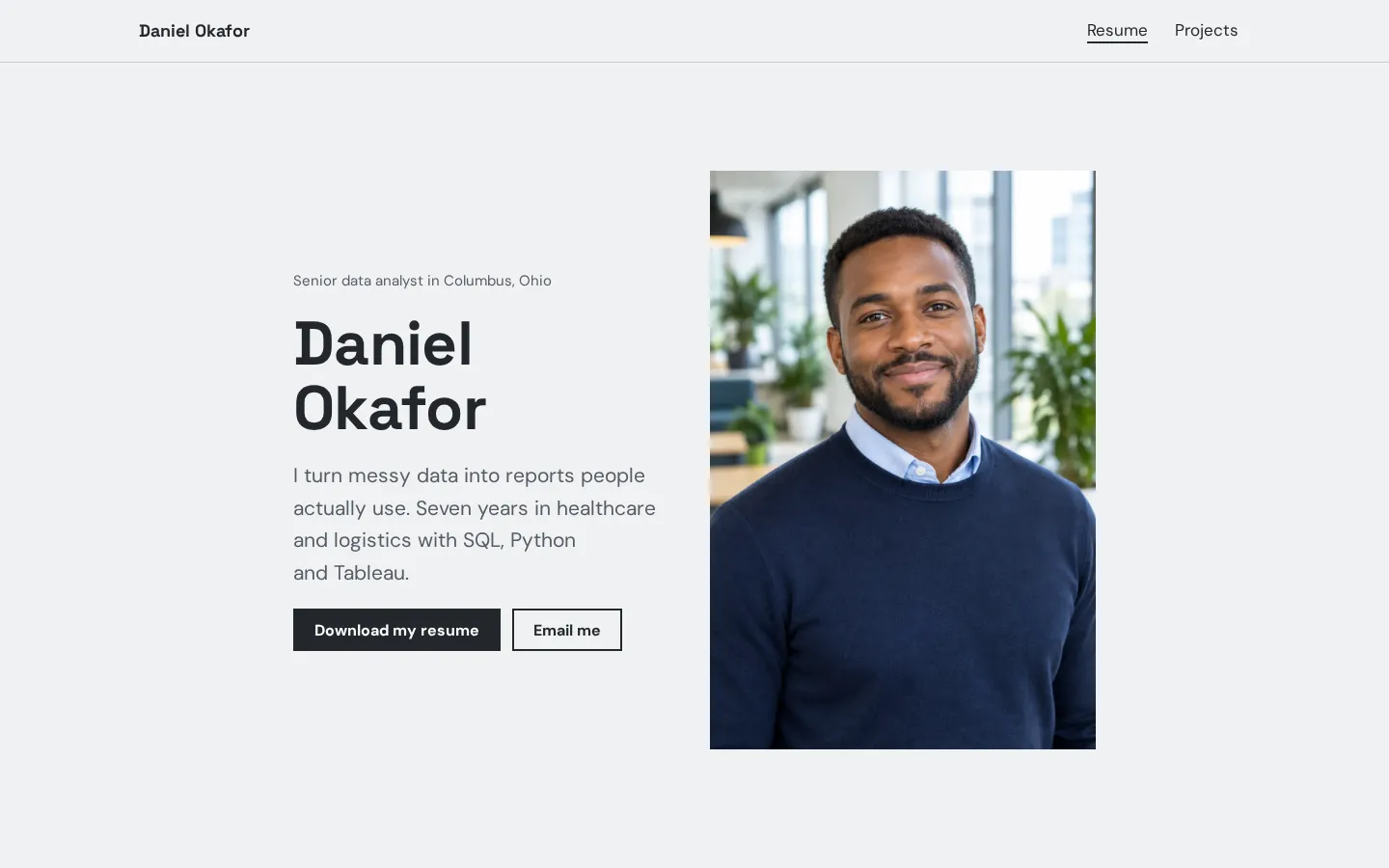
Resume websiteA free resume website template with your experience, skills, education, projects and a resume
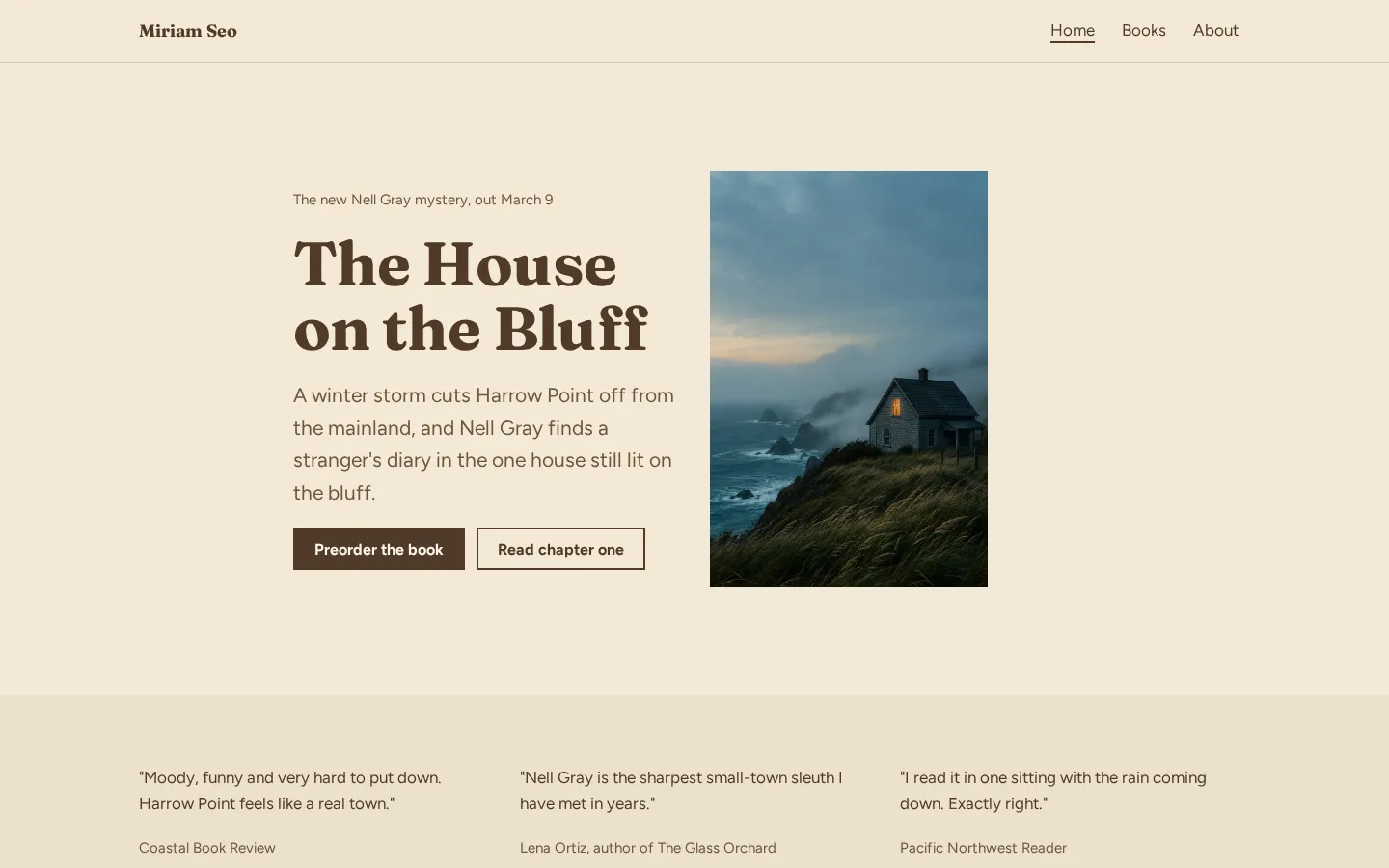
download button.Open the live demoStart from itAuthor websiteA free author website template with your new book, buy links for every book, reviews, events and
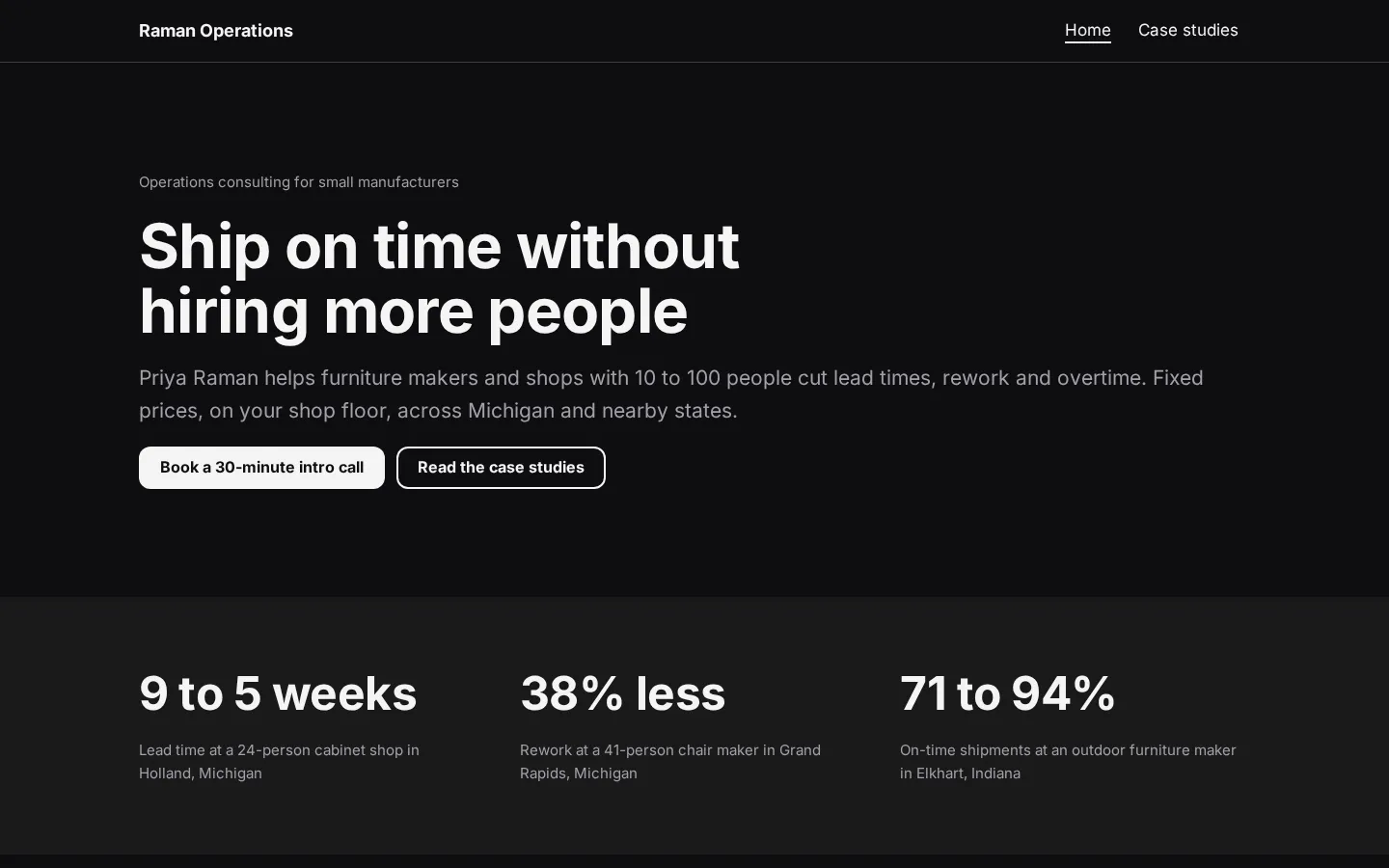
a newsletter link.Open the live demoStart from itConsulting websiteA free consulting website template with packages, client results and case studies, which you edit
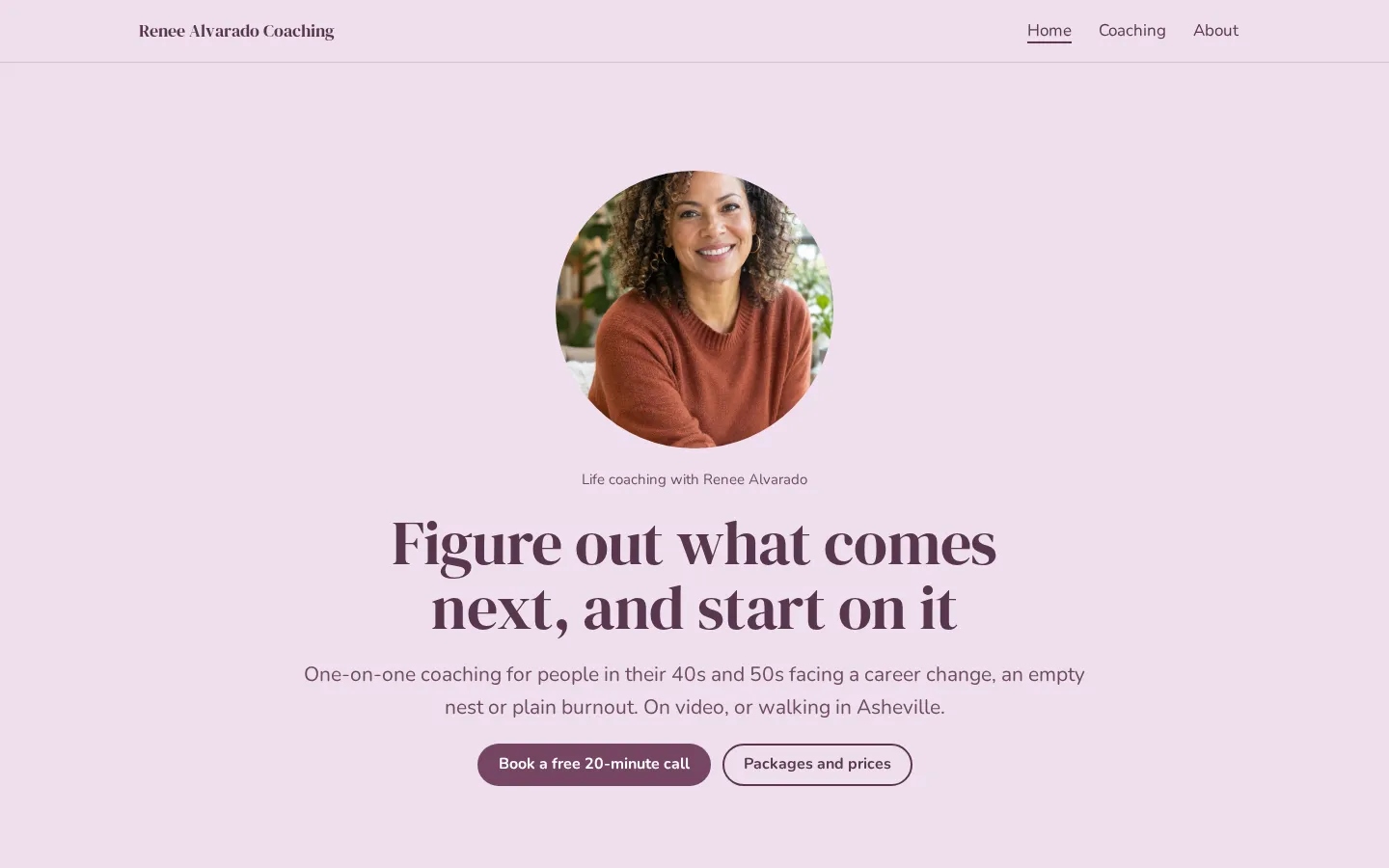
in your browser and publish free.Open the live demoStart from itLife coach websiteA free life coach website template with packages, prices, how sessions work and a free call
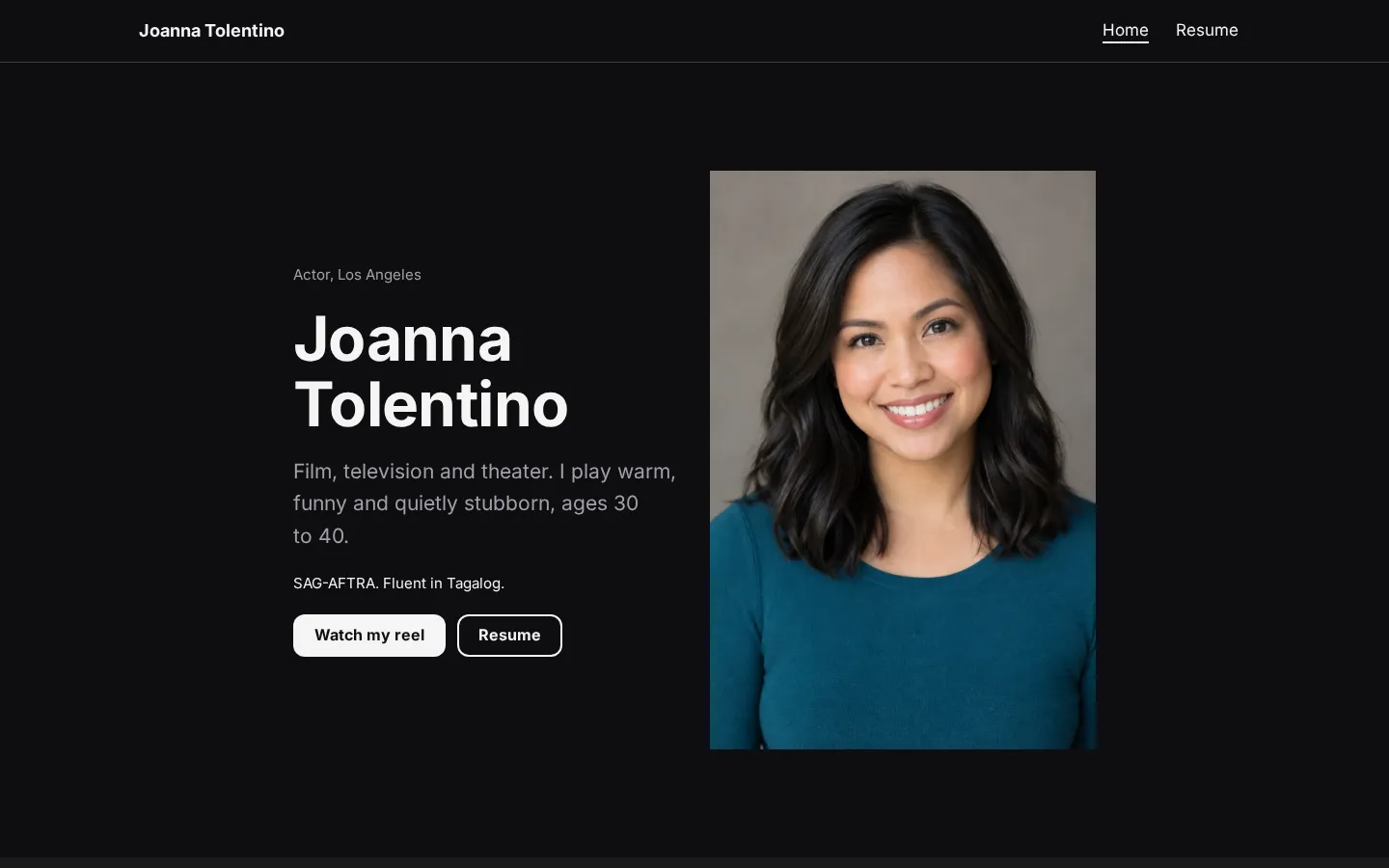
button, which you edit in your browser and publish free.Open the live demoStart from itActor websiteA free actor website template with headshots, your reel, recent credits, a full resume and agent
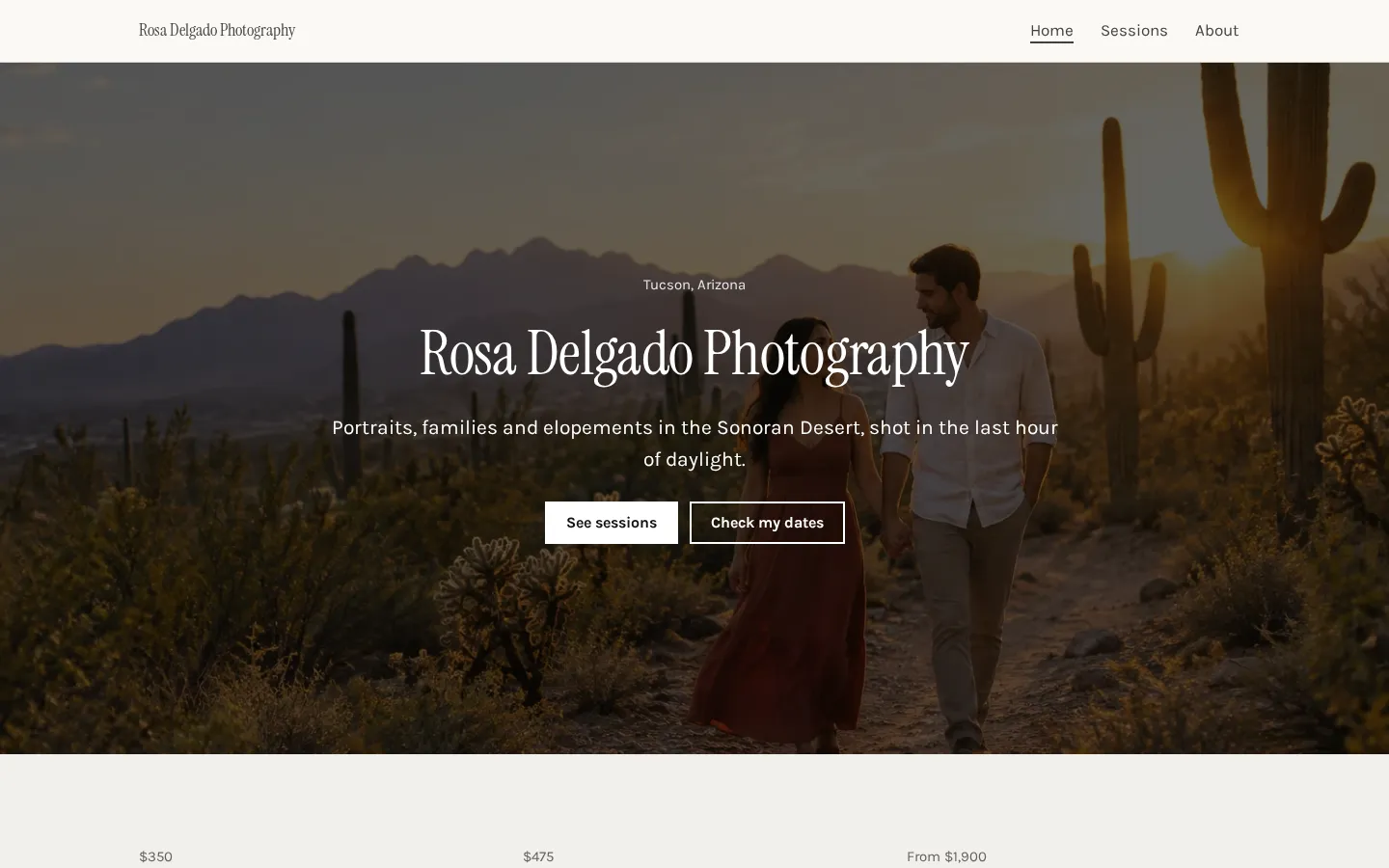
contacts.Open the live demoStart from itPhotography websiteA free photography website template with a gallery, session prices, client reviews and a booking
button.Open the live demoStart from it
What the best personal sites have in common
A good personal site tells you whose page you're on and gives you something useful to look at. Put
your name near the top, describe what you do in plain words, and let the work or writing take up more
space than the introduction.
Keep it clear.
When you're looking through examples, ask: can I tell what this person wants me to do next? Look for a
contact link, a piece of work to open or a post to read, and notice where it sits on the page.
Copy the structure. You don't need to borrow someone else's personality.
And give your own content a fair amount of room. If a project needs a description, write one; if a
photo needs a caption, add it. Check the page on your phone too (especially the text and buttons), and
cut anything you wouldn't want a visitor to spend time on.
Picking a layout for your goal
Start with what you want someone to see. A portfolio can open with selected work and put the longer
bio further down; a personal introduction can start with your name, a short description and a way to
contact you.
Writing needs space.
If publishing posts is the point, make the posts easy to find rather than putting them underneath a
long introduction, a collection of unrelated links and everything else you've ever wanted to put
online.
What should come first on yours? Choose the thing you'd want to show someone if they asked what you
do.
For a page about an event, put the event details before the RSVP link. For bookings, put the relevant
information before the booking button. But don't add separate pages just to fill a menu (a short bio
can stay on the main page). Sketch the order in plain text before you start choosing a template.
Writing about yourself without cringing
Write a draft that starts with your name and what you do. Then add what you want people to know about
your work, your interests or the reason you've made the site, using words you'd say in a conversation.
Skip the grand introduction.
You don't have to turn a short bio into a statement about your entire life, and you don't have to give
every interest the same amount of space just because it made it into your draft.
What would you tell someone who asked about your work? Start there. Use a specific project or subject
where you have one, rather than giving yourself a string of flattering labels.
And read the draft aloud before publishing it (yes, the contact text too). If a sentence sounds unlike
you, rewrite it in the words you used while explaining it. End with a plain invitation to contact you,
read something or look at your work.
Plans change often. If a number here is out of date, email hello@heya.page and we'll fix it.
FAQ
What should I put on my personal website?+
Start with your name, a short description of what you do and a way to contact you. Add the work,
writing or other material you want people to see. Keep the first version focused. You can leave
out a long biography if a short introduction says what you need.
What makes a good personal website?+
A good personal website makes its purpose clear and gives visitors something worth opening or
reading. Use readable text, straightforward navigation and descriptions that tell people what
they're looking at. Check it on your phone. Would you know where to go next without having the
page explained to you?
Can I make a personal website for free?+
Yes. Wix, Carrd, about.me, WordPress.com and Heya all offer free plans. Their limits differ:
WordPress.com includes unlimited pages and posts with 1 GB of storage, while Heya allows up to 3
sites with up to 5 pages each. Compare the free address, branding and page limits before choosing.
Do I need a custom domain for a personal website?+
No. You can publish using a free address provided by a builder. Choose a paid plan with domain
support if you want your own address, and check what's included before paying. Some plans include
a domain for a limited period; Heya connects a domain you already own and doesn't sell domains.
Start from the Muse design or any of the 68 templates, edit it on your phone or laptop, and publish
on Heya's Free plan for $0, with no time limit and no credit card.