Personal brand website guide for 2026: what to put on it and how to build one
A personal brand website is a site built around you and the work people can hire you to do. It should
explain who you help, what you offer and how to take the next step, with examples that back up your
claims. Your bio belongs there, but it shouldn't be the whole site.
Heya is made by the team that wrote this guide, so read its row with that in mind. Prices come from each
company's own pages, checked on November 9, 2026.
The short answer
Templates to customize Wix suits coaches, consultants and freelancers who want a
choice of templates they can change manually or with AI.
Hosting included Showit suits people who want hosting, media storage and regular
design backups included in their website plan.
A simple profile about.me suits people who want a personal page and an email
signature with their page link.
Low annual cost Carrd suits people who want a free starting point or a low-cost paid
plan with custom domains and forms.
Build on your phone Heya suits people who want a no-code builder for a one-page or
small site they can build and edit on their phone.
Builders for a personal brand website
Compare Wix, Showit, about.me, Carrd and Heya below by price, domain options and what each plan
includes.
Builder
Free plan
Paid from
Custom domain
Best for
Wix
$0 Free plan, no credit card
$17/mo (Light), yearly price
Connect one on Premium plans; 1 year free domain voucher on most
Big template library and business tools
Showit
14-day free trial, no credit card
$22/mo, or $259 billed annually
Not stated
Creatives who want free-form layouts
about.me
Free page at about.me/yourname
$5/mo billed $60 annually (Standard)
Pro plan ($9/mo monthly or $90/yr)
A simple personal bio page
Carrd
Free Basic plan
$9/year (Pro Lite, 3 sites)
Pro Standard ($19/year) and Pro Plus
One-page sites and landing pages
Heya
Free: 3 sites, 5 pages each, yourname.heya.bio
$3/mo (Pro Lite)
Pro Standard (1) or Pro Plus (up to 10)
Small sites built and edited on a phone
Swipe the table sideways to see every column.
Not stated means the company's own pages we checked don't give that detail.
Each option up close
Wix
Free; Light $17, Core $29, Business $39 a month (yearly)
Wix has over 2000 business-ready templates you can customize manually or with AI, and its Free plan
costs $0 with no credit card required. Its cheapest paid plan, Light, is $17 per month with 2 GB of
storage and 2 site collaborators; Wix displays USD prices for yearly subscriptions paid in full at
purchase. Premium plans let you connect your own domain and remove Wix branding, and Wix offers a
14-day money-back guarantee.
Better at
Big template library and business tools.
Watch out
Listed prices are for yearly plans paid up front.
Showit
Showit $22 a month, or $259 billed annually
Showit includes hosting, 20 GB of media storage and a secure certificate (HTTPS), plus design
backups every 10 minutes that it keeps for 7 days. The Showit plan costs $22 per month USD, or $259
billed annually, while Showit & Basic Starter Blog costs $27 per month USD, or $326 billed
annually. You can try it free for 14 days without a credit card.
Better at
Creatives who want free-form layouts.
Watch out
A blog costs more, from $27 a month on the Basic Starter Blog plan.
about.me
Free; Standard $5 a month (annual)
about.me gives you a page and an email signature with your free link on its $0 Free plan. Standard
costs $6/mo when billed monthly or $60/yr, advertised as $5 per month on the annual option. If you
want to connect your own domain and remove about.me branding, choose Pro, which costs $9/mo when
billed monthly or $90/yr.
Better at
A simple personal bio page.
Watch out
A custom domain and branding removal need Pro.
Carrd
Free; Pro Lite $9, Pro Standard $19, Pro Plus $49 a year
Carrd has a free Basic plan, while Carrd Pro Lite costs $9 a year for 3 sites and removes the Made
with Carrd branding. For custom domains with SSL, forms and widgets from Stripe, PayPal, Gumroad and
Typeform, Carrd Pro Standard costs $19 a year for 10 sites. Carrd offers a 7-day free Pro trial
without payment or a credit card; Carrd Pro Lite is the option it suggests when you don't need
custom domains, forms or widgets.
Better at
One-page sites and landing pages.
Watch out
Pro Lite does not include custom domains.
Heya
Free; Pro Lite $3, Pro Standard $6, Pro Plus $15 a month
Heya is a no-code builder for one-page and small sites: you can start without an account, with
drafts saved in your browser, then sign in with Google to publish (Google is the only sign-in
option). Heya Free costs $0 with no time limit or credit card and supports up to 3 sites with up to
5 pages each, published on a Heya address with a small "Made with Heya" badge. You can build and
edit fully on your phone, choose from 68 templates or start blank; Heya Pro Standard costs $6 a
month and includes up to 5 sites, up to 20 pages per site, no badge and 1 custom domain per account.
Better at
Small sites built and edited on a phone.
Watch out
Free sites show a small "Made with Heya" badge.
Templates to start from
These are Heya templates. Each one is live: open the demo, or start your own from it.
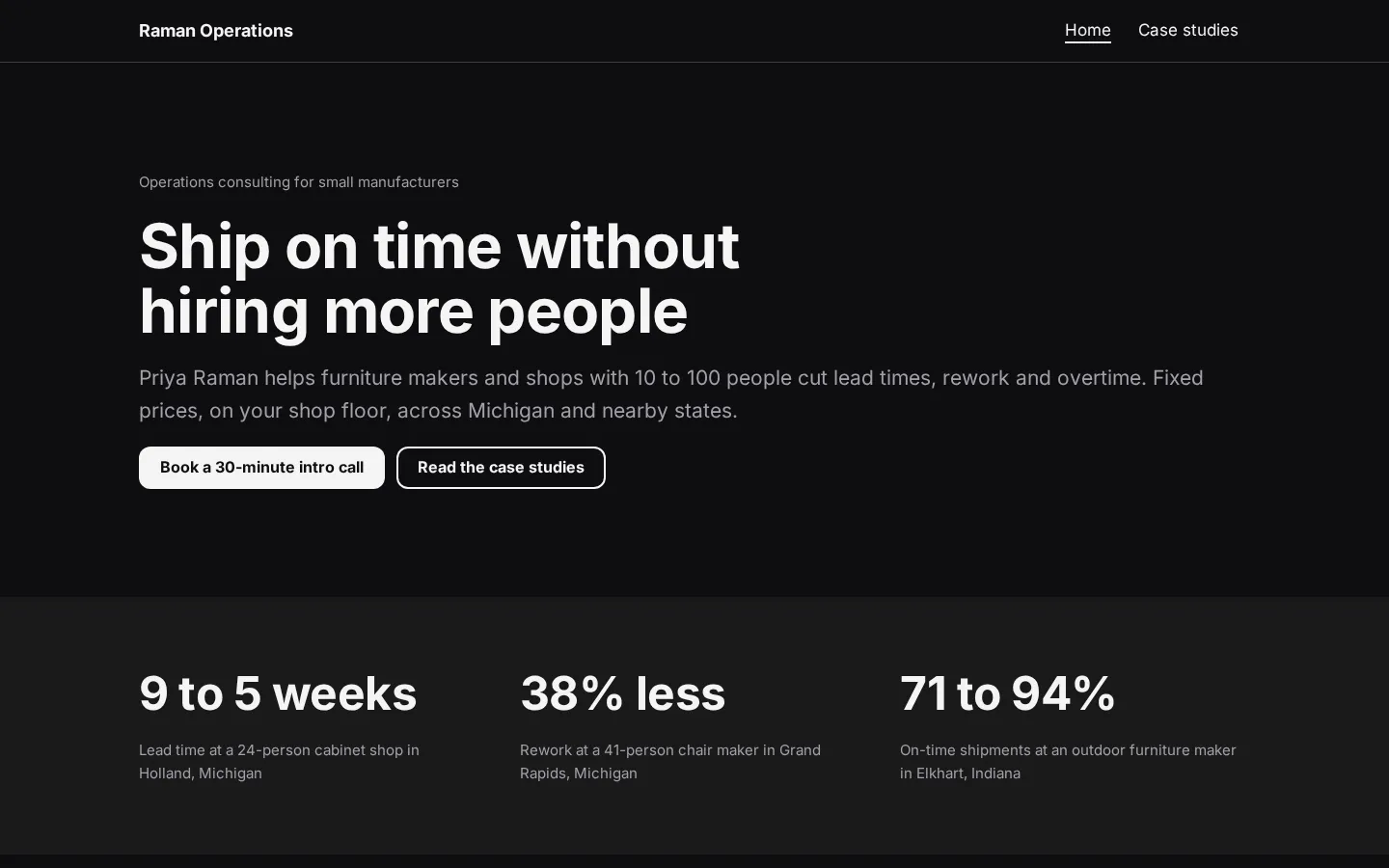
Consulting websiteA free consulting website template with packages, client results and case studies, which you edit
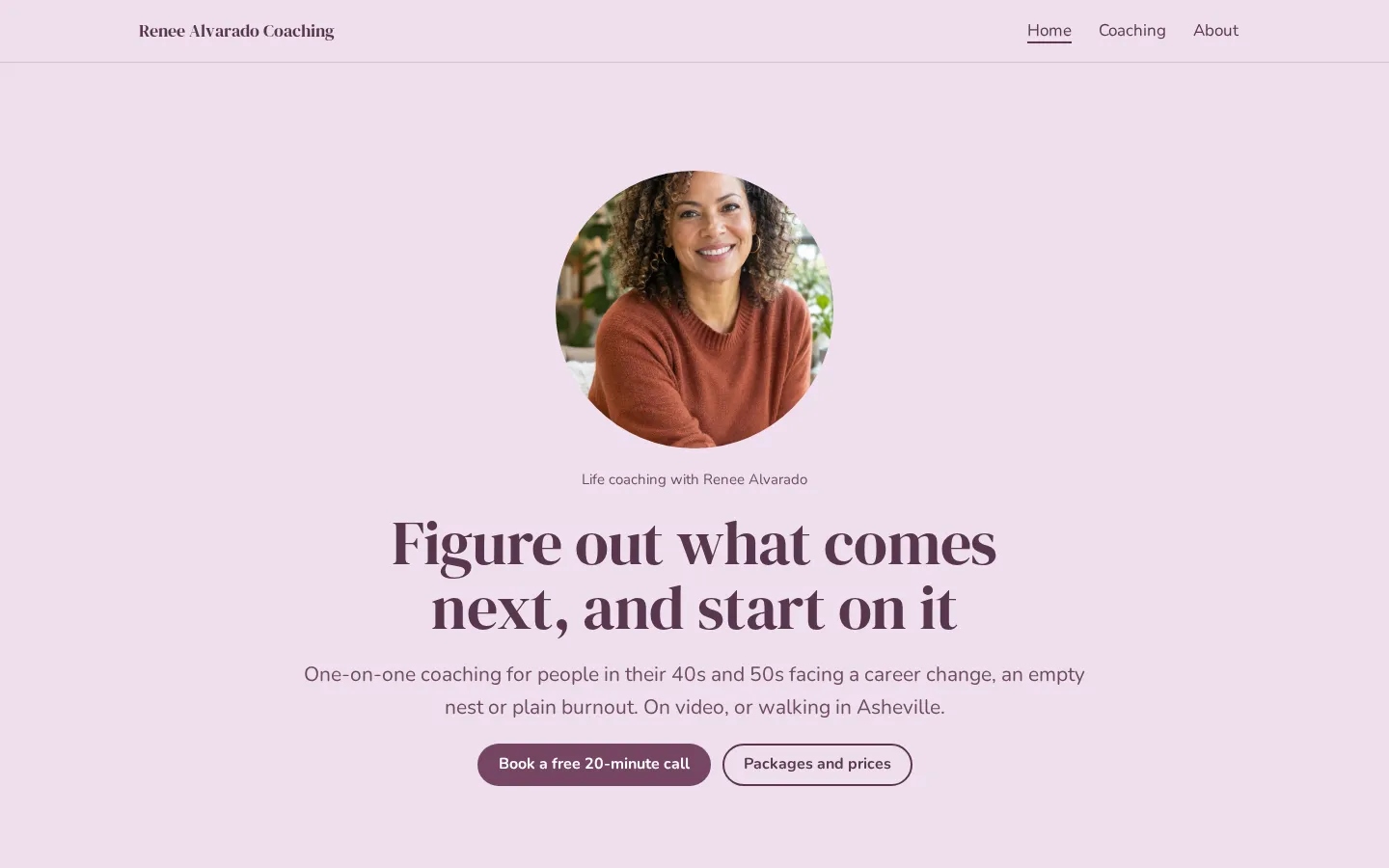
in your browser and publish free.Open the live demoStart from itLife coach websiteA free life coach website template with packages, prices, how sessions work and a free call
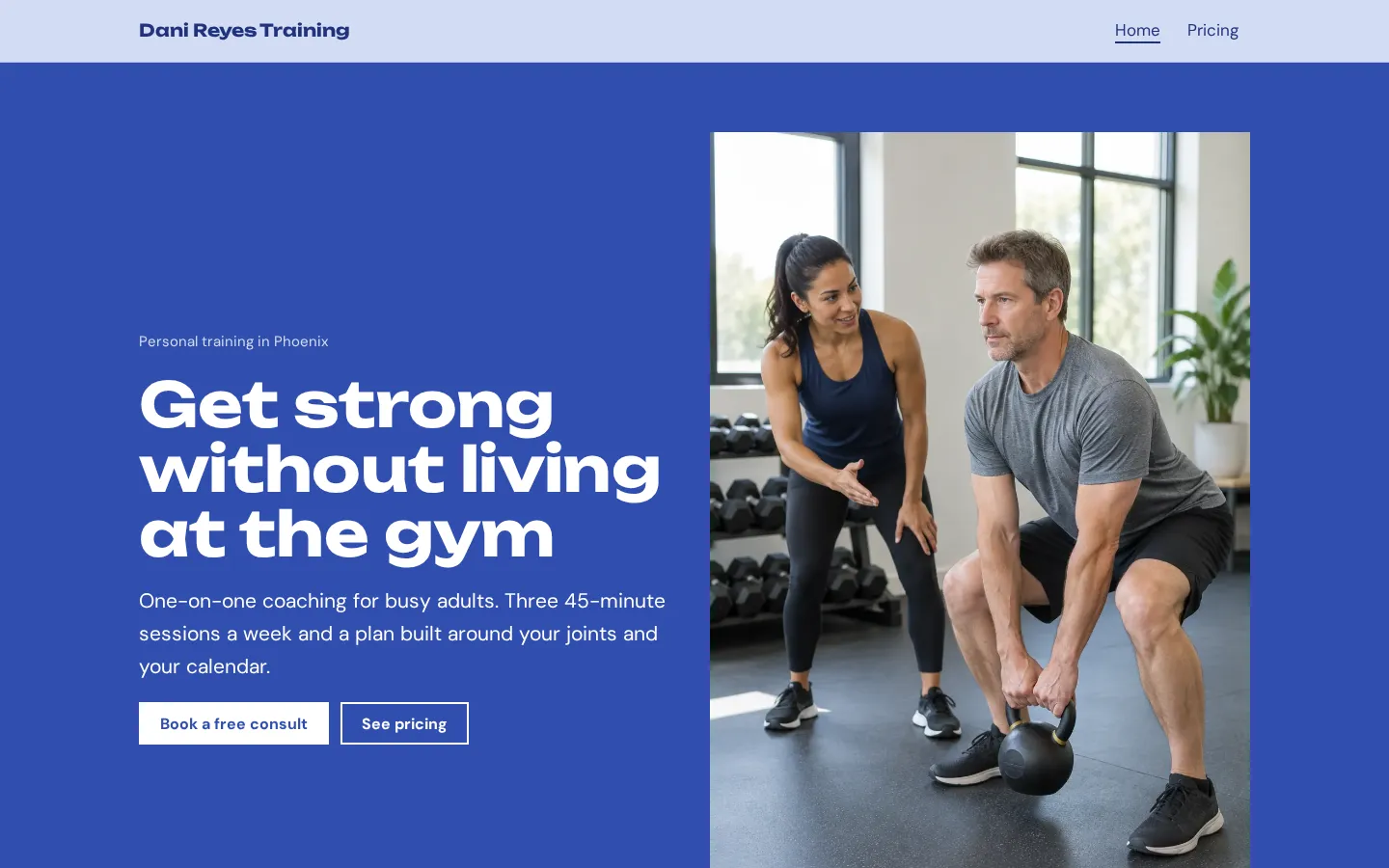
button, which you edit in your browser and publish free.Open the live demoStart from itPersonal trainer websiteA free personal trainer and fitness website template with your story, packages and prices,
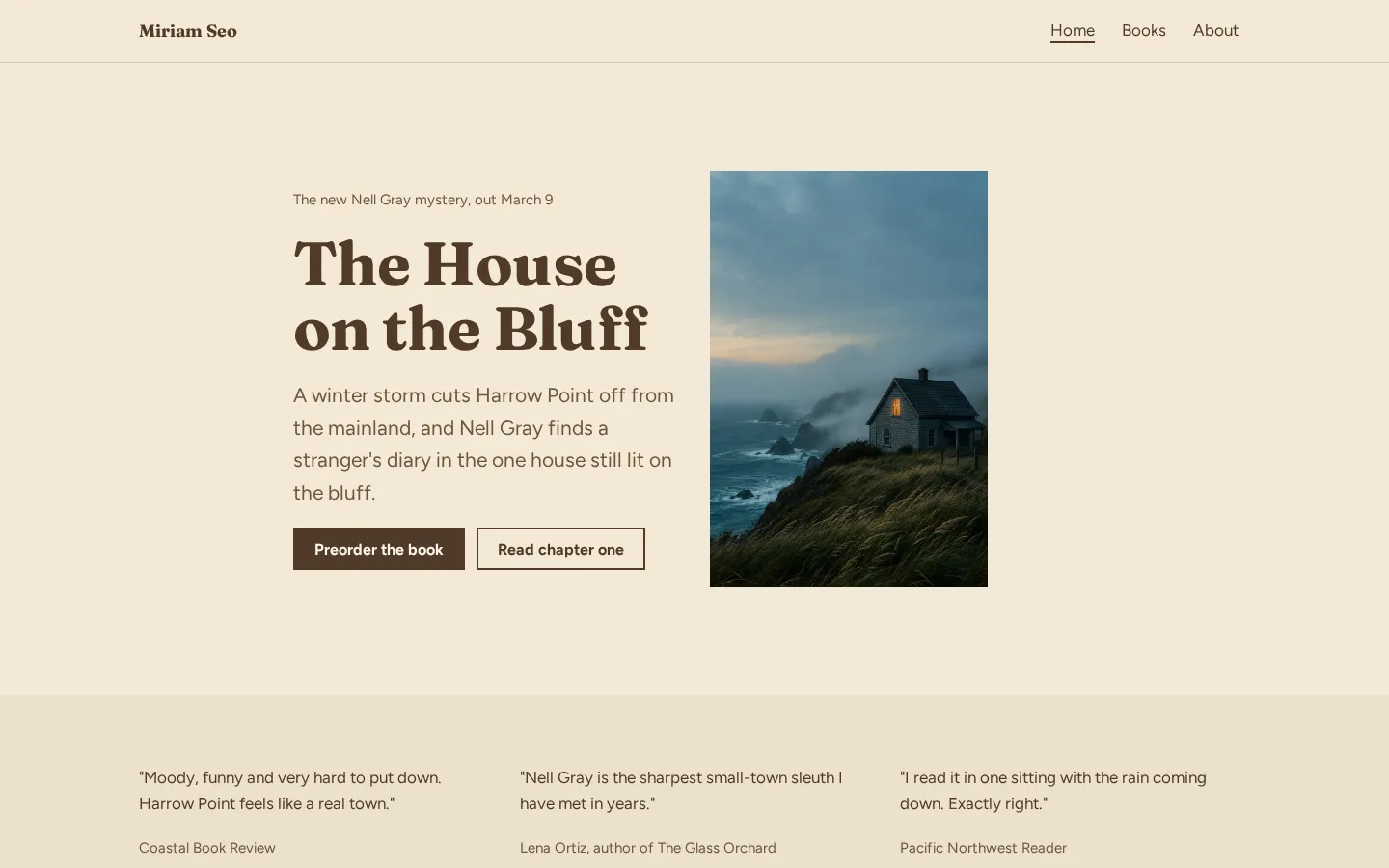
reviews and a consult button.Open the live demoStart from itAuthor websiteA free author website template with your new book, buy links for every book, reviews, events and
a newsletter link.Open the live demoStart from it
What a personal brand site needs
Start with a plain statement of what you do and who you do it for. If you're a consultant, name the
work someone can hire you for. If you're a creator, make it clear what you make and what kind of
enquiry you want.
Then show the work. Use examples you can share, a portfolio, or client feedback you have permission to
publish. Don't make claims you can't back up. A short bio is enough to introduce your background
without turning the page into your full work history.
What should someone do next? Give them a clear way to enquire, book or sign up, and tell them what
they're choosing before they click.
Keep it readable. You don't need to fill every part of a template (or keep every section it comes
with). Replace sample text, check your contact details and remove anything that doesn't belong.
One page or several
A one-page site is a reasonable place to start when you have a focused offer, a few examples of your
work and a clear next step. Put those things in an order you'd use when explaining your work to
someone: what you do, what they can hire you for, the evidence, then how to get in touch.
Keep the bio short.
Do you have different services that need their own explanation? Separate pages may suit that better.
The same goes for a portfolio you want people to browse or work aimed at different kinds of clients.
But don't add pages just to fill out a menu. Start with the content you have, then choose a layout
that fits it. Check the plan's page allowance before you commit, and read the site on your phone as
well as on a larger screen.
Turning visitors into calls and sign-ups
Choose the action you want someone to take after reading about your work. A call, an enquiry and a
newsletter sign-up are different requests. Give each button a label that says what happens next,
rather than leaving the reader to guess.
Be specific. If the button opens a booking page, say that. If it opens a form, explain what the form
is for, and don't ask for details you don't need.
How will you handle the response? Decide that before you publish. On Heya, a button can send people to
a Calendly page, a Google Form or Tally form, or a newsletter sign-up page; it can also embed a
Calendly scheduling page.
And test the whole path yourself (not just the button). Open the destination, check the wording and
make sure it's the place you intended to send someone.
Plans change often. If a number here is out of date, email hello@heya.page and we'll fix it.
FAQ
What is a personal brand website?+
It's a website about you and the work you want to be known or hired for. That might be coaching,
consulting, freelance work or the things you create. Your background is part of it, but the site
should also show what you offer, examples of your work and a way to contact you.
What should a personal brand website include?+
Include a clear description of your work, who it's for, what someone can hire you to do and
examples that support it. Add a short bio and a clear next step. You can include client feedback
if you have permission to publish it. Leave out sections you don't have useful content for.
Is a one-page site enough for a personal brand?+
Yes, if it gives you enough room to explain your offer, show your work and tell people how to get
in touch. You don't need separate pages for their own sake. If different services or portfolios
need more space, give them their own pages rather than squeezing everything together.
Do I need my own domain for a personal brand website?+
You can start without one. Wix, about.me, Carrd and Heya have free plans, and you can decide later
whether you want a custom domain. Check the plan before paying: Wix Premium, about.me Pro and
Carrd Pro Standard support custom domains. Heya Pro Standard includes 1 custom domain per account,
which you connect from a domain you already own.
Start from the Muse design or any of the 68 templates, edit it on your phone or laptop, and publish
on Heya's Free plan for $0, with no time limit and no credit card.