Art portfolio websites in 2026: what to show and where to build one
An art portfolio is a selection of your strongest work, presented so someone can understand what you
make and decide whether it fits their project, gallery or course. Online, that means giving the work
room, adding useful context and making contact easy. Your website can be a single page or a larger
collection.
Heya is made by the team that wrote this guide, so read its row with that in mind. Prices come from each
company's own pages, checked between October 29 and November 9, 2026.
The short answer
-
A free starting point ArtStation suits artists who want a free personal portfolio
website with the option to use their own domain.
-
For Creative Cloud subscribers Adobe Portfolio suits artists who already subscribe to
Creative Cloud and want a single-page or full portfolio site.
-
For larger image collections Format suits artists who want to choose a plan around
page and high-resolution image limits.
-
For a small site Heya suits artists who want a no-code portfolio they can build and
edit on a phone.
Portfolio builders for artists
Compare ArtStation, Adobe Portfolio, Format, Heya, Squarespace and Wix below by price, site limits,
domain options and editing tools.
| Builder |
Free plan |
Paid from |
Custom domain |
Best for |
| ArtStation |
Free plan with username.artstation.com |
From $9.95/mo (Pro) |
Your own domain, bought separately |
Game, film and concept artists |
| Adobe Portfolio |
Included with Creative Cloud |
Creative Cloud from US$9.99/mo |
Use your own domain |
Creatives already on Creative Cloud |
| Format |
14-day free trial, no credit card |
$10/mo billed annually (Basic) |
Free custom domain for the first year |
Photographers and visual artists |
| Heya |
Free: 3 sites, 5 pages each, yourname.heya.bio |
$3/mo (Pro Lite) |
Pro Standard (1) or Pro Plus (up to 10) |
Small sites built and edited on a phone |
| Squarespace |
14-day free trial, no credit card |
$19/mo (Basic) |
Free custom domain on Basic and Core (terms apply) |
Polished designer templates |
| Wix |
$0 Free plan, no credit card |
$17/mo (Light), yearly price |
Connect one on Premium plans; 1 year free domain voucher on most |
Big template library and business tools |
Swipe the table sideways to see every column.
Each option up close
ArtStation
Free; Pro from $9.95 a month
ArtStation provides a personal portfolio website on its Free plan and says there will always be a
free edition, though the free website comes with the Basic Theme only. Pro starts from $9.95/mo, and
Studio starts from $29.99/mo. Artists can use their own domain on an ArtStation-powered website, but
the domain is purchased separately rather than included free.
- Better at
- Game, film and concept artists.
- Watch out
- The free plan gets the Basic theme only.
Adobe Portfolio
With Creative Cloud, from US$9.99 a month
Adobe Portfolio is included for free with a Creative Cloud subscription, with Adobe Portfolio and
other Creative Cloud services available for as low as US$9.99 a month. It can make a single-page
website or a responsive, multi-page portfolio with a collection and contact page, and it can import
projects from Behance. It also supports an artist's own domain and password protection for selected
pages or the whole site; the price to consider is the Creative Cloud subscription.
- Better at
- Creatives already on Creative Cloud.
- Watch out
- It comes with a Creative Cloud subscription.
Format
From $10 a month, billed annually (Basic)
Format offers a 14 day free trial with no credit card required, and its Basic plan costs $10 per
month billed annually, normally $14 per month. Basic allows 10 pages and 70 high-resolution images;
Pro allows Unlimited pages and 1500 high-resolution images, while Pro Plus makes both Unlimited.
Format's pricing comparison lists a Free Custom Domain for the First Year, so check both the image
allowance and the domain period when choosing a plan.
- Better at
- Photographers and visual artists.
- Watch out
- Basic allows 10 pages and 70 high-resolution images.
Heya
Free; Pro Lite $3, Pro Standard $6, Pro Plus $15 a month
Heya is a no-code builder for one-page and small sites that can be built and edited fully on a
phone; artists can start without an account, with drafts saved in the browser until they publish
using Google, its only sign-in option. Free costs $0 with no time limit or credit card and allows up
to 3 sites with up to 5 pages each and a small "Made with Heya" badge; Pro Lite costs $3 a month,
removes the badge and allows up to 20 pages per site on up to 3 sites. Pro Standard costs $6 a month
and includes 1 custom domain per account, connected from a domain the artist already owns; uploaded
images are resized to 2048 pixels on the long edge and converted to WebP.
- Better at
- Small sites built and edited on a phone.
- Watch out
- Free sites show a small "Made with Heya" badge.
Squarespace
Basic $19, Core $29, Plus $49, Advanced $99 a month
Squarespace offers Fluid Engine drag-and-drop tools for designing, editing and publishing without
HTML, CSS or JavaScript, with a choice of designer templates or a personalized site generated
through Blueprint AI. Its free trial lasts 14 days, requires no credit card and lets users build a
full site before choosing a plan to connect a custom domain and go live. Plans cost $19 per month
for Basic, $29 per month for Core, $49 per month for Plus and $99 per month for Advanced, with
savings of up to 36% when paying annually.
- Better at
- Polished designer templates.
- Watch out
- You pick a paid plan to connect a custom domain and go live.
Wix
Free; Light $17, Core $29, Business $39 a month (yearly)
Wix has a Free plan for $0 with no credit card required, plus over 2000 business-ready templates
that can be customized manually or with AI. Its cheapest paid plan, Light, costs $17 per month and
includes 2 GB of storage and 2 site collaborators; Wix displays USD prices for yearly subscriptions
paid in full at purchase. Premium plans let users connect their own domain and remove Wix branding,
and most include a 1 year free domain voucher for a new domain purchased from Wix; Wix also offers a
14-day money-back guarantee.
- Better at
- Big template library and business tools.
- Watch out
- Listed prices are for yearly plans paid up front.
Templates to start from
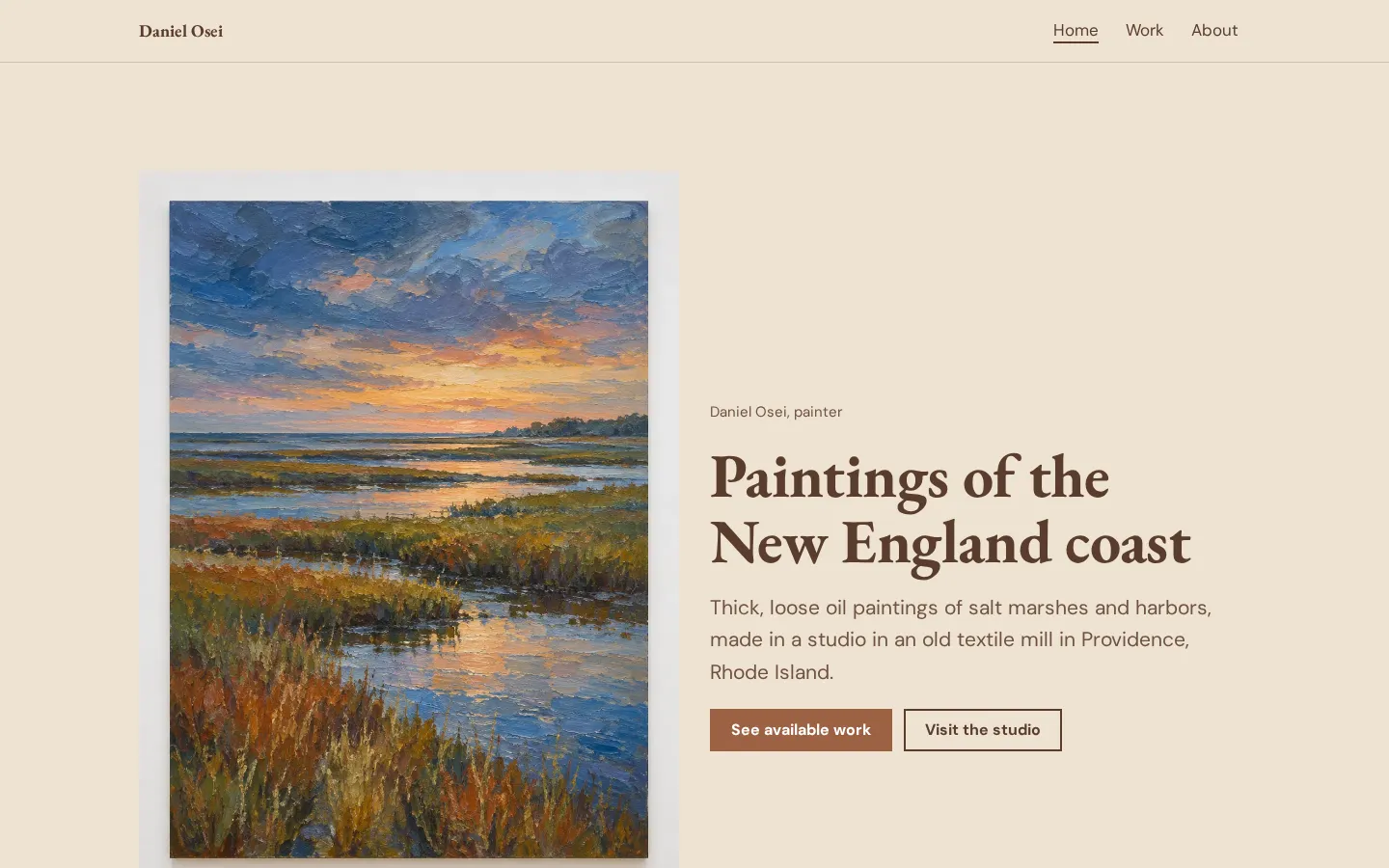
These are Heya templates. Each one is live: open the demo, or start your own from it.
What to put in an art portfolio
Start with your strongest work, chosen for the person you want to reach. For client work, show the
kind of commissions you want to take on. For a gallery, choose work you want considered together. For
art school, read the submission requirements before choosing anything.
Be selective. Don't add a piece just to make the site feel fuller, and don't keep an older piece if
you no longer want it to represent you.
Give each project enough context to be understood: a title, the medium, your role where relevant, and
a short note about the brief or idea. If a project was collaborative, say what you did.
Add a short introduction and a clear way to contact you. Include process material when it says
something useful about how you work, rather than uploading every sketch you have.
Ordering and captioning your work
Put a strong, relevant piece first. What do you want the reader to see before they scroll? Start
there, then arrange the rest deliberately rather than leaving everything in upload order.
If you work across different kinds of art, decide whether they belong in the same sequence or separate
collections. Keep related project images together. Within a project, show the finished work before
supporting details unless the process itself is what you're presenting.
Keep captions plain. Name the work, identify the medium and add the context the image can't supply.
For commissioned or collaborative work, make your contribution clear. Don't write a paragraph praising
the result.
Then check the sequence on your phone (including the captions). Look for images that repeat the same
point, captions that need trimming and any work you'd rather not have a potential client ask about.
Cut those before publishing.
Picking the right portfolio site
Start with the site you need to publish now. Is it a small selection with an introduction and contact
details, or do you need separate project collections? Write that down before comparing plans.
ArtStation offers a free personal portfolio website. If you already pay for Creative Cloud, try Adobe
Portfolio with your own projects. Format is worth comparing when its page and image allowances match
the collection you want to upload.
For a small site, try building a draft in Heya, including on your phone if that's how you'll edit it.
Squarespace lets you build during its trial before choosing a plan to go live. Wix offers a free plan
for trying its editor.
But check the domain terms before paying. ArtStation domains are bought separately, Heya connects
domains you already own, and Wix's included voucher applies to a new domain from Wix on most Premium
plans.
How we checked
We took every price, limit and feature from each company's own pages, collected on October 29, 2026.
We checked the Wix pages again on November 9, 2026. Heya's details come from its pricing page and
docs, checked on October 30, 2026. The facts come from
artstation.com/subscribe,
portfolio.adobe.com,
format.com/pricing-portfolio,
squarespace.com/pricing,
squarespace.com/websites,
wix.com/plans, wix.com,
heya.page/pricing and
heya.page/docs.
Plans change often. If a number here is out of date, email hello@heya.page and we'll fix it.
FAQ
How many pieces should an art portfolio have?+
Choose your strongest work rather than aiming for a fixed total. Keep each piece that supports the
kind of work you want to do, and remove anything you'd need to make excuses for. For an art school
application, follow the school's submission requirements. Don't add weaker work just to fill
space.
Where can I make a free art portfolio website?+
ArtStation, Heya and Wix offer free plans. ArtStation's free personal website uses its Basic
Theme. Heya Free allows up to 3 sites with up to 5 pages each and shows a small "Made with Heya"
badge. Adobe Portfolio is included with a Creative Cloud subscription, so it isn't free without
that subscription.
Should I use ArtStation or my own website?+
ArtStation can provide your portfolio website, including the option to connect a domain you
purchase separately. It isn't a choice between ArtStation and having your own domain. If you're
comparing builders, try presenting the same work in each and choose the one whose editing tools
and published layout you prefer.
What should an art portfolio include?+
Include a focused selection of your strongest work, brief captions, a short introduction and a way
to contact you. Add your role on collaborative projects and process images where they help explain
the work. Tailor the selection to the client, gallery or course you're approaching, and follow any
submission requirements they provide.
Try Heya free
Start from the artist website template, edit it on your phone or laptop, and publish on Heya's Free
plan for $0, with no time limit and no credit card.