Free tutor website template
Tutor website template with rates, reviews and a booking page
A free 3-page tutor website with your subjects and hourly rates, results and reviews from parents, an about page with your teaching background and a booking page with your hours and policies. Edit it in your browser without code and publish it on yourname.heya.bio in about 20 minutes, no credit card. Pro Lite removes the small badge for $9 a year.
The free plan includes 3 sites with up to 5 pages each, HTTPS, and a ZIP download of your files.
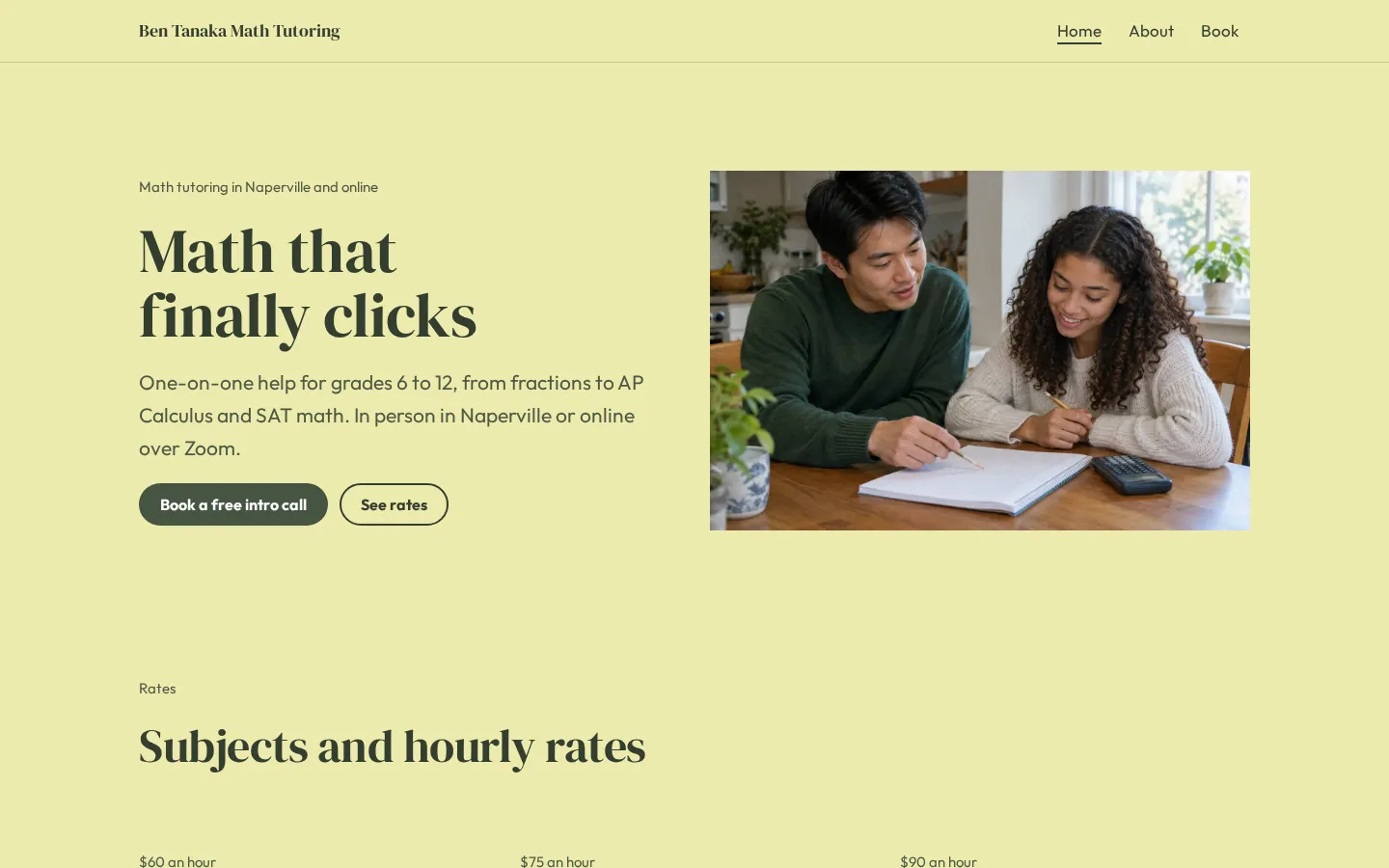
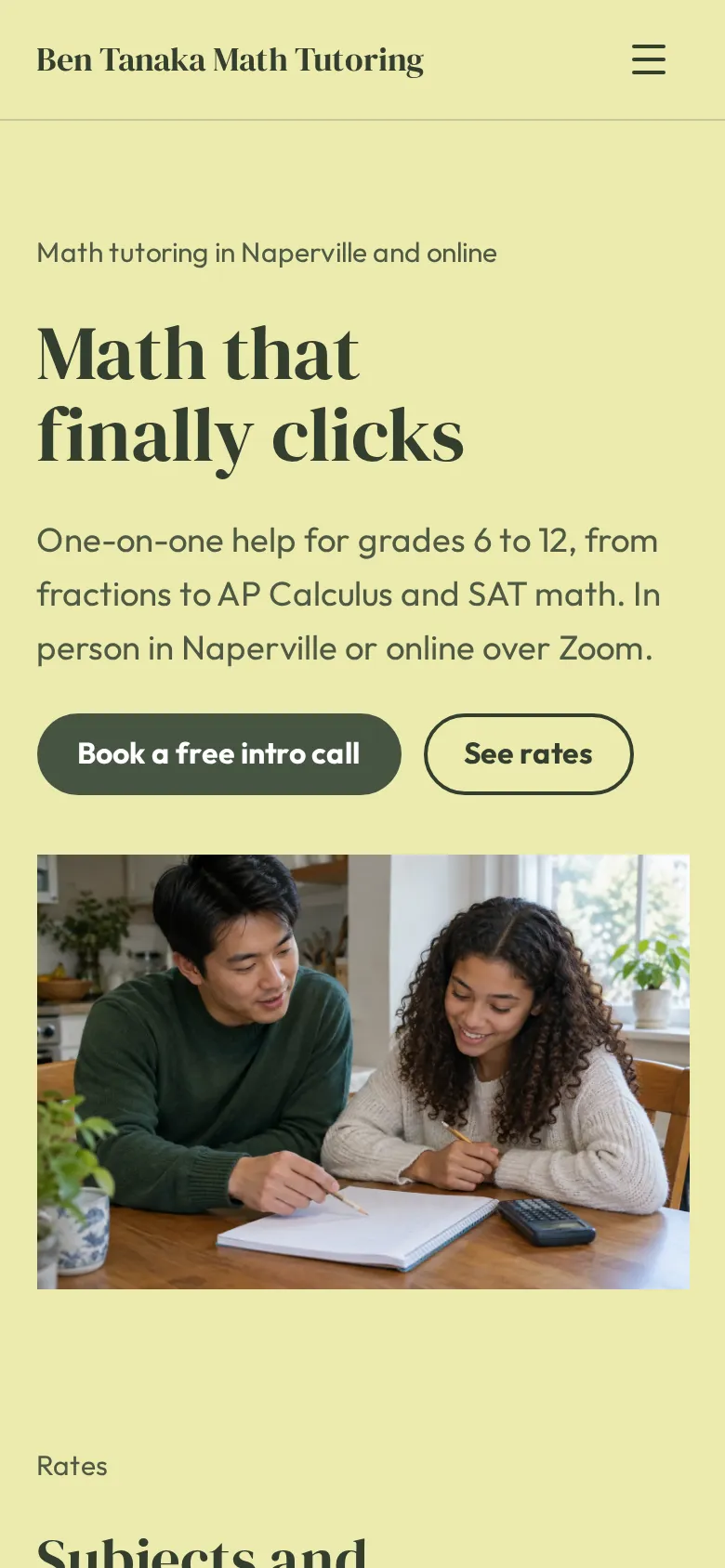
What's in the template
- Home page What you teach and where, a photo of a session, and buttons for a free intro call and your rates.
- Rates Three subjects or grade levels, each with an hourly rate and what it covers.
- Results A colored band with how many students you have helped and the grade and score gains they see.
- Reviews Four short quotes from parents and students.
- About page Your teaching background and degree, how you work, and 3 steps from the first call to notes after each session.
- Booking page Buttons to book, text or email, plus your hours, where you meet, the cancellation policy and how to pay.
Make your tutor website in 5 steps
- Open the templateIt opens in the Heya builder with all 3 pages, the photo and the text in place. You do not need an account to start.
- Set subjects and ratesChange the subjects, the grade levels and the hourly rates. Add a package price if you sell test prep in blocks.
- Write your backgroundOn the about page, say where you taught or studied and how a first session goes. Parents read this part closely.
- Link the booking buttonsPaste your Calendly link into the booking buttons, or point them to your phone number.
- Publish and shareSign in with Google, pick an address like bentanaka.heya.bio and publish. Share the link in parent groups and with school counselors.
Tutor website checklist
- Subjects, grade levels and the test prep you offer
- Hourly rates and any package prices
- In person, online or both, and which towns
- Your teaching background and degree
- Results with real numbers
- Reviews from parents and students
- Your weekly hours
- Cancellation and payment policies
- A button to book a first call
What it costs
The free plan covers everything this template needs. Pro Lite removes the badge and raises the page limit.
| Plan | Free | Pro Lite |
|---|---|---|
| Price | $0, no credit card | $9 a year |
| Sites | 3 | 3 |
| Pages per site | Up to 5 | Up to 20 |
| Address | name.heya.bio with HTTPS | name.heya.bio with HTTPS |
| Made with Heya badge | Small badge | No badge |
| HTML download | Yes | Yes |
| Built-in forms | Not yet, link to an outside form | Not yet, link to an outside form |
Swipe the table sideways to see both plans.
What Heya doesn't do yet
There's no built-in booking calendar or contact form yet. Forms are planned for Pro Standard ($19 a year), which isn't live. Until then, link the booking buttons to Calendly, or add a Calendly embed to the booking page so parents pick a time right there.
Heya does not take payments, so get paid the way you do now, with Zelle, Venmo or an invoice. There's no student login or place to share worksheets either; a shared Google Drive folder works for that.
Questions
Is this tutor website template free?
Yes. The template and publishing are free: up to 3 sites with up to 5 pages each on a name.heya.bio address with HTTPS, no credit card and no time limit. Free sites show a small "Made with Heya" badge, which Pro Lite removes for $9 a year.
How do parents book a session?
The booking buttons link to any scheduling page. Paste your Calendly link, or add a Calendly embed so parents see your open times right on the booking page.
Can I use it for subjects other than math?
Yes. The template is set up for math, but you can rename the subjects for reading, science, music or a language, and swap the photo to match.
Can I take payments on my tutor website?
Not yet. Heya does not take payments, so list how you get paid, like Zelle, Venmo or check, on the booking page.
Will it look right on a phone?
Yes. Every Heya site is responsive, so the rates, reviews and buttons stack neatly on a phone screen, where most parents will find you.
Can I download my tutor website?
Yes. Every plan can download the site as a ZIP of plain HTML, CSS, fonts and images, so you can keep a copy or host it anywhere.
More templates like this
Start your tutor website
Open the template, add your details and publish free on name.heya.bio. No code and no credit card.