Free wedding planner website template
Wedding planner website template with packages, reviews and a consultation button
A free 3-page wedding planner website with a full-width ceremony photo, three packages with prices, reviews from couples, an about page with your process and answers to common questions, and a contact page. Edit it in your browser without code and publish it on yourname.heya.bio in about 30 minutes, no credit card. Pro Lite removes the small badge for $9 a year.
The free plan includes 3 sites with up to 5 pages each, HTTPS, and a ZIP download of your files.
What's in the template
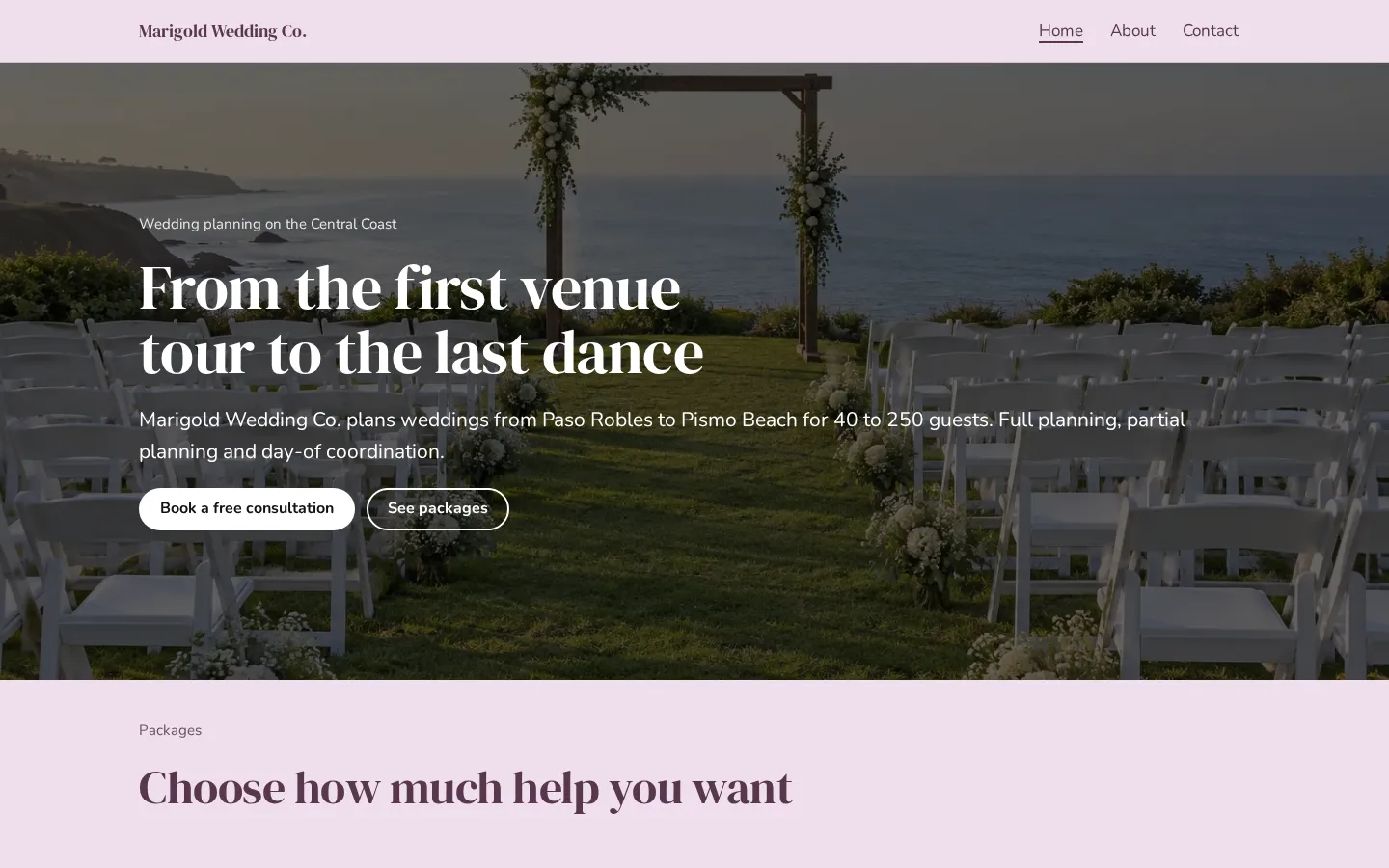
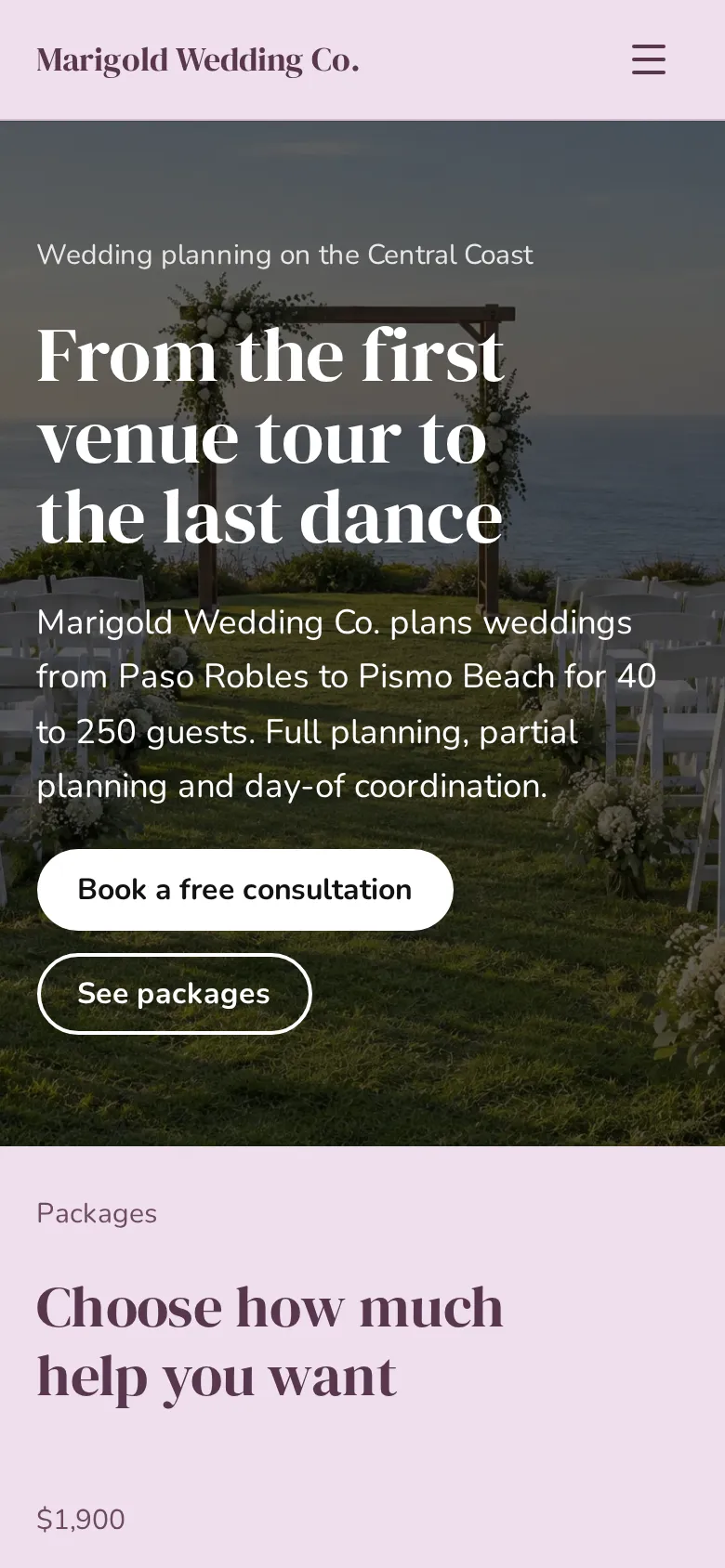
- Home page A full-width ceremony photo with your headline, your service area and buttons to book a consultation and see packages.
- Packages Day-of coordination, partial planning and full planning, each with a price and what it covers.
- Meet your planner Your photo next to a short story, how many weddings you have planned and a link to the about page.
- Reviews Three quotes from couples, with their names and where they got married.
- Booking band A colored band that says how many weddings you take a year, with a consultation button.
- About page Your team, 3 planning steps and answers on travel, day-of only, how far ahead to book and budgets.
- Contact page Buttons to book, call and email, your studio address with directions, studio hours and social links.
Make your wedding planner website in 5 steps
- Open the templateIt opens in the Heya builder with all 3 pages, both photos and the text in place. You do not need an account to start.
- Set your packagesChange the package names, the prices and what each one covers. Couples compare planners on this part first.
- Swap in your photosUse your best ceremony photo at the top and a photo of you at work next to your story.
- Link the consultation buttonsPaste your Calendly link or your inquiry page link into the Book a free consultation buttons.
- Publish and shareSign in with Google, pick an address like marigoldweddings.heya.bio and publish. Add it to your Instagram bio and your wedding directory listings.
Wedding planner website checklist
- Your service area and the guest counts you take
- Packages with prices or starting prices
- A photo of a real ceremony you planned
- A photo of you, so couples know who they will work with
- Reviews from couples, with where they got married
- How planning works, step by step
- Answers on travel fees, lead time and budgets
- A button to book a consultation
- Phone, email, studio hours and Instagram
What it costs
The free plan covers everything this template needs. Pro Lite removes the badge and raises the page limit.
| Plan | Free | Pro Lite |
|---|---|---|
| Price | $0, no credit card | $9 a year |
| Sites | 3 | 3 |
| Pages per site | Up to 5 | Up to 20 |
| Address | name.heya.bio with HTTPS | name.heya.bio with HTTPS |
| Made with Heya badge | Small badge | No badge |
| HTML download | Yes | Yes |
| Built-in forms | Not yet, link to an outside form | Not yet, link to an outside form |
Swipe the table sideways to see both plans.
What Heya doesn't do yet
There's no built-in inquiry form or booking calendar yet. Forms are planned for Pro Standard ($19 a year), which isn't live. Until then, link the consultation buttons to Calendly or your inquiry form, or add a Calendly embed to the contact page.
Heya does not take payments or retainers, so send contracts and invoices from the tools you already use. There is no gallery block either; to show more weddings, add a page and place your photos in two or three columns.
Questions
Is this wedding planner website template free?
Yes. The template and publishing are free: up to 3 sites with up to 5 pages each on a name.heya.bio address with HTTPS, no credit card and no time limit. Free sites show a small "Made with Heya" badge, which Pro Lite removes for $9 a year.
How is this different from the wedding website template?
The wedding website template is for couples who share their day with guests. This one is for planners who sell a service: it has packages, prices, reviews and a consultation button.
How do couples book a consultation?
The consultation buttons link to any scheduling page or inquiry form. Paste your Calendly link, or add a Calendly embed so couples pick a time right on the contact page.
Should I list my prices?
Couples like to know the range before they reach out, and prices filter out the ones who are not a fit. Show a starting price if every wedding is quoted on its own.
Can I remove the Made with Heya badge?
Yes. Pro Lite removes the small badge for $9 a year, with up to 3 sites and 20 pages per site. See no branding for how it looks.
Can I use my own domain?
Not yet. Custom domains are on the way, so for now your wedding planner website lives on an address like marigoldweddings.heya.bio with HTTPS.
More templates like this
Start your wedding planner website
Open the template, add your details and publish free on name.heya.bio. No code and no credit card.