Free event website template
Event website template for a one-day conference
A free 2-page event website built for a one-day conference: a countdown to the doors opening, 6 speakers with their talks, ticket prices, the venue with directions and a full schedule. Edit it in your browser without code and publish it on yourname.heya.bio in about 30 minutes, no credit card. Pro Lite removes the small badge for $9 a year.
The free plan includes 3 sites with up to 5 pages each, HTTPS, and a ZIP download of your files.
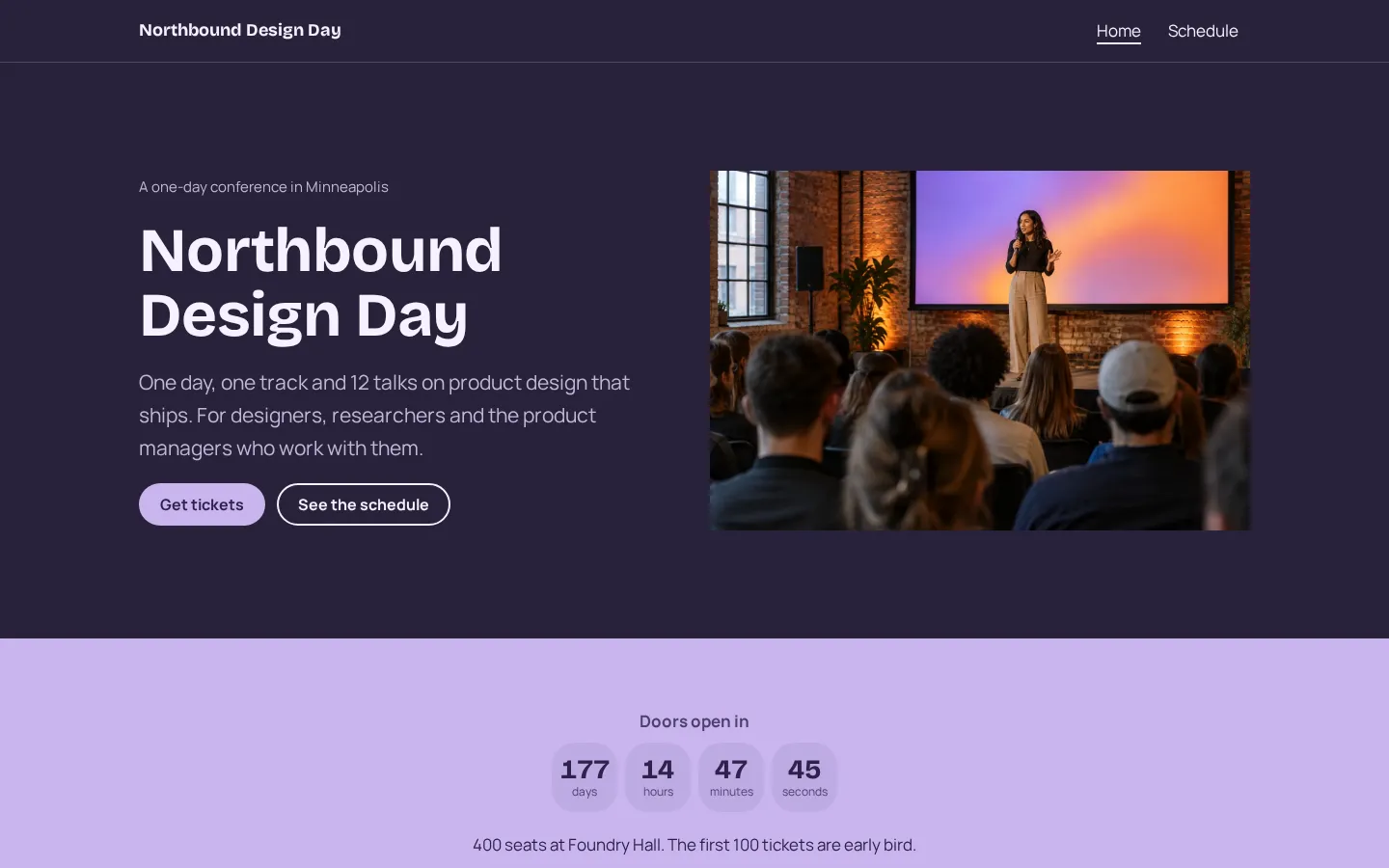
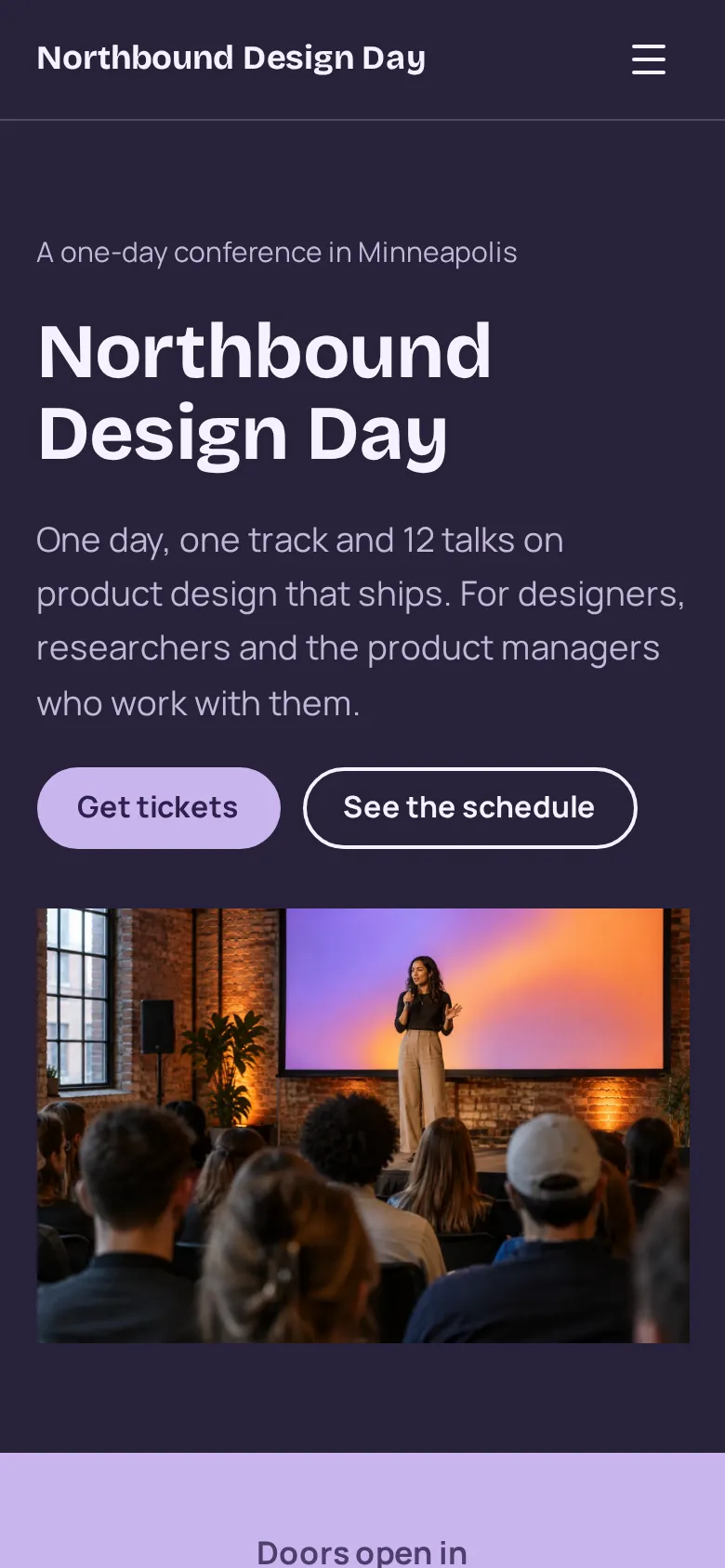
What's in the template
- Home page The event name, the city and a one-line pitch, a stage photo, and buttons for tickets and the schedule.
- Countdown A live countdown to the doors opening, with a line on seats and early bird tickets.
- Speakers Six speakers with their role, company and talk title in three columns.
- Tickets Early bird, regular and student prices next to a button that opens your ticketing page.
- Venue A photo, the address, how to get there and buttons for directions and email.
- Schedule page Ten time slots from breakfast to the after party, with the morning and the afternoon side by side.
- Good to know Accessibility, the hotel rate and the code of conduct, so people do not have to email you to ask.
Make your event website in 5 steps
- Open the templateIt opens in the Heya builder with both pages, the photos and the text in place. You do not need an account to start.
- Add your eventChange the name, the city and the venue. Set the countdown to the date and time the doors open.
- Fill in the programReplace the speakers, the talk titles and the times. Add or remove blocks as the program changes.
- Link your ticketsPaste your Eventbrite, Tito or Luma link into the ticket buttons, so people buy where you already sell.
- Publish and shareSign in with Google, pick an address like northbound.heya.bio and publish. Put the link in your emails, posts and speaker announcements.
Event website checklist
- Event name, date, city and start time
- The venue address with a map link
- Ticket prices and what each ticket includes
- A ticket button that goes straight to checkout
- Speakers with their roles and talk titles
- The schedule with start times and breaks
- Accessibility details and a code of conduct
- Hotel and travel tips for people from out of town
- An email address for questions
What it costs
The free plan covers everything this template needs. Pro Lite removes the badge and raises the page limit.
| Plan | Free | Pro Lite |
|---|---|---|
| Price | $0, no credit card | $9 a year |
| Sites | 3 | 3 |
| Pages per site | Up to 5 | Up to 20 |
| Address | name.heya.bio with HTTPS | name.heya.bio with HTTPS |
| Made with Heya badge | Small badge | No badge |
| HTML download | Yes | Yes |
| Built-in forms | Not yet, link to an outside form | Not yet, link to an outside form |
Swipe the table sideways to see both plans.
What Heya doesn't do yet
Heya does not sell tickets or take payments, so the ticket buttons link to your ticketing page on Eventbrite, Tito or Luma. There's no built-in signup form yet either. Forms are planned for Pro Standard ($19 a year), which isn't live.
There is no attendee login or session planner. The schedule is plain text you edit by hand, which works well for a one-day event with one or two tracks. Heya has no analytics yet, so track sales in your ticketing tool.
Questions
Is this event website template free?
Yes. The template and publishing are free: up to 3 sites with up to 5 pages each on a name.heya.bio address with HTTPS, no credit card and no time limit. Free sites show a small "Made with Heya" badge, which Pro Lite removes for $9 a year.
How do people buy tickets?
The ticket buttons link to any ticketing page. Eventbrite, Tito and Luma all give you a checkout link to paste in. Heya does not take payments itself.
Does the countdown update itself?
Yes. It counts down live in the visitor's browser and switches to your own message when the doors open. You set the date and time once in the builder.
Can I use it for a meetup, workshop or festival?
Yes. Speakers can become hosts or bands, and the schedule works for any one-day event. For a free event, swap the ticket prices for a link to your RSVP page.
Can I add more pages?
Yes. The template has 2 pages and the free plan allows 5 per site, so there is room for sponsors, a venue page or a call for speakers. Pro Lite allows 20 pages per site.
Can I use my own domain?
Not yet. Custom domains are on the way, so for now your event website lives on an address like northbound.heya.bio with HTTPS.
More templates like this
Start your event website
Open the template, add your details and publish free on name.heya.bio. No code and no credit card.