Free food truck website template
Food truck website template with a menu and weekly schedule
A free 3-page food truck website with your menu and prices, a weekly schedule where all 5 stops link to Google Maps, and a page for booking the truck with 3 event packages. Edit it in your browser without code and publish it on yourname.heya.bio in about 30 minutes, no credit card. Pro Lite removes the small badge for $9 a year.
The free plan includes 3 sites with up to 5 pages each, HTTPS, and a ZIP download of your files.
What's in the template
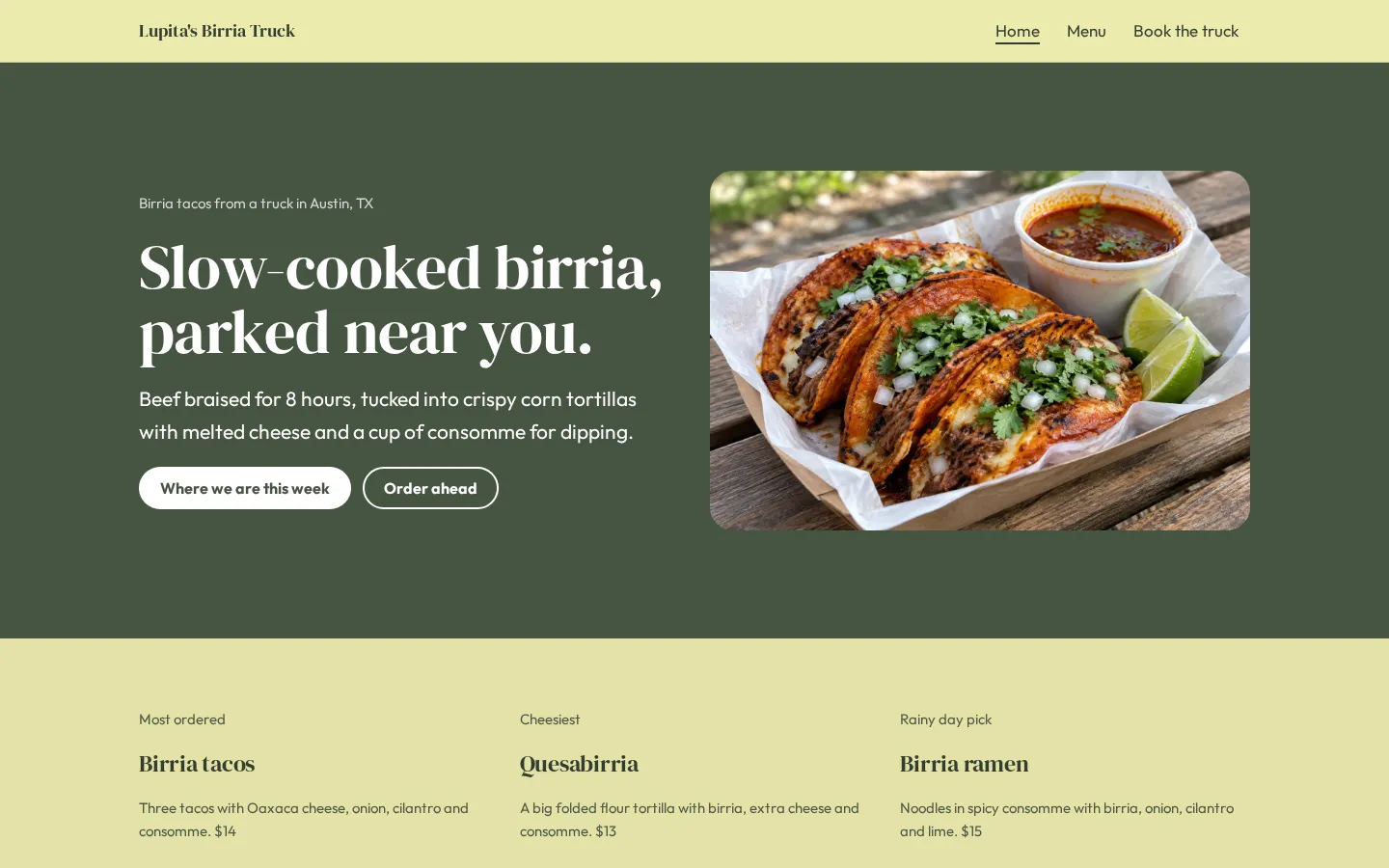
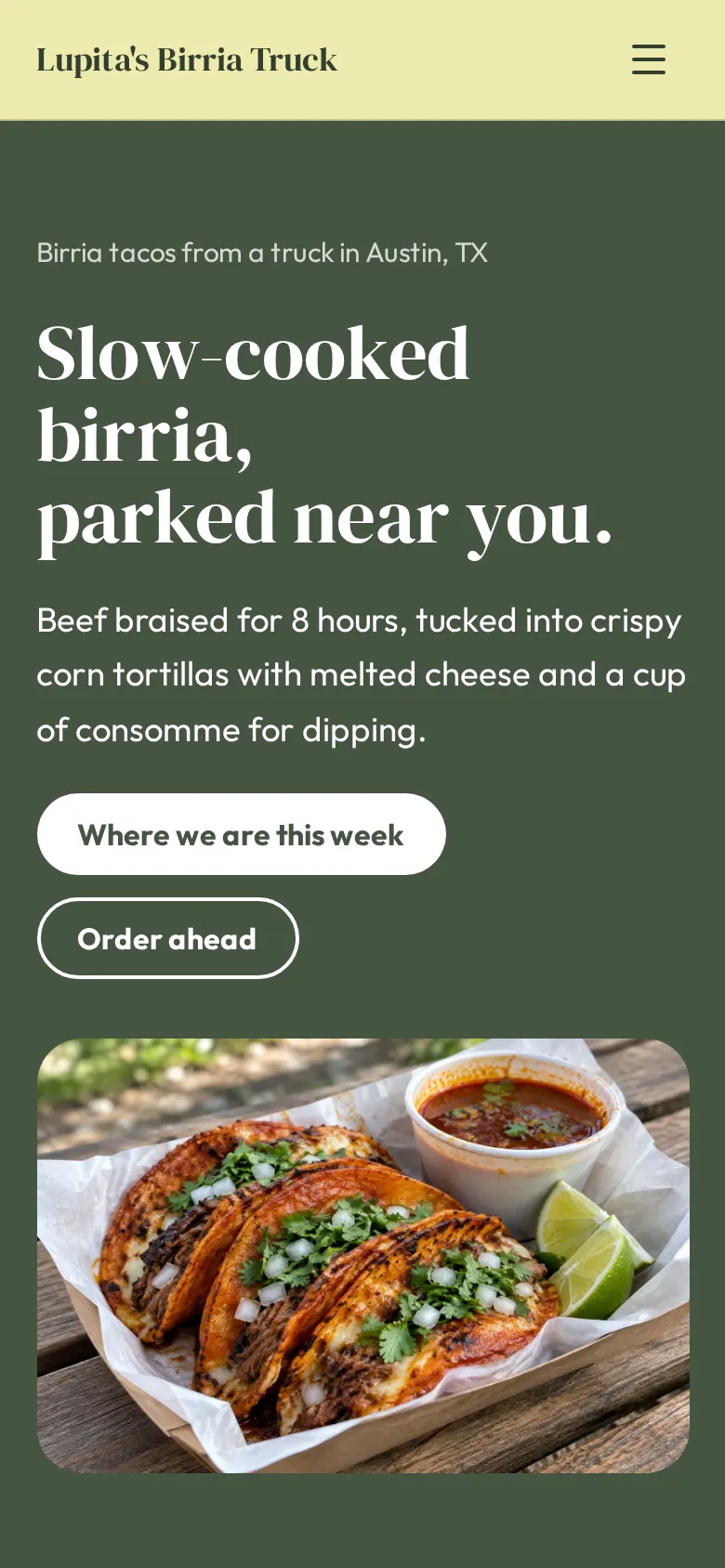
- Home page A photo of your best seller next to your headline, your city and buttons for this week's stops and ordering ahead.
- Favorites Three dishes people line up for, each with a short description and a price.
- Weekly schedule Five stops with days, hours, places and addresses, each opening Google Maps, next to a photo of the truck and your Instagram and TikTok icons.
- Private events A band that sends party hosts to the booking page, with your starting price.
- Menu page Birria, tacos, sides and drinks with prices and short descriptions, plus the payments you take and a call button.
- Book the truck page A party photo, three packages with prices and guest counts, booking lead times, the deposit, what space the truck needs and a button that opens your request form.
Make your food truck website in 6 steps
- Open the templateIt opens in the Heya builder with all 3 pages, the photos and a sample menu in place. You do not need an account to start.
- Post your stopsClick each stop to change the day, hours and place, and update its link so it opens the right spot in Google Maps.
- Update the menuChange the dishes and prices to match your menu board, and keep the three favorites on the home page in sync.
- Link ordering and bookingsPaste your Square or Toast link into the Order ahead buttons and a Google Form or Tally form link into Request a date.
- Publish and shareSign in with Google, pick an address like lupitas-birria.heya.bio and publish. Put the link on your menu board and in your Instagram bio.
- Update it every weekWhen your stops change, edit the schedule and publish again, so the site always matches where the truck is.
Food truck website checklist
- This week's stops with days, hours and addresses
- A map link for every stop
- The full menu with prices
- The payments you take
- Where to follow you for last-minute changes
- A link to order ahead, if you offer it
- Event packages with prices and guest counts
- What the truck needs on site: space, power and parking
- A phone number for bookings
What it costs
The free plan covers everything this template needs. Pro Lite removes the badge and raises the page limit.
| Plan | Free | Pro Lite |
|---|---|---|
| Price | $0, no credit card | $9 a year |
| Sites | 3 | 3 |
| Pages per site | Up to 5 | Up to 20 |
| Address | name.heya.bio with HTTPS | name.heya.bio with HTTPS |
| Made with Heya badge | Small badge | No badge |
| HTML download | Yes | Yes |
| Built-in forms | Not yet, link to an outside form | Not yet, link to an outside form |
Swipe the table sideways to see both plans.
What Heya doesn't do yet
Heya does not take orders, bookings or payments. The Order ahead buttons link to your Square or Toast page, and Request a date opens a Google Form or Tally form. Forms are planned for Pro Standard ($19 a year) and payments for Pro Plus ($49 a year), and neither is live yet.
The schedule is plain text, so you update it by hand when your stops change. For same-day changes like rain or a sellout, post on Instagram or TikTok and add those accounts to the social icons so people know where to look.
Questions
Is this food truck website template free?
Yes. The template and publishing are free: up to 3 sites with up to 5 pages each on a name.heya.bio address with HTTPS, no credit card and no time limit. Free sites show a small "Made with Heya" badge, which Pro Lite removes for $9 a year.
How do I update the schedule each week?
Click a stop to change the day, hours or place, update its map link and publish again. Each stop is one line, so a week of changes takes a few minutes.
Can customers order ahead?
Yes, through the ordering app you already use. Paste your Square or Toast link into the Order ahead buttons. Heya does not take orders or payments itself.
How do people book the truck for an event?
The Request a date button opens any form you choose, like a free Google Form or Tally form that asks for the date, address, guest count and budget. A built-in form is planned but not live yet.
Does the site work on phones?
Yes. Every page fits small screens, the map links open Google Maps and the call buttons dial your number. See responsive sites.
Can I use my own domain?
Not yet. Custom domains are planned for Pro Standard ($19 a year), which is not live. For now your food truck website lives on a name.heya.bio address with HTTPS.
More templates like this
Start your food truck website
Open the template, add your details and publish free on name.heya.bio. No code and no credit card.