Free app website template
App website template with store buttons, a support page and a privacy policy
A free 3-page app website with App Store and Google Play buttons, 4 features, free and paid plans, 3 reviews, a support page with 6 answers, and a privacy policy. Edit it in your browser without code and publish it on yourname.heya.bio in about 30 minutes, no credit card. Pro Lite removes the small badge for $9 a year.
The free plan includes 3 sites with up to 5 pages each, HTTPS, and a ZIP download of your files.
What's in the template
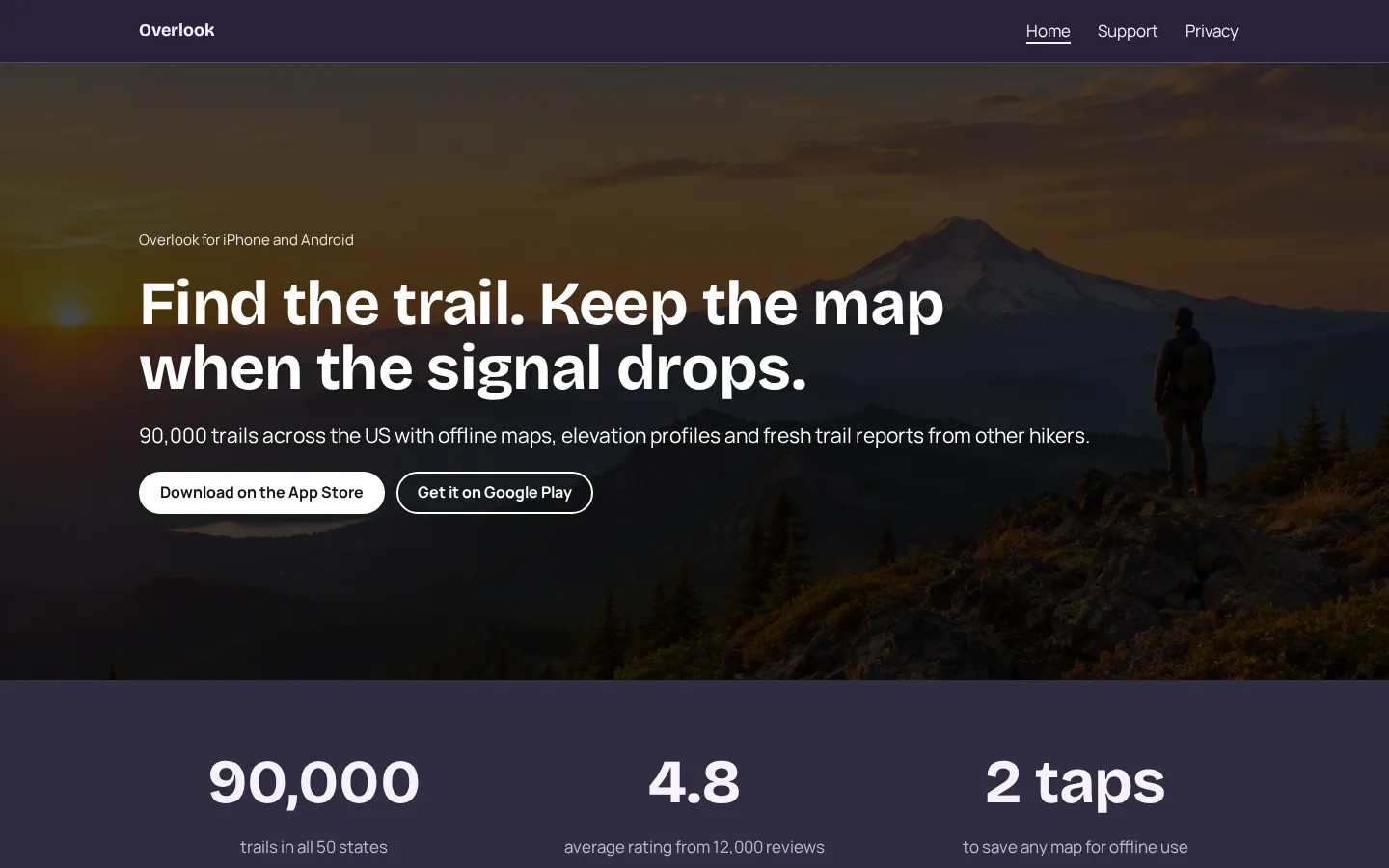
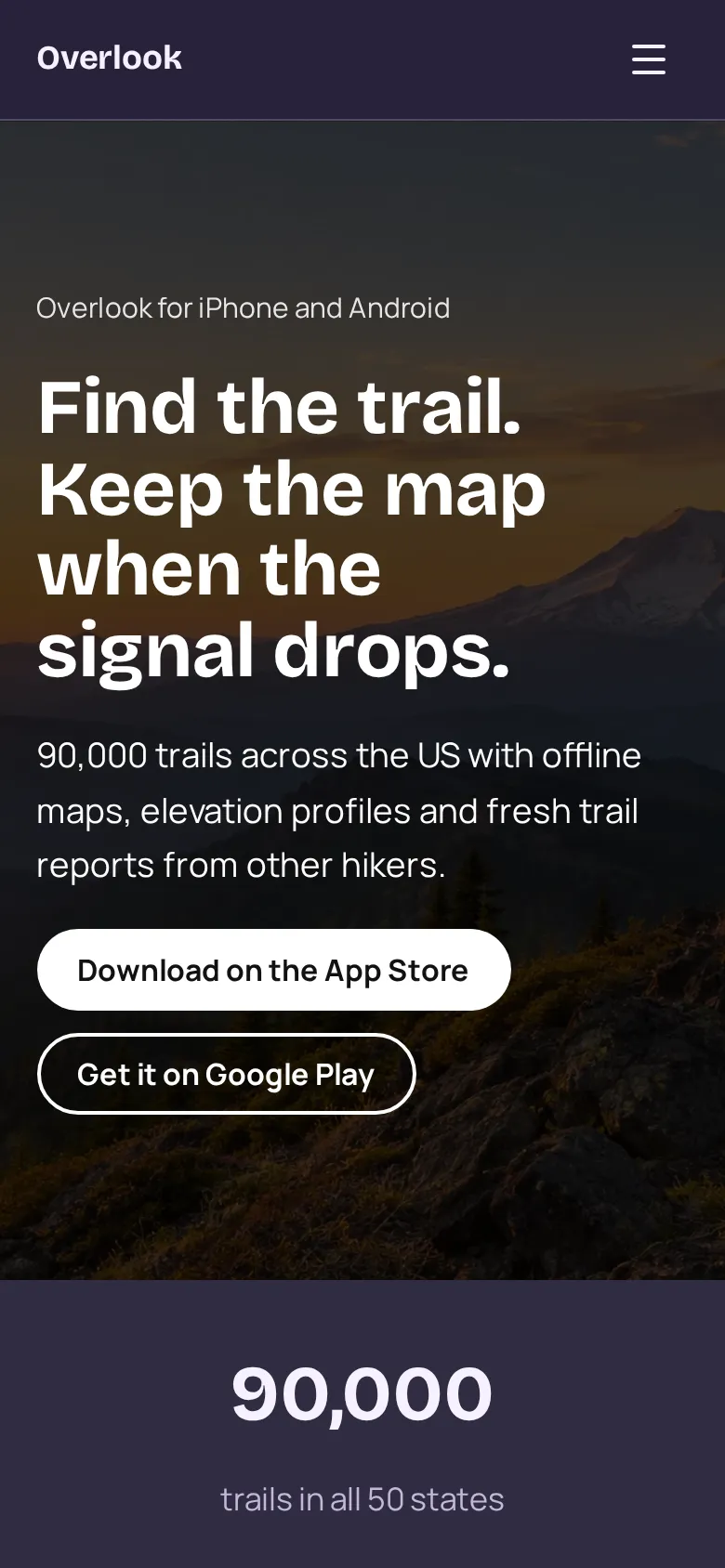
- Home page A full-width photo with your headline on top, one line on what the app does, and App Store and Google Play buttons.
- Numbers band Three numbers: how much the app covers, your store rating and how fast it is to use.
- Features Four features with a short line each, next to a photo of the app in use.
- Plans The free plan and the paid plan side by side, with what each includes.
- Reviews and download band Three short reviews from users, then the store buttons again with Instagram, TikTok and YouTube icons.
- Support page Six answers to common questions, a support email button, and your company name and address.
- Privacy page A plain-English privacy policy with a last updated date: what you collect, location, payments, user choices, children and contact.
Make your app website in 5 steps
- Open the templateIt opens in the Heya builder with all 3 pages, the photos and the text in place. You do not need an account to start.
- Describe your appChange the headline, the features and the numbers to your app's. Say what someone gets on day one.
- Link the storesPaste your App Store and Google Play listing links into the store buttons. Remove one if you only ship on one platform.
- Fill in support and privacyRewrite the support answers and the privacy policy so they match what your app does and collects.
- Publish and add the linksSign in with Google, pick an address like overlook.heya.bio and publish. App Store Connect asks for a support URL and a privacy policy URL, and Google Play asks for a privacy policy.
App website checklist
- What the app does, in one line
- App Store and Google Play buttons near the top
- Photos or screenshots of the app in use
- Your store rating and number of reviews
- Pricing, including what is free
- A support page with a contact email
- A privacy policy you can link from the stores
- Your company's legal name and address
- Links to your social accounts
What it costs
The free plan covers everything this template needs. Pro Lite removes the badge and raises the page limit.
| Plan | Free | Pro Lite |
|---|---|---|
| Price | $0, no credit card | $9 a year |
| Sites | 3 | 3 |
| Pages per site | Up to 5 | Up to 20 |
| Address | name.heya.bio with HTTPS | name.heya.bio with HTTPS |
| Made with Heya badge | Small badge | No badge |
| HTML download | Yes | Yes |
| Built-in forms | Not yet, link to an outside form | Not yet, link to an outside form |
Swipe the table sideways to see both plans.
What Heya doesn't do yet
Heya does not host downloads or take payments, so the store buttons link to your App Store and Google Play listings, and subscriptions stay with Apple and Google. There are no forms yet, so support requests go to an email button. Forms are planned for Pro Standard ($19 a year), which isn't live.
There is no custom code, so you can't add tracking scripts or app banners, and analytics aren't available yet. Custom domains are still to come too, so your support and privacy pages live on name.heya.bio for now.
Questions
Is this app website template free?
Yes. The template and publishing are free: up to 3 sites with up to 5 pages each on a name.heya.bio address with HTTPS, no credit card and no time limit. Free sites show a small "Made with Heya" badge, which Pro Lite removes for $9 a year.
Can I use these pages as my support and privacy URLs?
Yes. Publish the site, then paste the links to the Support and Privacy pages into App Store Connect and the Google Play Console. Rewrite the policy to match what your app collects.
Can I show a video of the app?
Yes. Add a YouTube or Vimeo embed to the home page, like a short walkthrough under the hero.
Can people buy the subscription on the site?
No. Heya does not take payments. Link to your store listings, where people can subscribe in the app.
Can I add a press kit page?
Yes. The template has 3 pages and the free plan allows 5 per site, so there is room for a press kit or a changelog. Pro Lite allows 20 pages per site.
Can I download the site?
Yes. Every plan can download the site as a ZIP of plain HTML, CSS, fonts and images, so you can host it anywhere.
More templates like this
Start your app website
Open the template, add your details and publish free on name.heya.bio. No code and no credit card.