Free car detailing website template
Car detailing website template with packages, prices and a booking link
A free 3-page car detailing website for a mobile detailer, with your packages and prices, a ceramic coating section, add-ons, reviews, your service area and a button that opens your booking page. Edit it in your browser without code and publish it on yourname.heya.bio in about 20 minutes, no credit card. Pro Lite removes the small badge for $9 a year.
The free plan includes 3 sites with up to 5 pages each, HTTPS, and a ZIP download of your files.
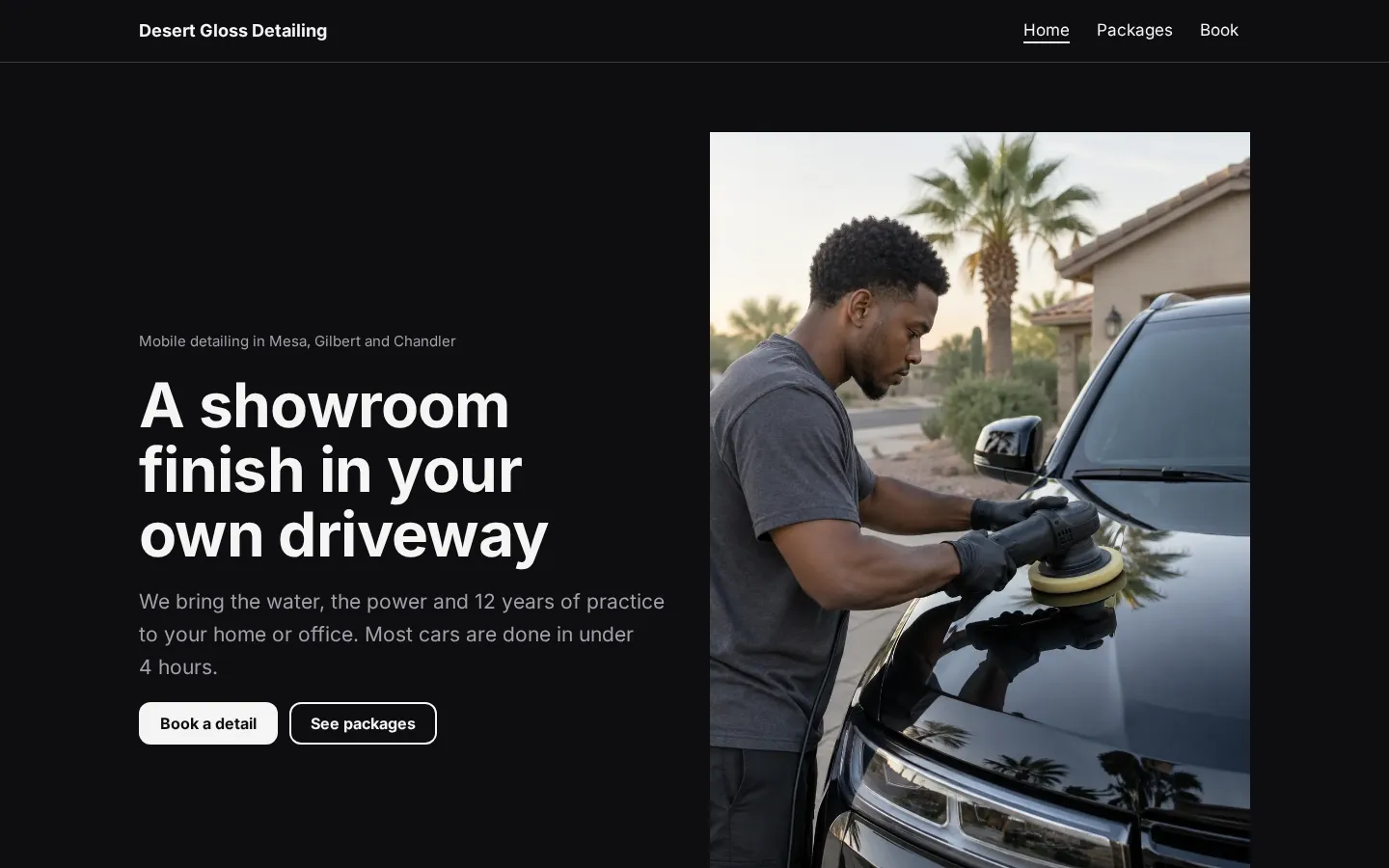
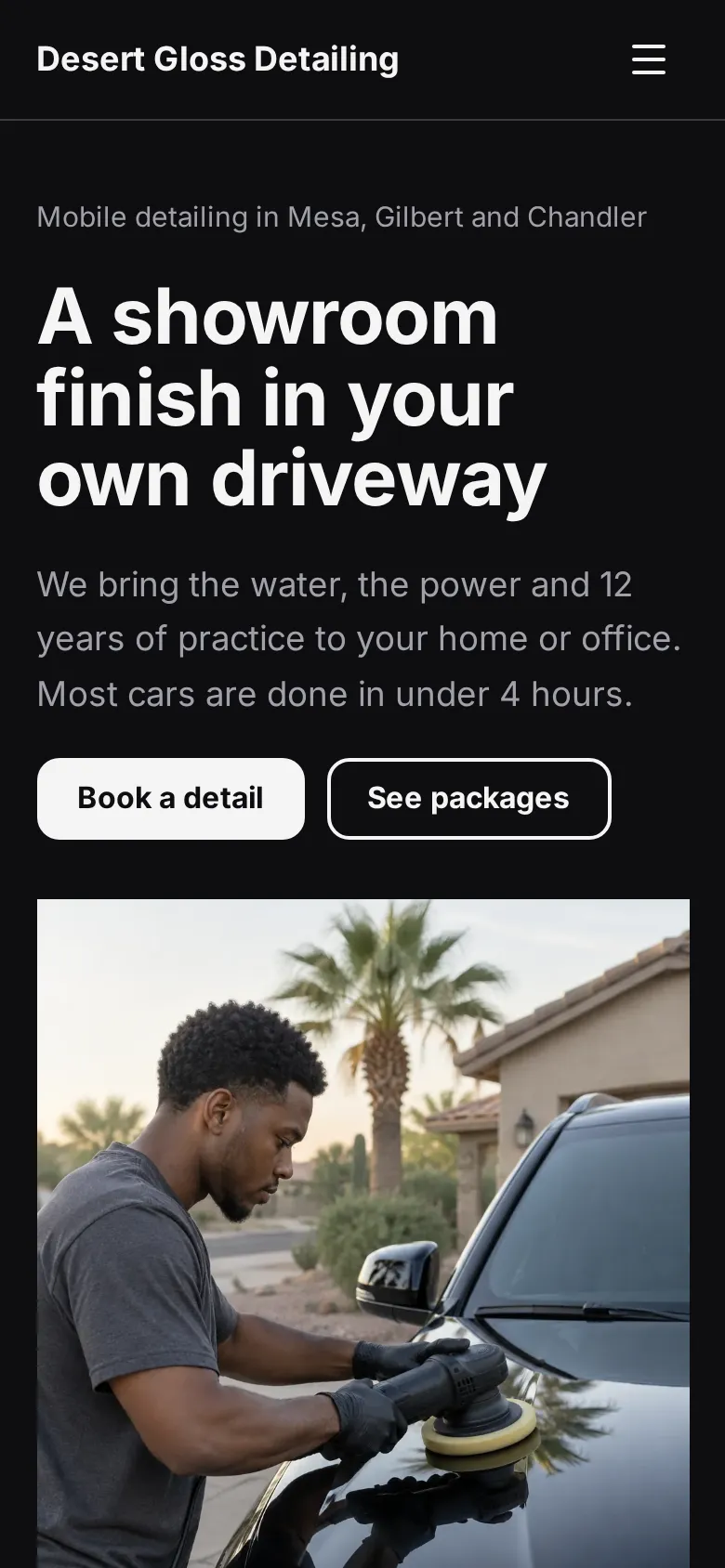
What's in the template
- Home page A photo of a detail in progress next to your headline, with buttons to book and to see the packages.
- Packages at a glance Express, full detail and ceramic coating with their prices, right below the top of the page.
- We come to you A band that explains what your van brings, so customers know all you need is a parking spot.
- Ceramic coating A close-up photo and a few lines on what a coating does, with a button to the coating prices.
- Reviews Two short reviews from named customers in nearby towns.
- Packages page Four packages with prices and what each includes, the coating options, and a price list of add-ons like pet hair removal and headlight restoration.
- Booking page A button for your booking page, a call button, your hours, your service area and travel fee, an email button and your social links.
Make your car detailing website in 5 steps
- Open the templateIt opens in the Heya builder with all 3 pages, the photos and the text in place. You do not need an account to start.
- Set your packages and pricesClick any price to change it, and rename the packages to match how you sell, from a quick wash to paint correction.
- Link your booking pagePaste the link from Square Appointments, Calendly or the booking tool you use into the "Book online" button.
- Add your photosReplace the three photos with your own work. Close-ups of paint and interiors in daylight show the most detail.
- Publish and shareSign in with Google, pick an address like desert-gloss.heya.bio and publish. Put the link in your Instagram bio and on your Google Business Profile.
Car detailing website checklist
- Your packages, with prices and how long each one takes
- Extra charges for trucks, vans and large SUVs
- The towns you cover and any travel fee
- What you need on site, like water, power or just a parking spot
- Your hours and how far ahead to book
- A link to book online, plus your phone number
- Photos of your own work, inside and out
- How customers pay
- Reviews from real customers
What it costs
The free plan covers everything this template needs. Pro Lite removes the badge and raises the page limit.
| Plan | Free | Pro Lite |
|---|---|---|
| Price | $0, no credit card | $9 a year |
| Sites | 3 | 3 |
| Pages per site | Up to 5 | Up to 20 |
| Address | name.heya.bio with HTTPS | name.heya.bio with HTTPS |
| Made with Heya badge | Small badge | No badge |
| HTML download | Yes | Yes |
| Built-in forms | Not yet, link to an outside form | Not yet, link to an outside form |
Swipe the table sideways to see both plans.
What Heya doesn't do yet
There's no built-in booking calendar yet. The "Book online" button opens the booking tool you already use, like Square Appointments, Calendly or Acuity, and you can add a Calendly embed if you want the calendar right on the page.
You can't take payments or deposits on the site either. Payments are planned for Pro Plus ($49 a year) and forms for Pro Standard ($19 a year), and neither is live, so questions come in by phone or email for now.
Questions
Is this car detailing website template free?
Yes. The template and publishing are free: up to 3 sites with up to 5 pages each on a name.heya.bio address with HTTPS, no credit card and no time limit. Free sites show a small "Made with Heya" badge, which Pro Lite removes for $9 a year.
Can customers book online?
Yes, through the booking tool you already use. Paste its link into the "Book online" button, or add a Calendly embed so the calendar shows on the page. Heya has no booking system of its own.
Does it work for a detailing shop instead of a mobile service?
Yes. Turn the "We come to you" band into your address and opening hours, and the service area into directions to the shop.
Can I show before and after photos?
Yes. Add a split section with the before photo on the left and the after photo on the right. On phones the two photos stack.
Will it look right on phones?
Yes. Every Heya site adapts to the screen, and the call button opens the dialer on a phone, which is where most people look for a detailer.
More templates like this
Start your car detailing website
Open the template, add your details and publish free on name.heya.bio. No code and no credit card.