Free dentist website template
Dentist website template with services, fees and a new patient page
A free 3-page dental website with 12 services and fees, a $129 new patient offer, your dentists and hygienists, reviews, hours, and a first visit page with the insurance you bill. Edit it in your browser without code and publish it on yourname.heya.bio in about 30 minutes, no credit card. Pro Lite removes the small badge for $9 a year.
The free plan includes 3 sites with up to 5 pages each, HTTPS, and a ZIP download of your files.
What's in the template
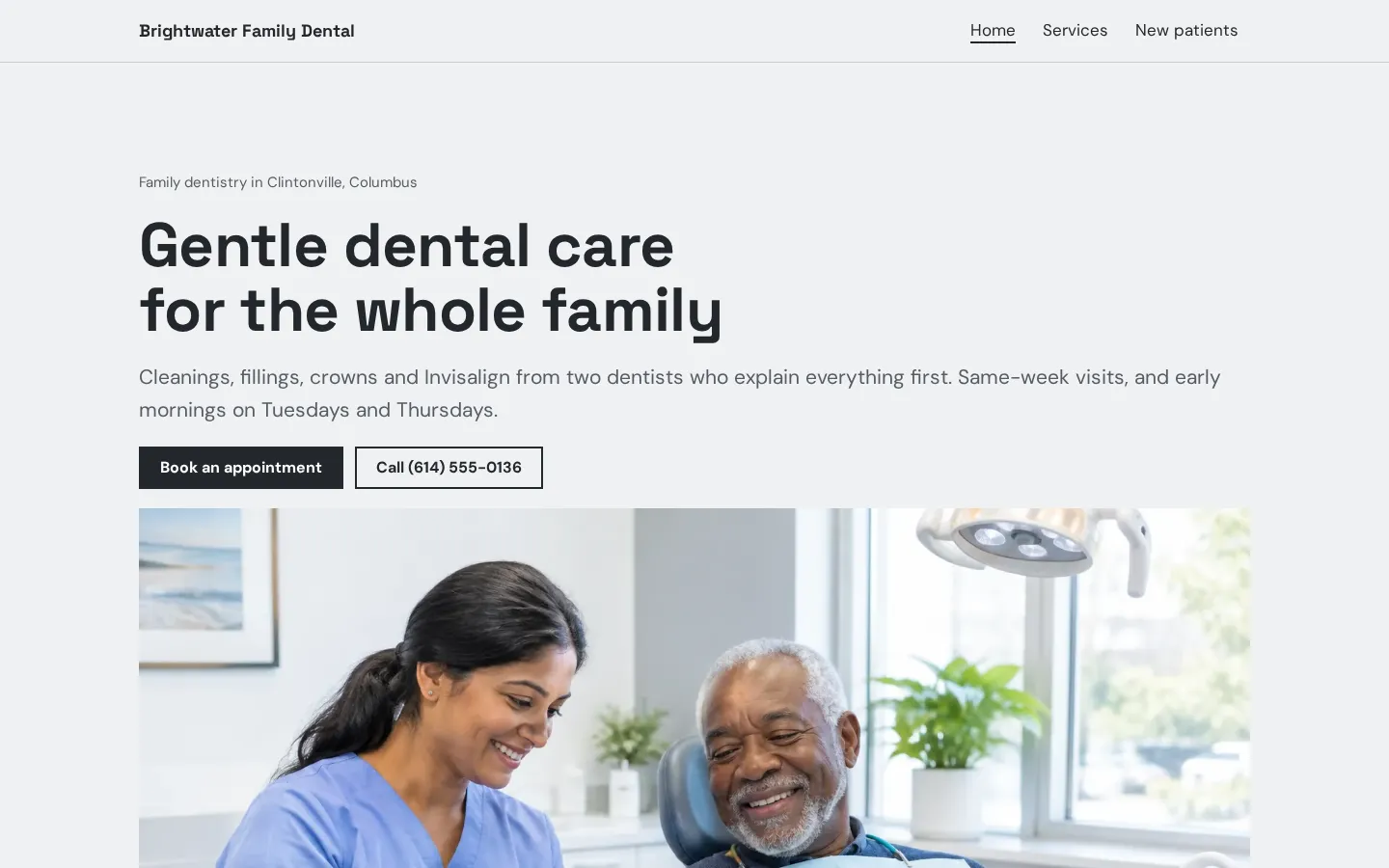
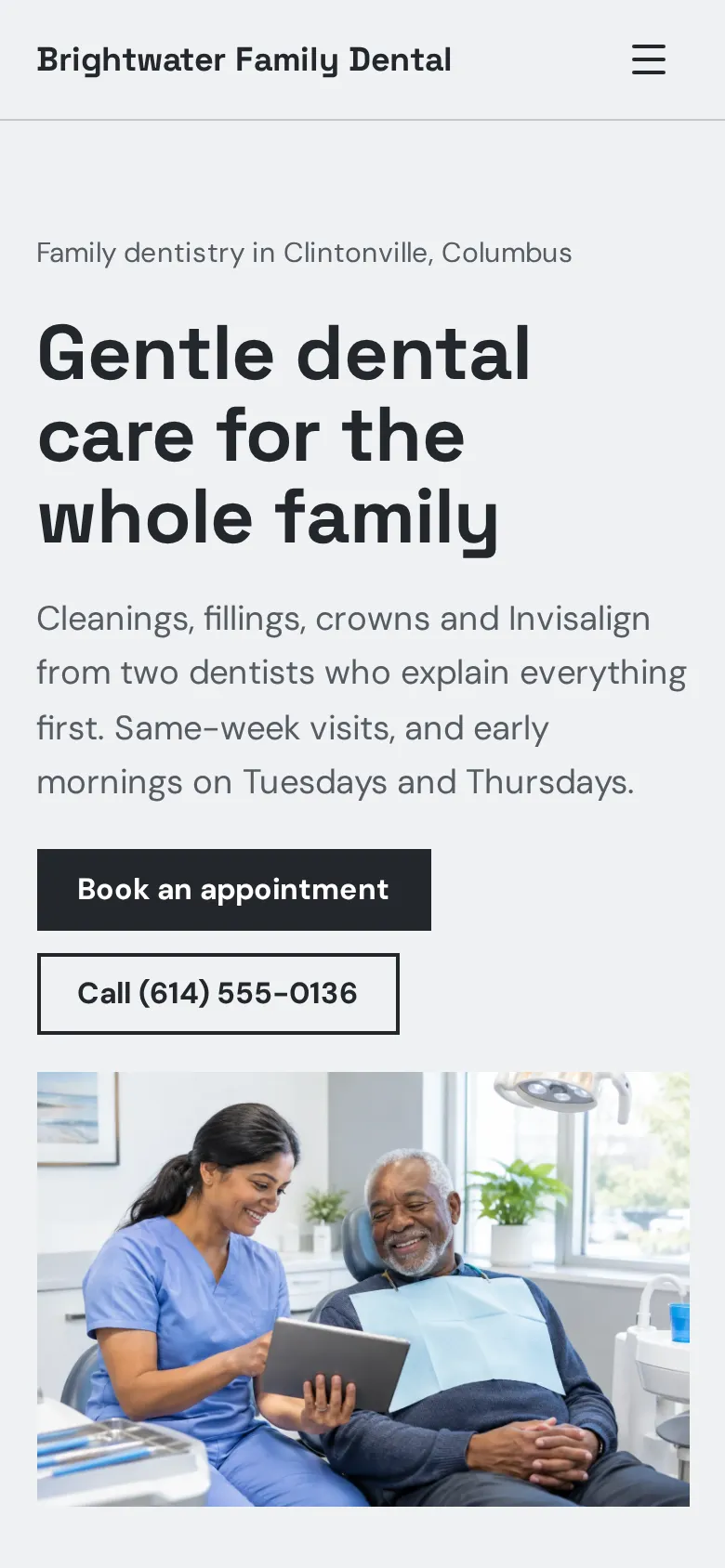
- Home page Your neighborhood, one line on the kind of care you give, a photo of a dentist with a patient, and buttons to book or call.
- New patient offer A dark band with your new patient price and a button to book the first visit.
- Services overview Six services, from checkups and fillings to Invisalign and emergencies, each with a price or a short note.
- Team and reviews A front desk photo next to your dentists and hygienists, then three patient reviews.
- Visit section Your address with directions and call buttons, parking and access notes, office hours and social links.
- Services page Preventive, restorative and cosmetic care in three columns with fees and visit lengths, plus a membership plan for patients without insurance and payment plans.
- New patients page The first visit in four steps, buttons for online forms and booking, the insurance you bill, and how you help nervous patients.
Make your dentist website in 5 steps
- Open the templateAll 3 pages open in the Heya builder with photos, services and sample fees. No account needed to start.
- Enter your services and feesChange each service, fee and visit length, or write "Call for a quote" where you would rather not list a fee.
- Add your team and insurancePut in your dentists and hygienists, the plans you bill and your office hours.
- Link booking and formsPaste the online booking and patient form links from your practice software into the Book and Fill out forms online buttons.
- PublishSign in with Google, pick an address like brightwater-dental.heya.bio and publish. Add the link to your Google Business Profile.
Dentist website checklist
- The services you offer, with fees or starting prices where you can
- Which insurance plans you bill, and whether you are in network
- A new patient page: what to bring and how long the first visit takes
- A clear booking button and a phone number to tap
- Your dentists and their background
- Office hours, including early or late days
- Address, parking and accessibility
- What to do in a dental emergency
- Options for patients without insurance
- Reviews from real patients
What it costs
The free plan covers everything this template needs. Pro Lite removes the badge and raises the page limit.
| Plan | Free | Pro Lite |
|---|---|---|
| Price | $0, no credit card | $9 a year |
| Sites | 3 | 3 |
| Pages per site | Up to 5 | Up to 20 |
| Address | name.heya.bio with HTTPS | name.heya.bio with HTTPS |
| Made with Heya badge | Small badge | No badge |
| HTML download | Yes | Yes |
| Built-in forms | Not yet, link to an outside form | Not yet, link to an outside form |
Swipe the table sideways to see both plans.
What Heya doesn't do yet
Heya does not have forms or booking, so patient forms and appointments link out. Paste the online booking and intake form links from your practice software or patient portal into the buttons. Patient details then stay in the system you already use, not on the website.
Custom domains are planned for Pro Standard ($19 a year), which is not live, so the site runs on name.heya.bio for now.
Questions
Is this dentist website template free?
Yes. The template and publishing are free: up to 3 sites with up to 5 pages each on a name.heya.bio address with HTTPS, no credit card and no time limit. Free sites show a small "Made with Heya" badge, which Pro Lite removes for $9 a year.
Can patients book appointments online?
Yes, through your booking system. The Book an appointment buttons link to the online scheduling page from your practice software or a tool like Calendly. Heya does not take bookings itself.
Can patients fill out forms on the site?
Not on the site itself. The Fill out forms online button links to the intake forms in your practice software or patient portal. Forms are planned for Pro Standard but are not live.
Do I have to list fees?
No. Each fee is plain text, so you can show exact fees, starting prices or "Call for a quote". Listing them answers a common question before the phone rings.
Can I use it for a pediatric or cosmetic practice?
Yes. Rename the sections, swap the photos and change the services. The free plan allows 5 pages per site, so you can add a page for kids or for Invisalign. See customization.
More templates like this
Start your dentist website
Open the template, add your details and publish free on name.heya.bio. No code and no credit card.